Home / Past papers / MAD2 Quiz 1 / this paper
IIT M DIPLOMA AN EXAM QDD3 13 July 2025 - 13 Jul 2025
Elapsed 00:00
In Vue 2, what happens when you update a data property?
- DOM is immediately updated without virtual DOM
- The page reloads
- The virtual DOM detects changes and updates efficiently
- A full component re-renders from scratch
Text of the picture (copyable)
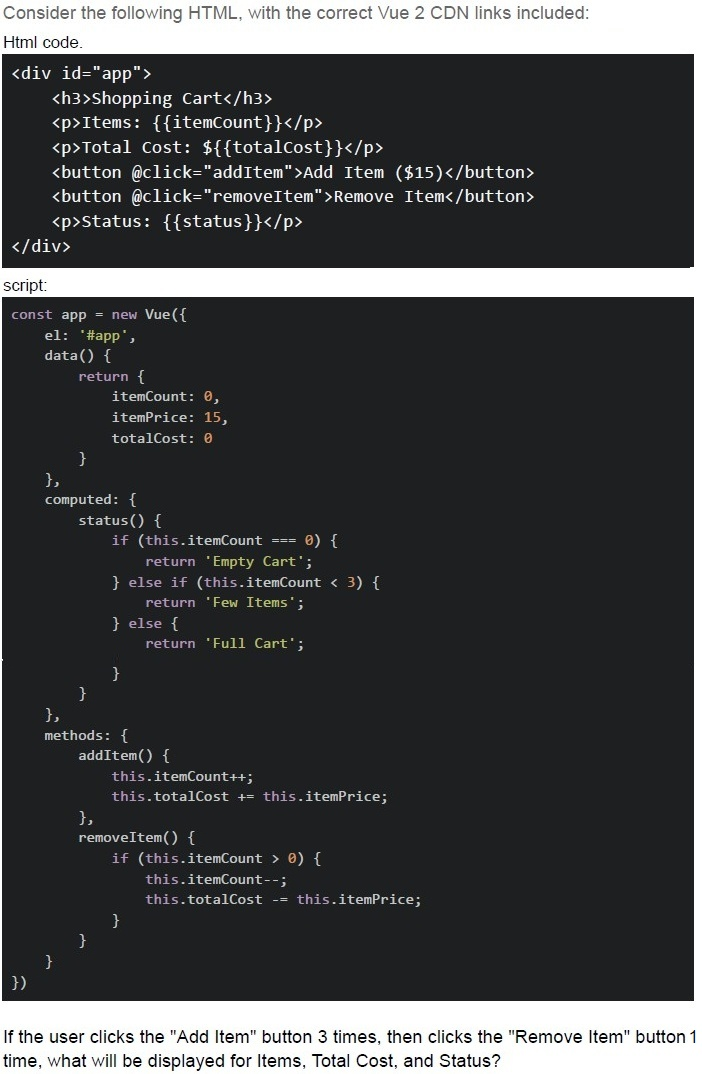
Consider the following HTML, with the correct Vue 2 CDN links included:
Html code.

```html
<div id="app">
  <h3>Shopping Cart</h3>
  <p>Items: {{itemCount}}</p>
  <p>Total Cost: ${{totalCost}}</p>
  <button @click="addItem">Add Item ($15)</button>
  <button @click="removeItem">Remove Item</button>
  <p>Status: {{status}}</p>
</div>
```

script:

```javascript
const app = new Vue({
  el: '#app',
  data() {
    return {
      itemCount: 0,
      itemPrice: 15,
      totalCost: 0
    }
  },
  computed: {
    status() {
      if (this.itemCount === 0) {
        return 'Empty Cart';
      } else if (this.itemCount < 3) {
        return 'Few Items';
      } else {
        return 'Full Cart';
      }
    }
  },
  methods: {
    addItem() {
      this.itemCount++;
      this.totalCost += this.itemPrice;
    },
    removeItem() {
      if (this.itemCount > 0) {
        this.itemCount--;
        this.totalCost -= this.itemPrice;
      }
    }
  }
})
```

If the user clicks the "Add Item" button 3 times, then clicks the "Remove Item" button 1 time, what will be displayed for Items, Total Cost, and Status?- Items: 2, Total Cost: $30, Status: Few Items
- Items: 2, Total Cost: $45, Status: Few Items
- Items: 3, Total Cost: $30, Status: Full Cart
- Items: 2, Total Cost: $30, Status: Full Cart
- Items: 1, Total Cost: $15, Status: Few Items
Text of the picture (copyable)
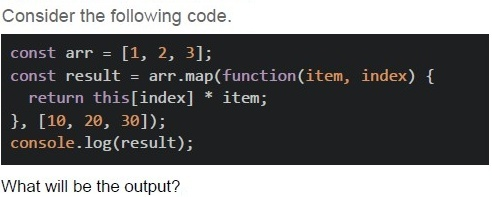
Consider the following code.

```javascript
const arr = [1, 2, 3];
const result = arr.map(function(item, index) {
  return this[index] * item;
}, [10, 20, 30]);
console.log(result);
```

What will be the output?- [1, 2, 3]
- [10, 40, 90]
- [10, 20, 30]
- [NaN, NaN, NaN]
Text of the picture (copyable)
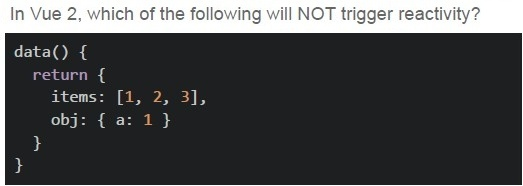
In Vue 2, which of the following will NOT trigger reactivity?
```javascript
data() {
  return {
    items: [1, 2, 3],
    obj: { a: 1 }
  }
}
```- this.items.push(4)
- this.items[0] = 10
- this.items = [10, 2, 3]
- this.obj.a = 2
Text of the picture (copyable)
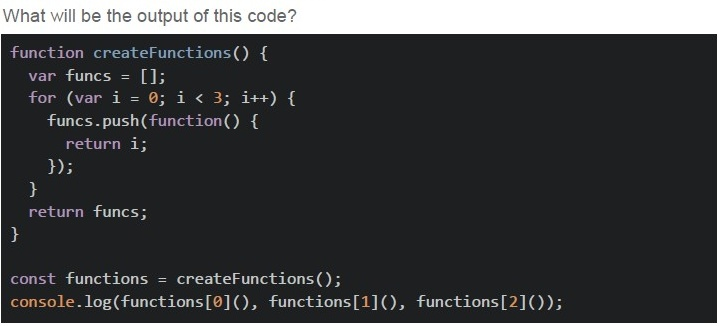
What will be the output of this code?

```javascript
function createFunctions() {
  var funcs = [];
  for (var i = 0; i < 3; i++) {
    funcs.push(function() {
      return i;
    });
  }
  return funcs;
}

const functions = createFunctions();
console.log(functions[0](), functions[1](), functions[2]());
```- 0, 1, 2
- 1, 2, 3
- undefined, undefined, undefined
- 3, 3, 3
Which computed property implementation is INCORRECT?
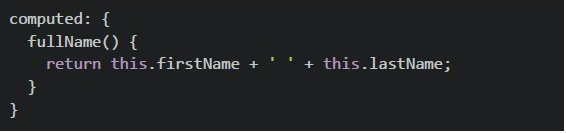
text
```javascript
computed: {
  fullName() {
    return this.firstName + ' ' + this.lastName;
  }
}
```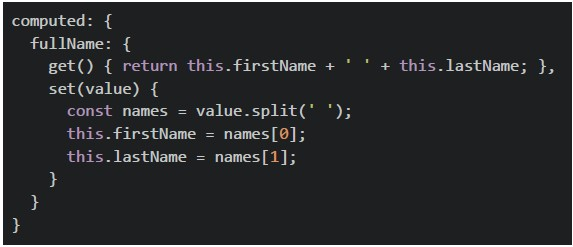
text
```javascript
computed: {
  fullName: {
    get() { return this.firstName + ' ' + this.lastName; },
    set(value) {
      const names = value.split(' ');
      this.firstName = names[0];
      this.lastName = names[1];
    }
  }
}
```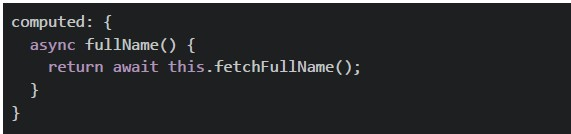
text
```javascript
computed: {
  async fullName() {
    return await this.fetchFullName();
  }
}
```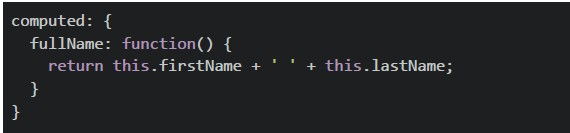
text
```javascript
computed: {
  fullName: function() {
    return this.firstName + ' ' + this.lastName;
  }
}
```
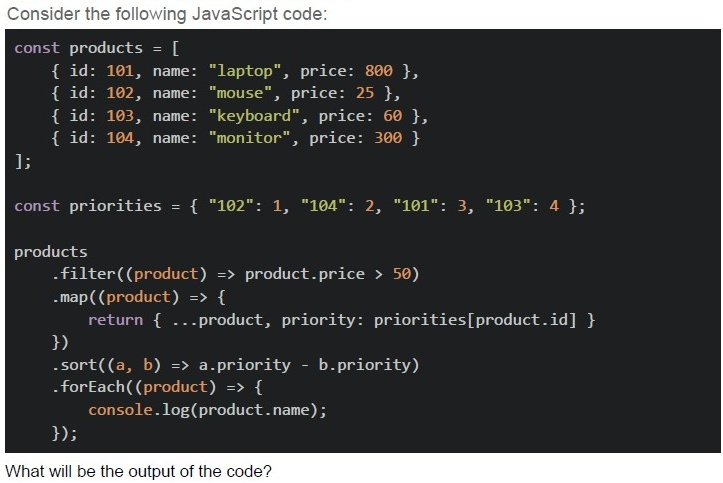
Text of the picture (copyable)
Consider the following JavaScript code:

```javascript
const products = [
  { id: 101, name: "laptop", price: 800 },
  { id: 102, name: "mouse", price: 25 },
  { id: 103, name: "keyboard", price: 60 },
  { id: 104, name: "monitor", price: 300 }
];

const priorities = { "102": 1, "104": 2, "101": 3, "103": 4 };

products
  .filter((product) => product.price > 50)
  .map((product) => {
    return { ...product, priority: priorities[product.id] }
  })
  .sort((a, b) => a.priority - b.priority)
  .forEach((product) => {
    console.log(product.name);
  });
```

What will be the output of the code?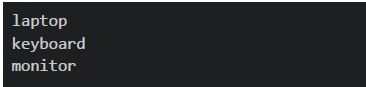
text
```
laptop
keyboard
monitor
```
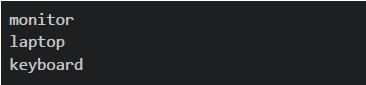
text
monitor
laptop
keyboard
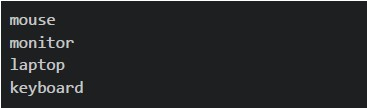
text
```
mouse
monitor
laptop
keyboard
```
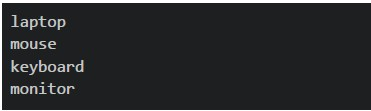
text
```
laptop
mouse
keyboard
monitor
```

text
The code will throw an error
Text of the picture (copyable)
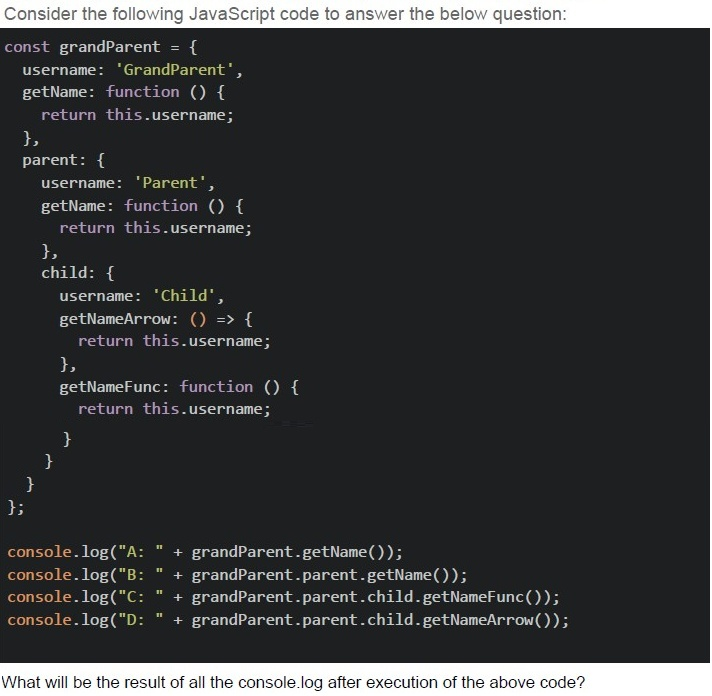
Consider the following JavaScript code to answer the below question:

```javascript
const grandParent = {
    username: 'GrandParent',
    getName: function () {
        return this.username;
    },
    parent: {
        username: 'Parent',
        getName: function () {
            return this.username;
        },
        child: {
            username: 'Child',
            getNameArrow: () => {
                return this.username;
            },
            getNameFunc: function () {
                return this.username;
            }
        }
    }
};

console.log("A: " + grandParent.getName());
console.log("B: " + grandParent.parent.getName());
console.log("C: " + grandParent.parent.child.getNameFunc());
console.log("D: " + grandParent.parent.child.getNameArrow());
```

What will be the result of all the console.log after execution of the above code?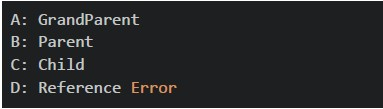
text
A: GrandParent
B: Parent
C: Child
D: Reference Error
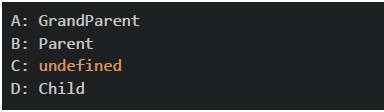
text
A: GrandParent
B: Parent
C: undefined
D: Child
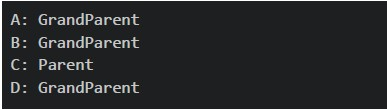
text
A: GrandParent
B: GrandParent
C: Parent
D: GrandParent
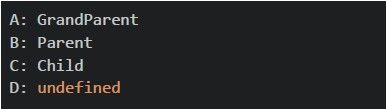
text
```
A: GrandParent
B: Parent
C: Child
D: undefined
```
Text of the picture (copyable)
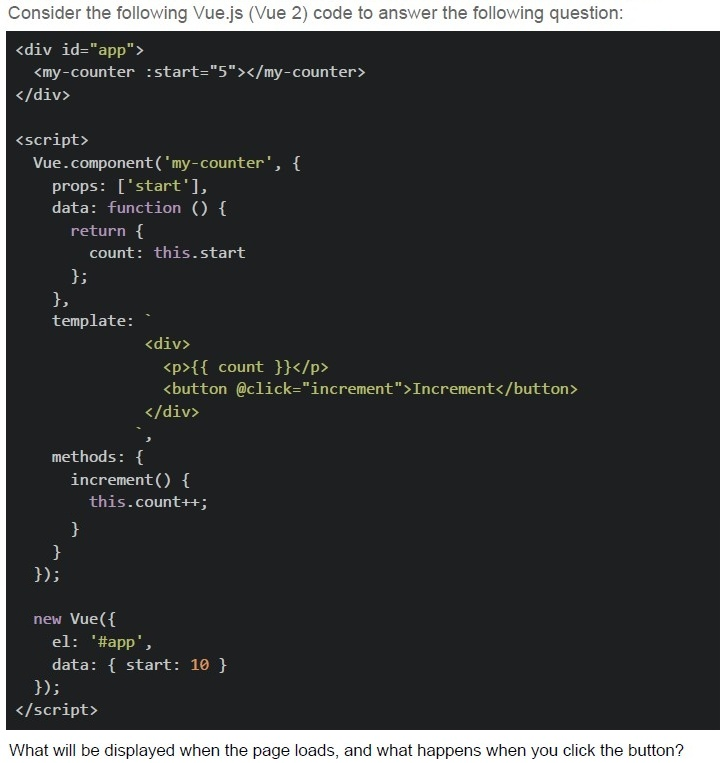
Consider the following Vue.js (Vue 2) code to answer the following question:

```html
<div id="app">
  <my-counter :start="5"></my-counter>
</div>

<script>
  Vue.component('my-counter', {
    props: ['start'],
    data: function () {
      return {
        count: this.start
      };
    },
    template: `
      <div>
        <p>{{ count }}</p>
        <button @click="increment">Increment</button>
      </div>
    `,
    methods: {
      increment() {
        this.count++;
      }
    }
  });

  new Vue({
    el: '#app',
    data: { start: 10 }
  });
</script>
```

What will be displayed when the page loads, and what happens when you click the button?
text
The counter starts at 10, and increments by 1 on each button click.

text
The counter starts at 5, and increments by 1 on each button click.

text
Nothing is rendered because the Vue component template is invalid when using Vue via CDN.

text
Vue throws a warning about compiling templates in the browser and fails to bind the component.
Text of the picture (copyable)
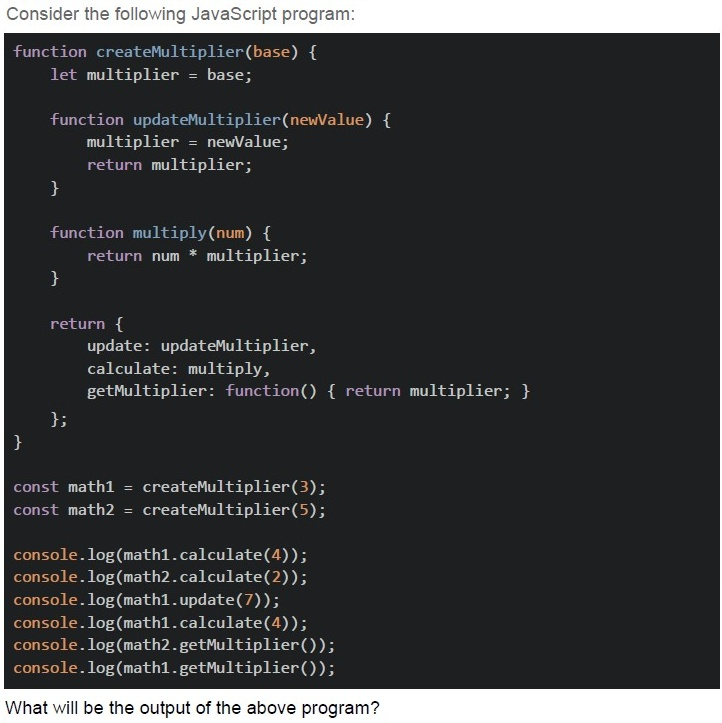
Consider the following JavaScript program:

```javascript
function createMultiplier(base) {
  let multiplier = base;

  function updateMultiplier(newValue) {
    multiplier = newValue;
    return multiplier;
  }

  function multiply(num) {
    return num * multiplier;
  }

  return {
    update: updateMultiplier,
    calculate: multiply,
    getMultiplier: function() { return multiplier; }
  };
}

const math1 = createMultiplier(3);
const math2 = createMultiplier(5);

console.log(math1.calculate(4));
console.log(math2.calculate(2));
console.log(math1.update(7));
console.log(math1.calculate(4));
console.log(math2.getMultiplier());
console.log(math1.getMultiplier());
```

What will be the output of the above program?- 12, 10, 7, 12, 5, 7
- 12, 10, 7, 28, 5, 7
- 12, 10, 3, 28, 5, 3
- 15, 10, 7, 28, 7, 7
- 12, 10, 7, 21, 5, 7
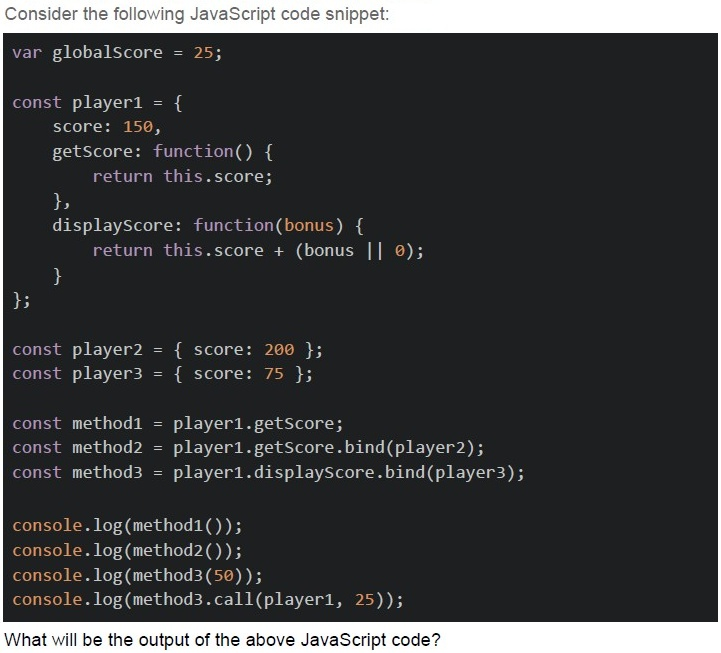
Text of the picture (copyable)
Consider the following JavaScript code snippet:

```javascript
var globalScore = 25;

const player1 = {
    score: 150,
    getScore: function() {
        return this.score;
    },
    displayScore: function(bonus) {
        return this.score + (bonus || 0);
    }
};

const player2 = { score: 200 };
const player3 = { score: 75 };

const method1 = player1.getScore;
const method2 = player1.getScore.bind(player2);
const method3 = player1.displayScore.bind(player3);

console.log(method1());
console.log(method2());
console.log(method3(50));
console.log(method3.call(player1, 25));
```

What will be the output of the above JavaScript code?- undefined, 200, 125, 175
- 25, 200, 125, 175
- 150, 200, 125, 100
- 25, 200, 125, 100
- undefined, 200, 125, 100
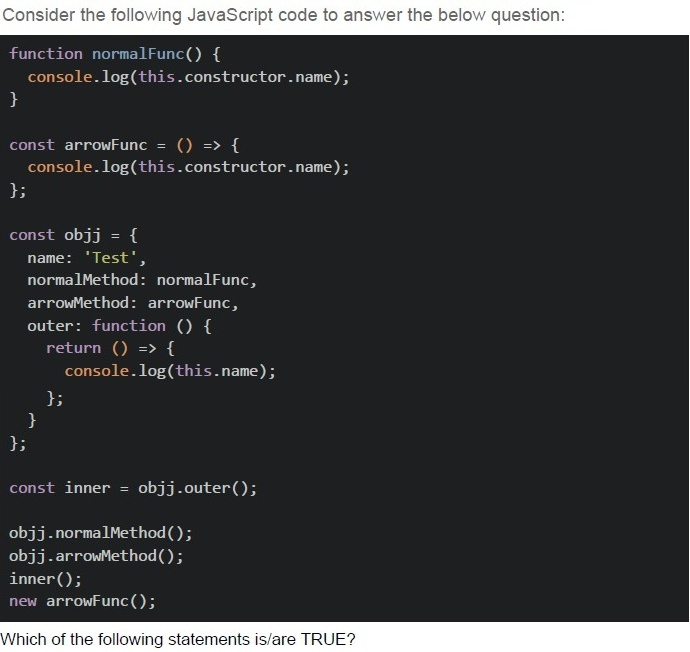
Text of the picture (copyable)
Consider the following JavaScript code to answer the below question:

```javascript
function normalFunc() {
  console.log(this.constructor.name);
}

const arrowFunc = () => {
  console.log(this.constructor.name);
};

const objj = {
  name: 'Test',
  normalMethod: normalFunc,
  arrowMethod: arrowFunc,
  outer: function () {
    return () => {
      console.log(this.name);
    };
  },
};

const inner = objj.outer();

objj.normalMethod();
objj.arrowMethod();
inner();
new arrowFunc();
```

Which of the following statements is/are TRUE?
text
```
obj.normalMethod() prints "Object"
```

text
obj.arrowMethod() prints "Window" or throws an error in strict mode

text
inner() prints "Test"

text
new arrowFunc() throws an error because arrow functions cannot be used as constructors
Comprehension passage - the questions below it refer to this
Based on the above data, answer the given subquestions.
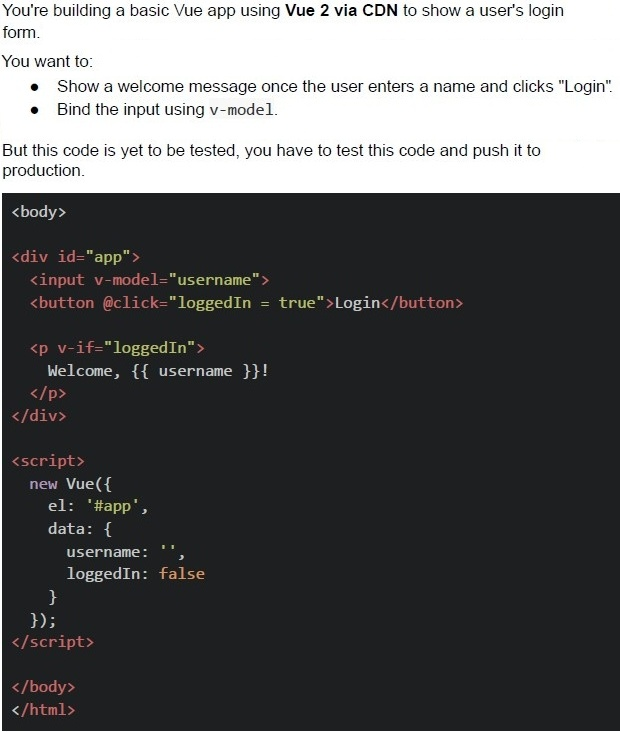
Which line of code should be changed to make this code work properly?

text
```html
<input v-model="username"> should be
replaced with <input v-bind="username">
```

text
```
@click="loggedIn = true" should be
replaced with v-on:click="login()"
```

text
v-if="loggedIn" should be replaced
with v-show="loggedIn"

text
The code works correctly; no change is required.
Text of the picture (copyable)
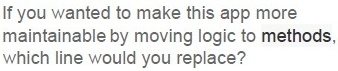
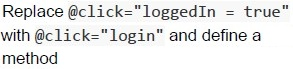
If you wanted to make this app more
maintainable by moving logic to **methods**,
which line would you replace?
text
Replace `@click="loggedIn = true"`
with `@click="login"` and define a
method

text
Replace `<input v-model="username">`
with `v-on:input="updateUsername"`

text
Replace v-if="loggedIn" with
v-else="loggedIn"

text
This code is best, no changes required.
Comprehension passage - the questions below it refer to this
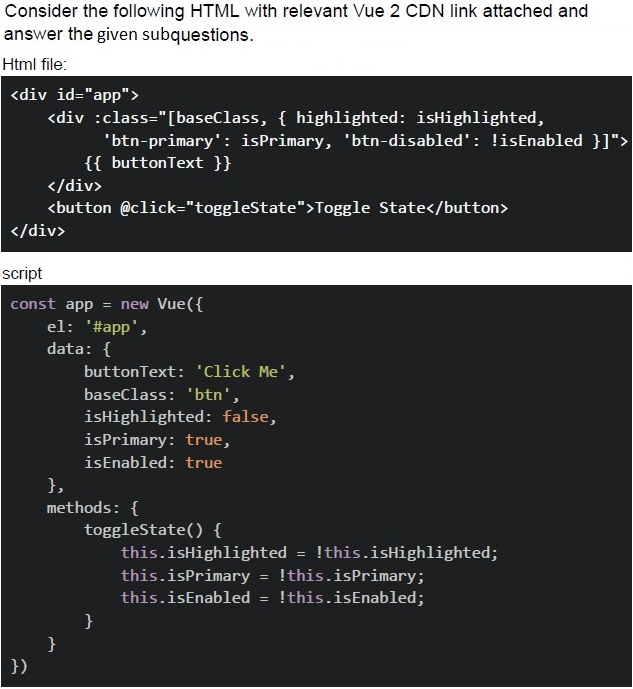
Text of the picture (copyable)
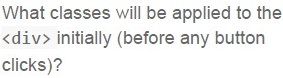
What classes will be applied to the
`<div>` initially (before any button
clicks)?
- btn, highlighted, btn-primary
- btn, btn-primary
- baseClass, btn-primary
- btn, highlighted, btn-primary, btn-disabled
Text of the picture (copyable)
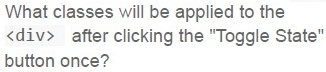
What classes will be applied to the
`<div>` after clicking the "Toggle State"
button once?
- btn, highlighted
- btn, btn-disabled
- btn, highlighted, btn-disabled
- baseClass, highlighted, btn-disabled
Answer key
- Q1 (MCQ, 2 marks): C
- Q2 (MCQ, 2 marks): A
- Q3 (MCQ, 2 marks): B
- Q4 (MCQ, 2 marks): B
- Q5 (MCQ, 3 marks): D
- Q6 (MCQ, 3 marks): C
- Q7 (MCQ, 3 marks): B
- Q8 (MCQ, 4.5 marks): D
- Q9 (MCQ, 4.5 marks): B
- Q10 (MCQ, 4.5 marks): B
- Q11 (MCQ, 4.5 marks): E
- Q12 (MSQ, 3 marks): A, B, C, D
- Q13 (MCQ, 3 marks): D
- Q14 (MCQ, 3 marks): A
- Q15 (MCQ, 3 marks): B
- Q16 (MCQ, 3 marks): C
Concepts this paper tests
Auto-generated summary from the source site. Handy as a checklist; the lessons above explain each idea from scratch.
Summary of Core Topics, Concepts, Principles, and Equations
Vue.js
Reactivity in Vue 2
- Vue 2 uses a virtual DOM to detect changes and update efficiently.
- Modifying array elements using methods like
pushorsplicetriggers reactivity, but direct assignment likethis.items[0] = 10does not.
Vue Component Lifecycle and Methods
- Components can have methods, computed properties, and data properties.
- Computed properties can have getters and setters but cannot be asynchronous.
Vue Directives
v-model: Used for two-way data binding.v-ifandv-show: Used for conditional rendering.v-bind: Used for binding attributes.v-on: Used for event handling.
Vue Instance and Components
- Vue instances and components can be created using
new Vue(). - Components can have props, data, methods, and computed properties.
- Vue instances and components can be created using
JavaScript
Closures and Scope
- Understanding closures and how they capture variables from their lexical scope.
- Example: Functions created in loops can capture the same variable due to closure.
Arrow Functions
- Arrow functions do not have their own
thiscontext; they inherit it from the surrounding scope. - Arrow functions cannot be used as constructors.
- Arrow functions do not have their own
thisContext- The value of
thisdepends on how a function is called. - Methods like
bind,call, andapplycan be used to set thethiscontext.
- The value of
Array Methods
map: Transforms each element of an array and returns a new array.filter: Filters elements of an array based on a condition.sort: Sorts elements of an array based on a compare function.
Object Methods and Properties
- Understanding how to access and modify object properties.
- Using methods to encapsulate logic and make code more maintainable.
HTML and CSS
Class Binding
- Using
:classto bind classes dynamically based on data properties. - Example:
:class="['baseClass', { 'highlighted': isHighlighted }]". - Understanding how to toggle classes based on conditions.
- Using