Home / Past papers / MAD2 Quiz 1 / this paper
IIT M IMPROVEMENT AN EXAM QIO2 13 July - 13 Jul 2025
- DOM is immediately updated without virtual DOM
- The page reloads
- The virtual DOM detects changes and updates efficiently
- A full component re-renders from scratch
Text of the picture (copyable)
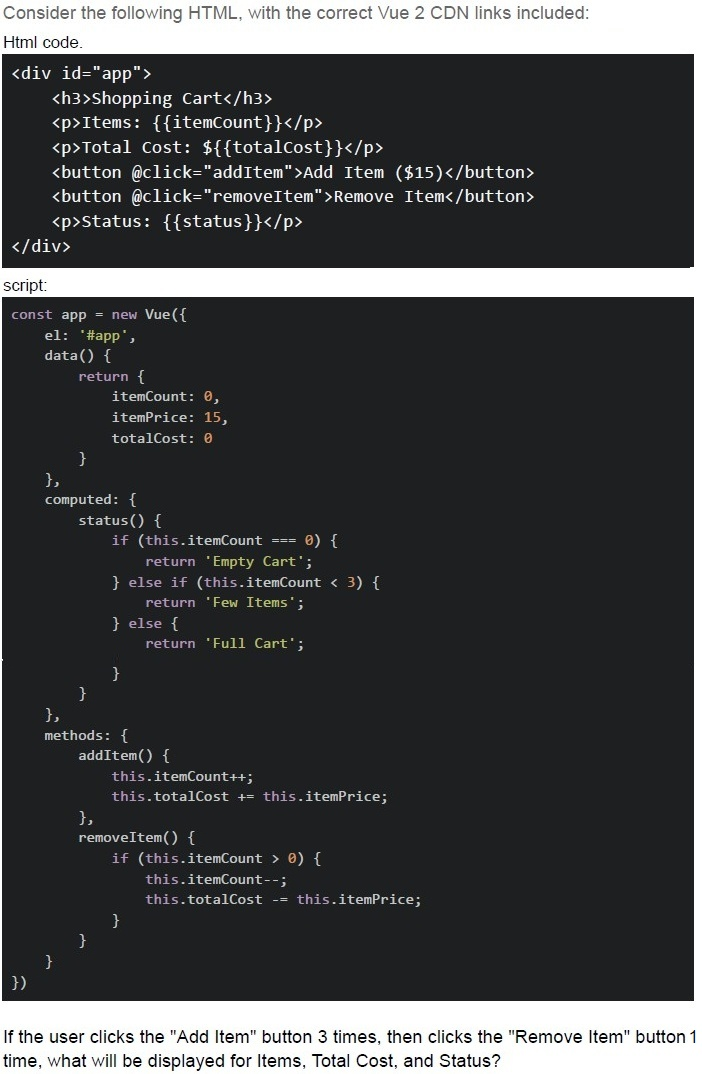
Consider the following HTML, with the correct Vue 2 CDN links included:
Html code.

```html
<div id="app">
  <h3>Shopping Cart</h3>
  <p>Items: {{itemCount}}</p>
  <p>Total Cost: ${{totalCost}}</p>
  <button @click="addItem">Add Item ($15)</button>
  <button @click="removeItem">Remove Item</button>
  <p>Status: {{status}}</p>
</div>
```

script:

```javascript
const app = new Vue({
  el: '#app',
  data() {
    return {
      itemCount: 0,
      itemPrice: 15,
      totalCost: 0
    }
  },
  computed: {
    status() {
      if (this.itemCount === 0) {
        return 'Empty Cart';
      } else if (this.itemCount < 3) {
        return 'Few Items';
      } else {
        return 'Full Cart';
      }
    }
  },
  methods: {
    addItem() {
      this.itemCount++;
      this.totalCost += this.itemPrice;
    },
    removeItem() {
      if (this.itemCount > 0) {
        this.itemCount--;
        this.totalCost -= this.itemPrice;
      }
    }
  }
})
```

If the user clicks the "Add Item" button 3 times, then clicks the "Remove Item" button 1 time, what will be displayed for Items, Total Cost, and Status?- Items: 2, Total Cost: $30, Status: Few Items
- Items: 2, Total Cost: $45, Status: Few Items
- Items: 3, Total Cost: $30, Status: Full Cart
- Items: 2, Total Cost: $30, Status: Full Cart
- Items: 1, Total Cost: $15, Status: Few Items
Text of the picture (copyable)
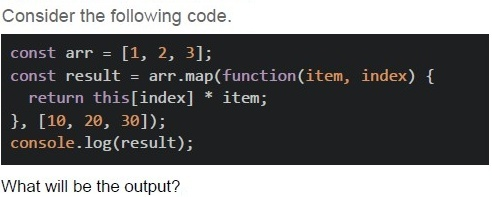
Consider the following code.

```javascript
const arr = [1, 2, 3];
const result = arr.map(function(item, index) {
  return this[index] * item;
}, [10, 20, 30]);
console.log(result);
```

What will be the output?- [1, 2, 3]
- [10, 40, 90]
- [10, 20, 30]
- [NaN, NaN, NaN]
Text of the picture (copyable)
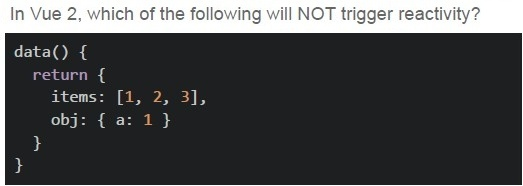
In Vue 2, which of the following will NOT trigger reactivity?
```javascript
data() {
  return {
    items: [1, 2, 3],
    obj: { a: 1 }
  }
}
```- this.items.push(4)
- this.items[0] = 10
- this.items = [10, 2, 3]
- this.obj.a = 2
Text of the picture (copyable)
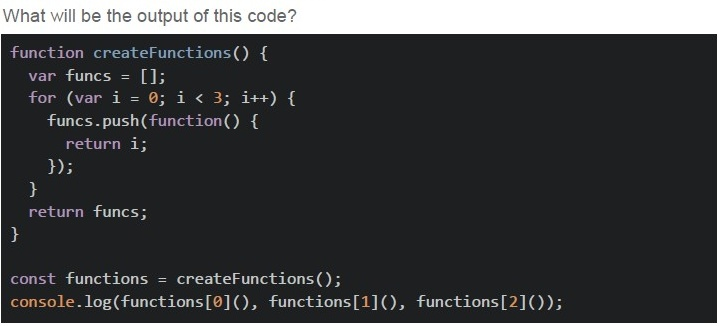
What will be the output of this code?

```javascript
function createFunctions() {
  var funcs = [];
  for (var i = 0; i < 3; i++) {
    funcs.push(function() {
      return i;
    });
  }
  return funcs;
}

const functions = createFunctions();
console.log(functions[0](), functions[1](), functions[2]());
```- 0, 1, 2
- 1, 2, 3
- undefined, undefined, undefined
- 3, 3, 3
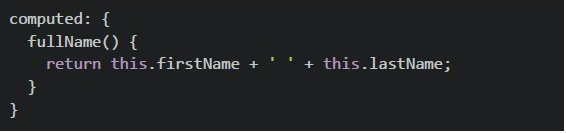
text
```javascript
computed: {
  fullName() {
    return this.firstName + ' ' + this.lastName;
  }
}
```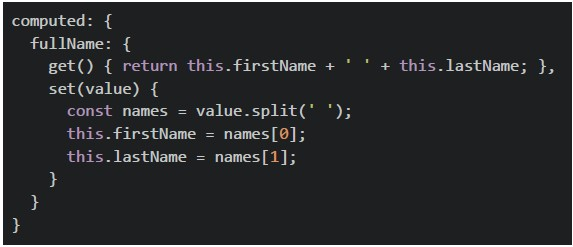
text
```javascript
computed: {
  fullName: {
    get() { return this.firstName + ' ' + this.lastName; },
    set(value) {
      const names = value.split(' ');
      this.firstName = names[0];
      this.lastName = names[1];
    }
  }
}
```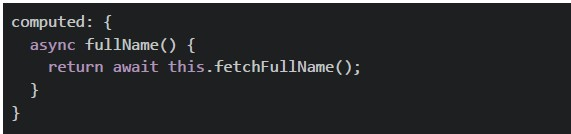
text
```javascript
computed: {
  async fullName() {
    return await this.fetchFullName();
  }
}
```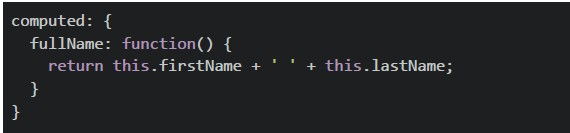
text
```javascript
computed: {
  fullName: function() {
    return this.firstName + ' ' + this.lastName;
  }
}
```
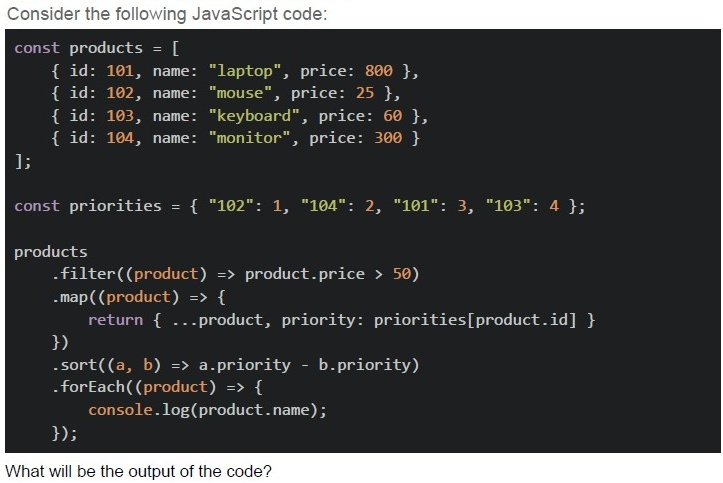
Text of the picture (copyable)
Consider the following JavaScript code:

```javascript
const products = [
  { id: 101, name: "laptop", price: 800 },
  { id: 102, name: "mouse", price: 25 },
  { id: 103, name: "keyboard", price: 60 },
  { id: 104, name: "monitor", price: 300 }
];

const priorities = { "102": 1, "104": 2, "101": 3, "103": 4 };

products
  .filter((product) => product.price > 50)
  .map((product) => {
    return { ...product, priority: priorities[product.id] }
  })
  .sort((a, b) => a.priority - b.priority)
  .forEach((product) => {
    console.log(product.name);
  });
```

What will be the output of the code?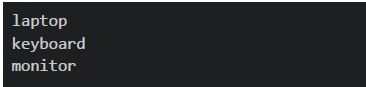
text
```
laptop
keyboard
monitor
```
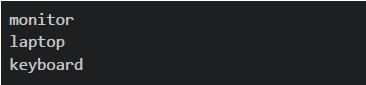
text
monitor
laptop
keyboard
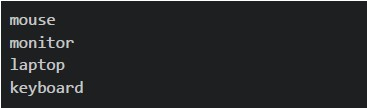
text
```
mouse
monitor
laptop
keyboard
```
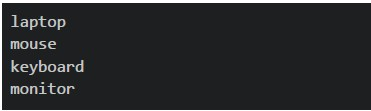
text
```
laptop
mouse
keyboard
monitor
```

text
The code will throw an error
Text of the picture (copyable)
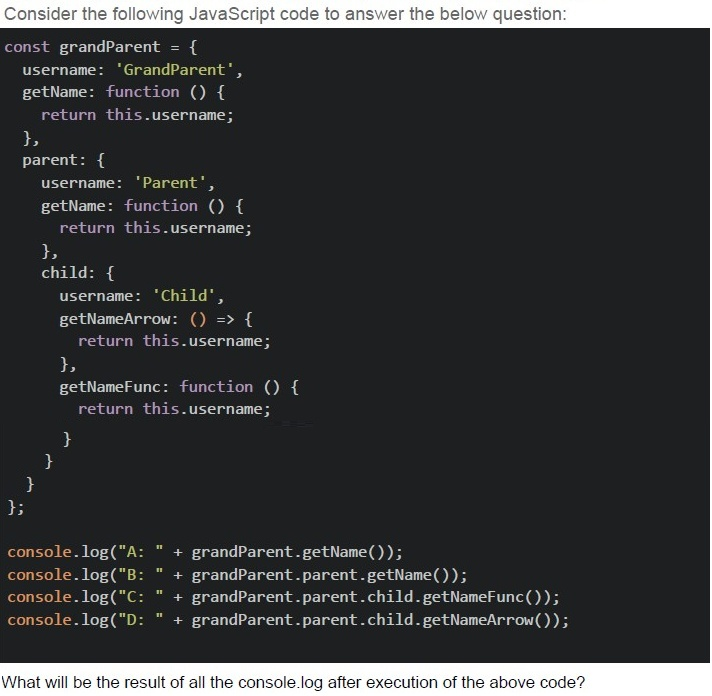
Consider the following JavaScript code to answer the below question:

```javascript
const grandParent = {
    username: 'GrandParent',
    getName: function () {
        return this.username;
    },
    parent: {
        username: 'Parent',
        getName: function () {
            return this.username;
        },
        child: {
            username: 'Child',
            getNameArrow: () => {
                return this.username;
            },
            getNameFunc: function () {
                return this.username;
            }
        }
    }
};

console.log("A: " + grandParent.getName());
console.log("B: " + grandParent.parent.getName());
console.log("C: " + grandParent.parent.child.getNameFunc());
console.log("D: " + grandParent.parent.child.getNameArrow());
```

What will be the result of all the console.log after execution of the above code?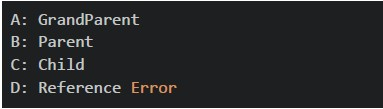
text
A: GrandParent
B: Parent
C: Child
D: Reference Error
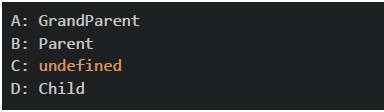
text
A: GrandParent
B: Parent
C: undefined
D: Child
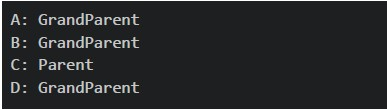
text
A: GrandParent
B: GrandParent
C: Parent
D: GrandParent
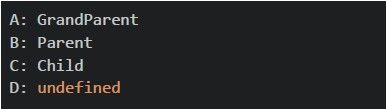
text
```
A: GrandParent
B: Parent
C: Child
D: undefined
```
Text of the picture (copyable)
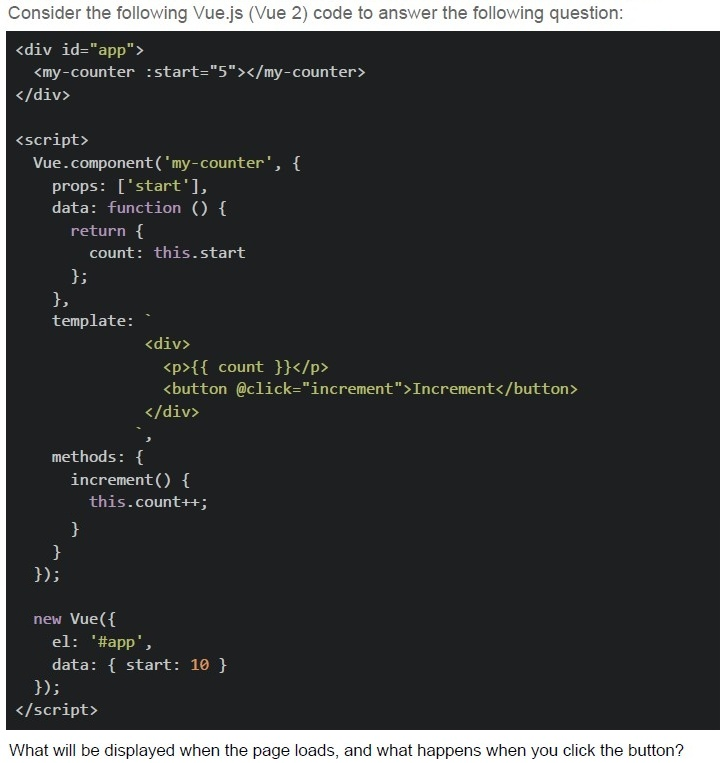
Consider the following Vue.js (Vue 2) code to answer the following question:

```html
<div id="app">
  <my-counter :start="5"></my-counter>
</div>

<script>
  Vue.component('my-counter', {
    props: ['start'],
    data: function () {
      return {
        count: this.start
      };
    },
    template: `
      <div>
        <p>{{ count }}</p>
        <button @click="increment">Increment</button>
      </div>
    `,
    methods: {
      increment() {
        this.count++;
      }
    }
  });

  new Vue({
    el: '#app',
    data: { start: 10 }
  });
</script>
```

What will be displayed when the page loads, and what happens when you click the button?
text
The counter starts at 10, and increments by 1 on each button click.

text
The counter starts at 5, and increments by 1 on each button click.

text
Nothing is rendered because the Vue component template is invalid when using Vue via CDN.

text
Vue throws a warning about compiling templates in the browser and fails to bind the component.
Text of the picture (copyable)
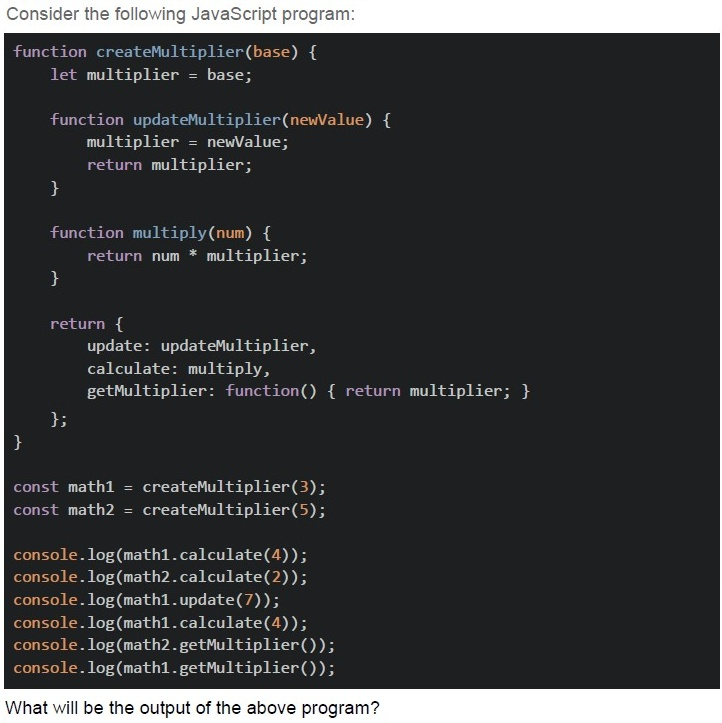
Consider the following JavaScript program:

```javascript
function createMultiplier(base) {
  let multiplier = base;

  function updateMultiplier(newValue) {
    multiplier = newValue;
    return multiplier;
  }

  function multiply(num) {
    return num * multiplier;
  }

  return {
    update: updateMultiplier,
    calculate: multiply,
    getMultiplier: function() { return multiplier; }
  };
}

const math1 = createMultiplier(3);
const math2 = createMultiplier(5);

console.log(math1.calculate(4));
console.log(math2.calculate(2));
console.log(math1.update(7));
console.log(math1.calculate(4));
console.log(math2.getMultiplier());
console.log(math1.getMultiplier());
```

What will be the output of the above program?- 12, 10, 7, 12, 5, 7
- 12, 10, 7, 28, 5, 7
- 12, 10, 3, 28, 5, 3
- 15, 10, 7, 28, 7, 7
- 12, 10, 7, 21, 5, 7
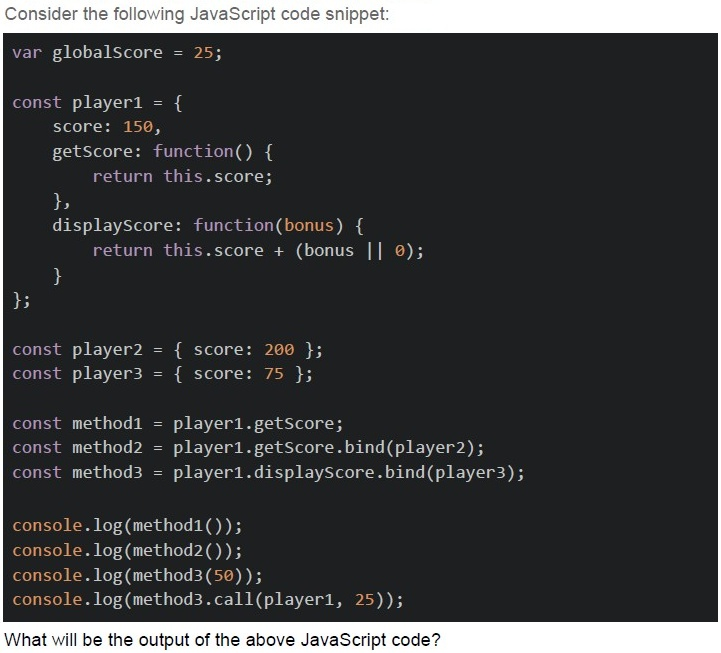
Text of the picture (copyable)
Consider the following JavaScript code snippet:

```javascript
var globalScore = 25;

const player1 = {
    score: 150,
    getScore: function() {
        return this.score;
    },
    displayScore: function(bonus) {
        return this.score + (bonus || 0);
    }
};

const player2 = { score: 200 };
const player3 = { score: 75 };

const method1 = player1.getScore;
const method2 = player1.getScore.bind(player2);
const method3 = player1.displayScore.bind(player3);

console.log(method1());
console.log(method2());
console.log(method3(50));
console.log(method3.call(player1, 25));
```

What will be the output of the above JavaScript code?- undefined, 200, 125, 175
- 25, 200, 125, 175
- 150, 200, 125, 100
- 25, 200, 125, 100
- undefined, 200, 125, 100
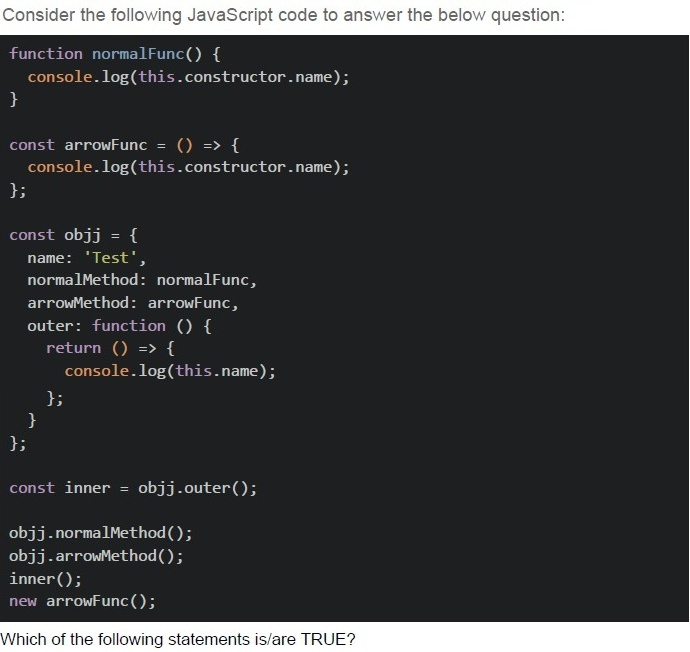
Text of the picture (copyable)
Consider the following JavaScript code to answer the below question:

```javascript
function normalFunc() {
  console.log(this.constructor.name);
}

const arrowFunc = () => {
  console.log(this.constructor.name);
};

const objj = {
  name: 'Test',
  normalMethod: normalFunc,
  arrowMethod: arrowFunc,
  outer: function () {
    return () => {
      console.log(this.name);
    };
  },
};

const inner = objj.outer();

objj.normalMethod();
objj.arrowMethod();
inner();
new arrowFunc();
```

Which of the following statements is/are TRUE?
text
```
obj.normalMethod() prints "Object"
```

text
obj.arrowMethod() prints "Window" or throws an error in strict mode

text
inner() prints "Test"

text
new arrowFunc() throws an error because arrow functions cannot be used as constructors
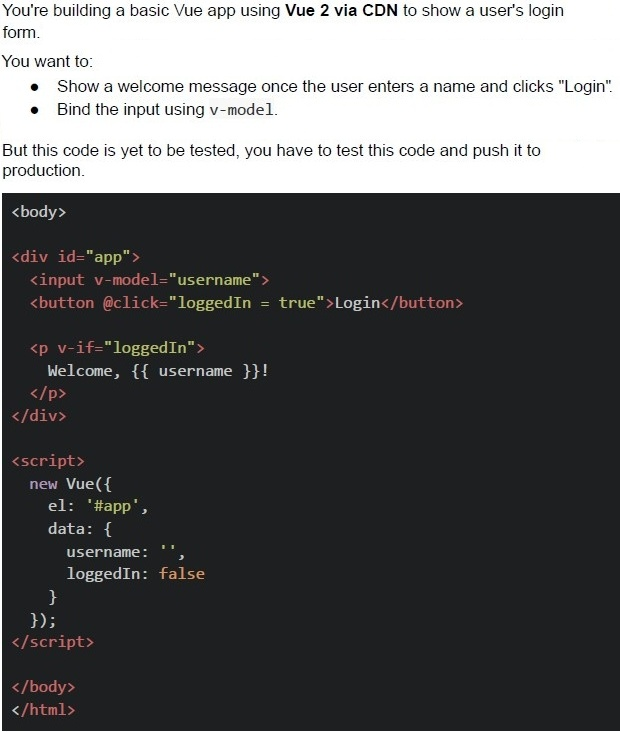

text
```html
<input v-model="username"> should be
replaced with <input v-bind="username">
```

text
```
@click="loggedIn = true" should be
replaced with v-on:click="login()"
```

text
v-if="loggedIn" should be replaced
with v-show="loggedIn"

text
The code works correctly; no change is required.
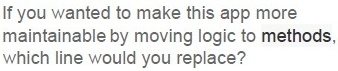
Text of the picture (copyable)
If you wanted to make this app more
maintainable by moving logic to **methods**,
which line would you replace?
text
Replace `@click="loggedIn = true"`
with `@click="login"` and define a
method

text
Replace `<input v-model="username">`
with `v-on:input="updateUsername"`

text
Replace v-if="loggedIn" with
v-else="loggedIn"

text
This code is best, no changes required.
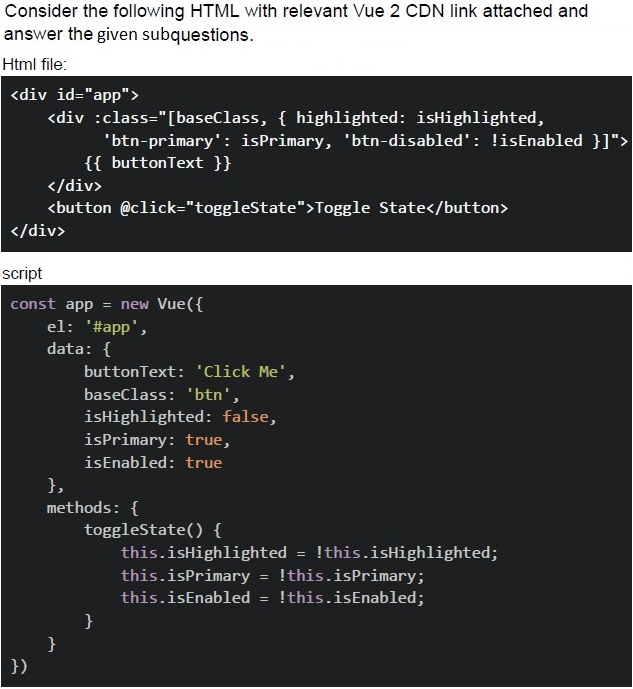
Text of the picture (copyable)
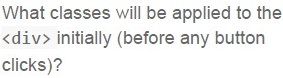
What classes will be applied to the
`<div>` initially (before any button
clicks)?
- btn, highlighted, btn-primary
- btn, btn-primary
- baseClass, btn-primary
- btn, highlighted, btn-primary, btn-disabled
Text of the picture (copyable)
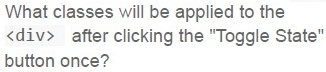
What classes will be applied to the
`<div>` after clicking the "Toggle State"
button once?
- btn, highlighted
- btn, btn-disabled
- btn, highlighted, btn-disabled
- baseClass, highlighted, btn-disabled
Answer key
- Q1 (MCQ, 2 marks): C
- Q2 (MCQ, 2 marks): A
- Q3 (MCQ, 2 marks): B
- Q4 (MCQ, 2 marks): B
- Q5 (MCQ, 3 marks): D
- Q6 (MCQ, 3 marks): C
- Q7 (MCQ, 3 marks): B
- Q8 (MCQ, 4.5 marks): D
- Q9 (MCQ, 4.5 marks): B
- Q10 (MCQ, 4.5 marks): B
- Q11 (MCQ, 4.5 marks): E
- Q12 (MSQ, 3 marks): A, B, C, D
- Q13 (MCQ, 3 marks): D
- Q14 (MCQ, 3 marks): A
- Q15 (MCQ, 3 marks): B
- Q16 (MCQ, 3 marks): C
Concepts this paper tests
Auto-generated summary from the source site. Handy as a checklist; the lessons above explain each idea from scratch.
The provided questions primarily assess knowledge in Modern Application Development using Vue.js 2 and core JavaScript concepts. The exam focuses heavily on understanding reactivity, component architecture, data flow, event handling in Vue, and fundamental JavaScript features like this binding, closures, array manipulation, and scoping.
Summary of Core Topics, Concepts, Principles, and Equations
I. Vue.js 2 Fundamentals
Vue Instance Lifecycle and Options
el(Element): Specifies the DOM element that the Vue instance will mount to.data(State Management):- An object (for the root instance) or a function returning an object (for components) that defines the reactive state of the application.
- Principle of Data Reactivity: When data properties change, Vue efficiently updates the DOM.
- Equation for component data:
data() { return { property: initialValue } }
methods(Logic):- An object containing functions that encapsulate business logic or event handlers.
- These methods can access instance data via
this.propertyName.
computed(Derived State):- Properties that are derived from other reactive data. They are cached based on their reactive dependencies and only re-evaluate when those dependencies change.
- Principle: Computed properties must be synchronous. They cannot perform asynchronous operations (like
async/await). - Can be defined as a simple getter function or an object with
getandsetmethods for writable computed properties. - Getter syntax: ``
latex computed: { propertyName() { return \text{this.dep1} + \text{this.dep2}; } }`` - Getter/Setter syntax: ``
latex computed: { propertyName: { get() { return \text{this.firstName} + ' ' + \text{this.lastName}; }, set(value) { const names = \text{value.split(' ')}; this.firstName = \text{names[0]}; this.lastName = \text{names[1]}; } } }``
Reactivity System and Virtual DOM
- Virtual DOM: Vue uses a virtual DOM to efficiently detect changes and update the real DOM, minimizing direct DOM manipulation.
- Reactivity Detection: Vue 2 uses
Object.definePropertyto convert data properties into getter/setters. Reactivity Limitations (Vue 2 specific):
Array Direct Index Modification: Directly setting an item with
this.items[index] = newValueis not reactive.- Solution: Use array mutation methods (
push,pop,splice,shift,unshift,sort,reverse) or replace the array entirelythis.items = [...newArray]. - Example for updating by index reactively:
this.items.splice(index, 1, newValue)
- Solution: Use array mutation methods (
Adding New Properties to Objects: Adding a new property to an already reactive object (
this.obj.newProp = value) is not reactive.- Solution: Use
Vue.set(object, key, value)or create a new object:this.obj = { ...this.obj, newProp: value }.
- Solution: Use
Templating and Directives
- Data Binding (Interpolation):
{{ propertyName }}for displaying reactive data in templates. v-model(Two-way Binding): Used for form inputs to create a two-way binding between input values and data properties.- Equation:
<input v-model="propertyName">binds the input'svaluetopropertyNameand updatespropertyNameoninputevents.
- Equation:
v-if(Conditional Rendering): Renders an element conditionally based on a truthy/falsy expression. The element is truly added/removed from the DOM.v-on/@(Event Handling): Listens for DOM events and runs JavaScript when they are triggered.- Equation:
<button @click="methodName">or<button v-on:click="methodName">
- Equation:
v-bind/:(Attribute Binding): Dynamically binds one or more attributes, or a component prop to an expression.Dynamic Class Binding: Can be an array or an object.
- Array syntax:
:class="[classString1, classVar2, { classObj: isTrue }]" - Object syntax:
:class="{ className1: condition1, className2: condition2 }"
- Array syntax:
- Data Binding (Interpolation):
Components
- Definition: Reusable Vue instances with their own template, script, and style.
Props: Custom attributes passed from a parent component to a child component, used for unidirectional data flow.
- Equation:
props: ['propName']in child component definition. - Usage in parent:
<my-component :prop-name="parentData">
- Equation:
- Local State: Component's
dataoption must be a function returning an object to ensure each instance has an independent copy of the data.
II. JavaScript Core Concepts
thisKeyword Binding- Default Binding (Global Object): In non-strict mode,
thisrefers to the global object (windowin browsers) when a function is called directly (func()). In strict mode, it'sundefined. - Implicit Binding (Object Method): When a function is called as a method of an object (
obj.method()),thisrefers to the object (obj) itself. Explicit Binding (
call,apply,bind):function.call(thisArg, arg1, arg2, ...): Executes the function immediately withthisset tothisArg.function.apply(thisArg, [argsArray]): Similar tocall, but takes arguments as an array.function.bind(thisArg): Returns a new function withthispermanently bound tothisArg. The returned function can be invoked later.
newBinding (Constructor): When a function is called withnew(new Constructor()),thisrefers to the newly created instance of the object.- Arrow Functions:
thisis lexically scoped. It inheritsthisfrom the enclosing scope where the arrow function was defined, not where it was called. Arrow functions cannot be used as constructors withnew.
- Default Binding (Global Object): In non-strict mode,
Closures
- Principle: A closure is the combination of a function bundled together (enclosed) with references to its surrounding state (the lexical environment). Closures give you access to an outer function's scope from an inner function.
- Practical Use: Data privacy (module pattern), creating factories, maintaining state across function calls.
- Example: A function returning another function that uses variables from the outer function's scope.
Scoping (
var,let,const)var: Function-scoped. Variables declared withvarare hoisted to the top of their function (or global) scope. Can lead to unexpected behavior in loops with closures.let/const: Block-scoped. Variables are limited to the block ({}) in which they are declared.constis for constants and cannot be reassigned. They solve the common closure issues found withvarin loops.
Array and Object Manipulation Methods
Array.prototype.filter(): Creates a new array with all elements that pass the test implemented by the provided function.- Equation:
array.filter(item => item.condition)
- Equation:
Array.prototype.map(): Creates a new array populated with the results of calling a provided function on every element in the calling array. Can take an optionalthisArgfor the callback'sthiscontext.- Equation:
array.map((item, index) => transform(item, index))
- Equation:
Array.prototype.sort(): Sorts the elements of an array in place and returns the sorted array. Requires acompareFunctionfor custom sorting logic.- Equation:
array.sort((a, b) => a.property - b.property)
- Equation:
Array.prototype.forEach(): Executes a provided function once for each array element. Does not return a new array.Object Spread Syntax (
...): Copies enumerable own properties from one object to another or creates new objects/arrays.- Equation:
const newObj = { ...oldObj, newProp: value }
- Equation: