Home / Past papers / MAD2 Quiz 1 / this paper
IIT M DIPLOMA AN2 EXAM QDD2 25 Feb 2024 - 25 Feb 2024
Elapsed 00:00
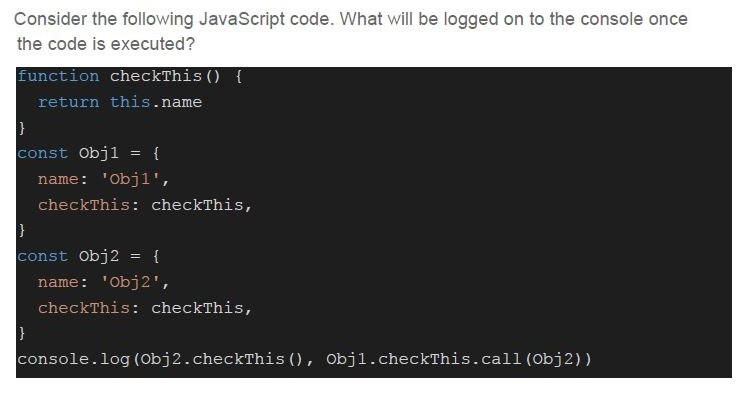
Text of the picture (copyable)
Consider the following JavaScript code. What will be logged on to the console once the code is executed?

```javascript
function checkThis() {
  return this.name
}

const Obj1 = {
  name: 'Obj1',
  checkThis: checkThis,
}

const Obj2 = {
  name: 'Obj2',
  checkThis: checkThis,
}

console.log(Obj2.checkThis(), Obj1.checkThis.call(Obj2))
```- Obj1 Obj1
- Obj1 Obj2
- Obj2 Obj1
- Obj2 Obj2
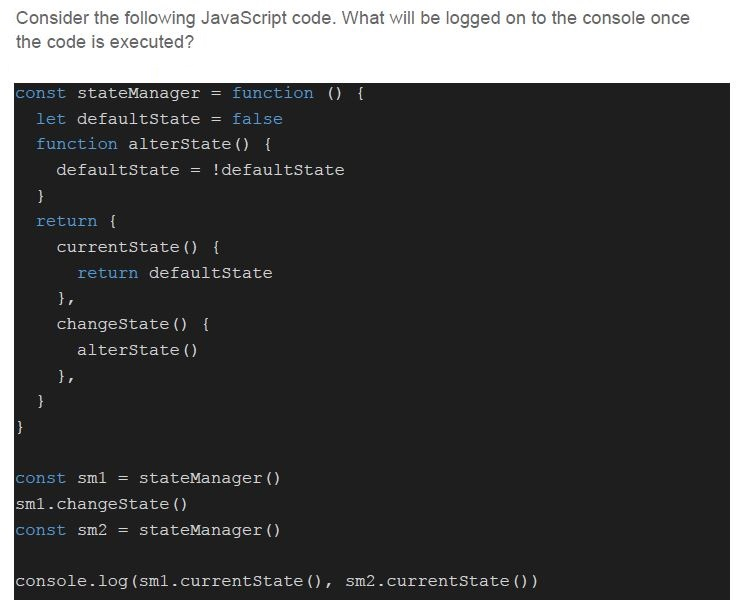
Text of the picture (copyable)
Consider the following JavaScript code. What will be logged on to the console once the code is executed?

```javascript
const stateManager = function () {
  let defaultState = false
  function alterState() {
    defaultState = !defaultState
  }
  return {
    currentState() {
      return defaultState
    },
    changeState() {
      alterState()
    },
  }
}

const sm1 = stateManager()
sm1.changeState()
const sm2 = stateManager()

console.log(sm1.currentState(), sm2.currentState())
```- true true
- true false
- false true
- false false
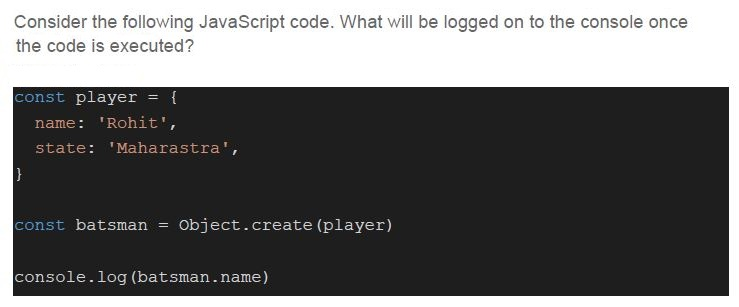
Text of the picture (copyable)
Consider the following JavaScript code. What will be logged on to the console once the code is executed?

```javascript
const player = {
  name: 'Rohit',
  state: 'Maharastra',
}

const batsman = Object.create(player)

console.log(batsman.name)
```
text
Rohit

text
undefined

text
null

text
None of these
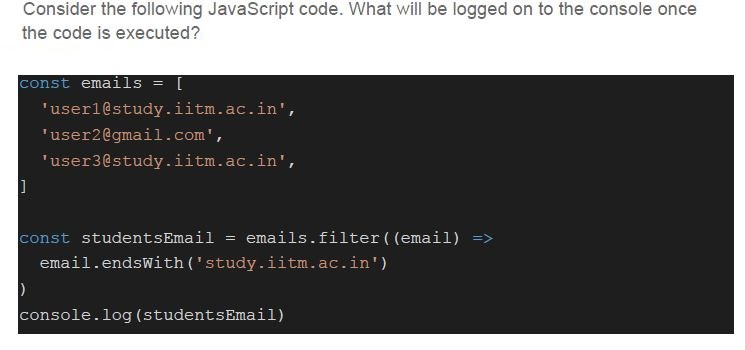
Text of the picture (copyable)
Consider the following JavaScript code. What will be logged on to the console once the code is executed?

```javascript
const emails = [
    'user1@study.iitm.ac.in',
    'user2@gmail.com',
    'user3@study.iitm.ac.in',
]

const studentsEmail = emails.filter((email) =>
    email.endsWith('study.iitm.ac.in')
)
console.log(studentsEmail)
```
text
[ user1@study.iitm.ac.in, user2@gmail.com, user3@study.iitm.ac.in ]

text
[ user1@study.iitm.ac.in, user3@study.iitm.ac.in ]

text
[ user2@gmail.com, user3@study.iitm.ac.in ]

text
[user2@gmail.com]
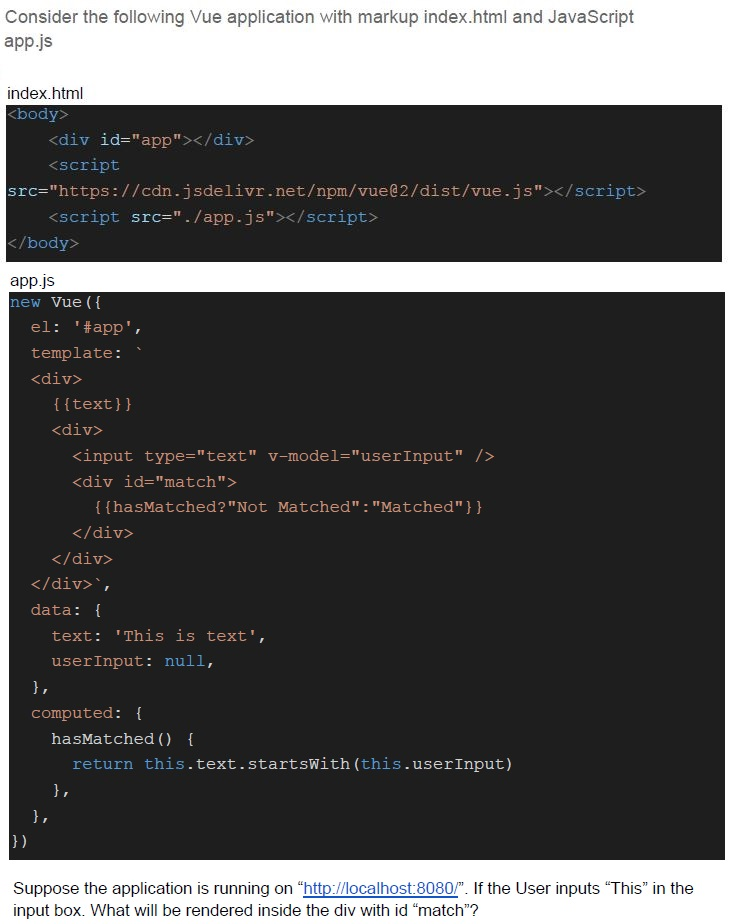
Text of the picture (copyable)
Consider the following Vue application with markup index.html and JavaScript
app.js

index.html
```html
<body>
    <div id="app"></div>
    <script
        src="https://cdn.jsdelivr.net/npm/vue@2/dist/vue.js"></script>
    <script src="./app.js"></script>
</body>
```

app.js
```javascript
new Vue({
    el: '#app',
    template: `
    <div>
        {{text}}
        <div>
            <input type="text" v-model="userInput" />
            <div id="match">
                {{hasMatched?"Not Matched":"Matched"}}
            </div>
        </div>
    </div>`,
    data: {
        text: 'This is text',
        userInput: null,
    },
    computed: {
        hasMatched() {
            return this.text.startsWith(this.userInput)
        },
    },
})
```

Suppose the application is running on "http://localhost:8080/". If the User inputs "This" in the input box. What will be rendered inside the div with id "match"?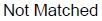
text
Not Matched

text
Matched

text
undefined

text
null
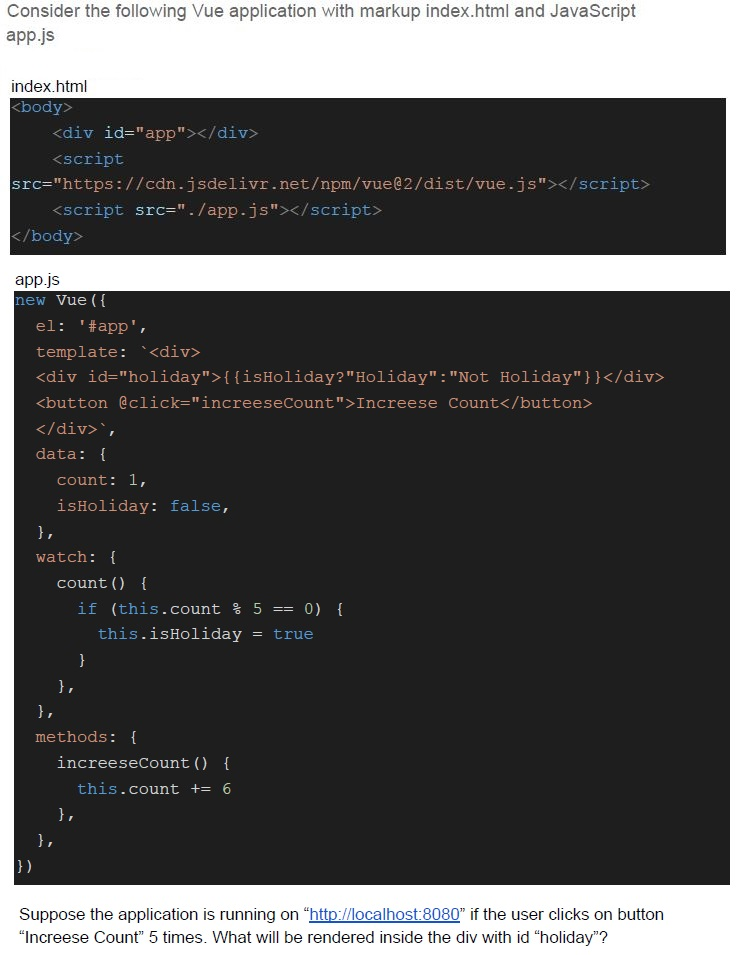
Text of the picture (copyable)
Consider the following Vue application with markup index.html and JavaScript app.js

index.html
```html
<body>
    <div id="app"></div>
    <script
        src="https://cdn.jsdelivr.net/npm/vue@2/dist/vue.js"></script>
    <script src="./app.js"></script>
</body>
```

app.js
```javascript
new Vue({
    el: '#app',
    template: `<div>
        <div id="holiday">{{isHoliday?"Holiday":"Not Holiday"}}</div>
        <button @click="increaseCount">Increase Count</button>
    </div>`,
    data: {
        count: 1,
        isHoliday: false,
    },
    watch: {
        count() {
            if (this.count % 5 == 0) {
                this.isHoliday = true
            }
        },
    },
    methods: {
        increaseCount() {
            this.count += 6
        },
    },
})
```

Suppose the application is running on "http://localhost:8080" if the user clicks on button "Increase Count" 5 times. What will be rendered inside the div with id "holiday"?- Holiday
- Not Holiday
- true
- false
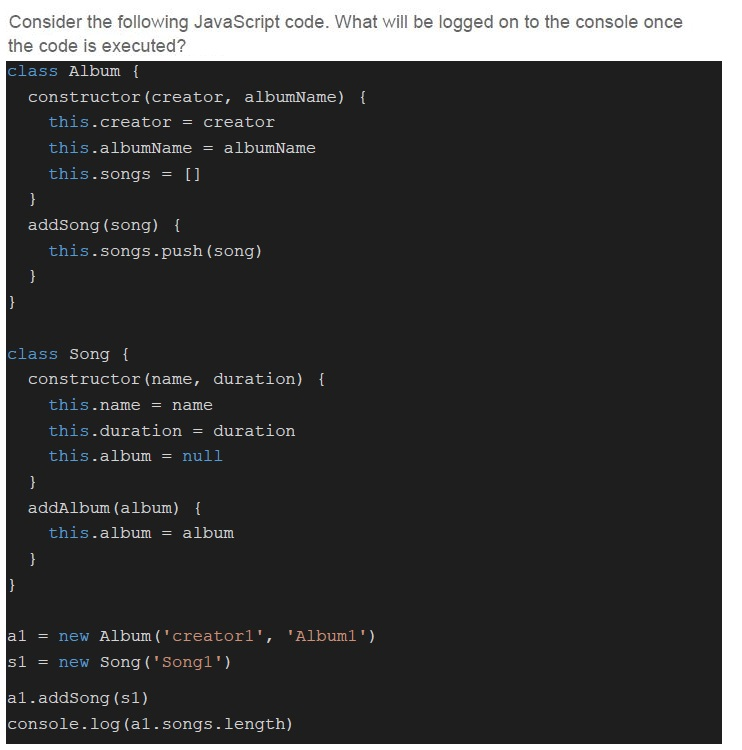
Text of the picture (copyable)
Consider the following JavaScript code. What will be logged on to the console once the code is executed?

```javascript
class Album {
  constructor(creator, albumName) {
    this.creator = creator
    this.albumName = albumName
    this.songs = []
  }
  addSong(song) {
    this.songs.push(song)
  }
}

class Song {
  constructor(name, duration) {
    this.name = name
    this.duration = duration
    this.album = null
  }
  addAlbum(album) {
    this.album = album
  }
}

al = new Album('creator1', 'Album1')
s1 = new Song('Song1')

al.addSong(s1)
console.log(al.songs.length)
```- 0
- 1
- 2
- None of these
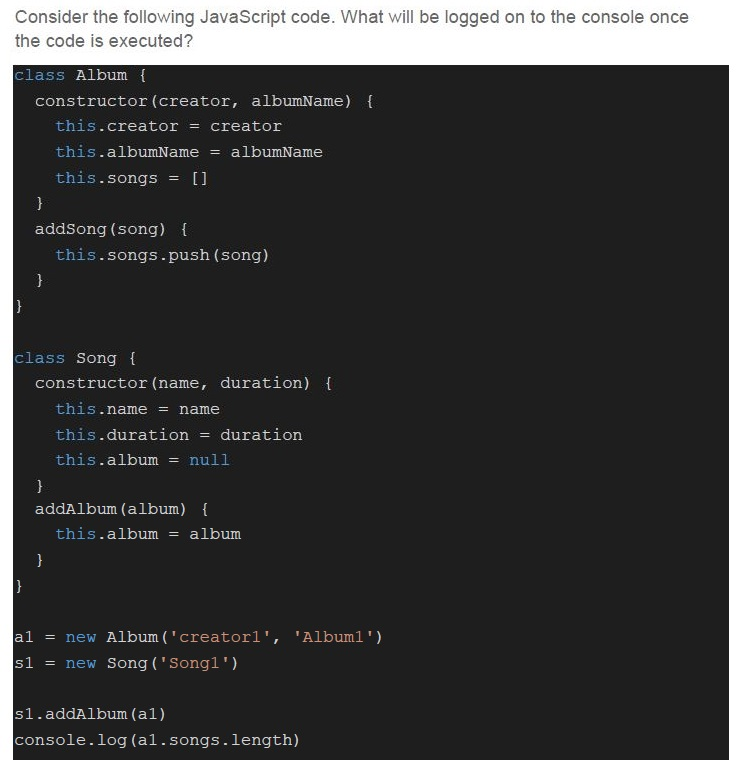
Text of the picture (copyable)
Consider the following JavaScript code. What will be logged on to the console once the code is executed?

```javascript
class Album {
  constructor(creator, albumName) {
    this.creator = creator
    this.albumName = albumName
    this.songs = []
  }
  addSong(song) {
    this.songs.push(song)
  }
}

class Song {
  constructor(name, duration) {
    this.name = name
    this.duration = duration
    this.album = null
  }
  addAlbum(album) {
    this.album = album
  }
}

al = new Album('creator1', 'Album1')
s1 = new Song('Song1')

s1.addAlbum(al)
console.log(al.songs.length)
```- 0
- 1
- 2
- None of these
Which of the following statement(s) is/are true regarding JavaScript language?
- Any variable declared using “var” keyword has a global scope.
- Any variable declared using “let” keyword has a block based scope.
- The language supports the concept of arrays.
- The language uses a call stack to execute the functions in the program.
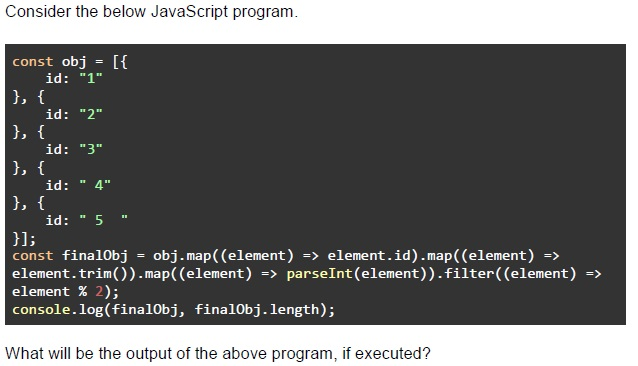
Text of the picture (copyable)
Consider the below JavaScript program.

```javascript
const obj = [{
    id: "1"
}, {
    id: "2"
}, {
    id: "3"
}, {
    id: "4"
}, {
    id: "5 "
}];
const finalObj = obj.map((element) => element.id).map((element) =>
    element.trim()).map((element) => parseInt(element))).filter((element) =>
    element % 2);
console.log(finalObj, finalObj.length);
```

What will be the output of the above program, if executed?- [‘1’, ‘3’, ‘5’] 3
- [‘2’, ‘4’] 2
- [1, 3, 5] 3
- [2, 4] 2
- [‘1’, ‘2’, ‘3’, ‘4’, ‘5’] 5
- [1, 2, 3, 4, 5] 5
Which of the following is/are example(s) of application state (i.e., system as seen by an individual user)?
- Shopping cart of an e-commerce application
- Loading icons
- Currently selected tab in a multipage / document
- Followed news items in a news app
Which of the following statement(s) is/are true?
- The computed properties are auto triggered when any of the reactivedependencies changes.
- The computed properties are cached based on their reactive dependencies.
- The watchers need to be manually triggered when the watched property isassigned a new value.
- The watchers can be defined globally, and apply to all instances of a Vuecomponent.
Which of the following is a valid function definition to return the sum of 2 numbers passed as parameter?
- let add = (x, y) => x + y
- let add = (x, y) => { x + y; }
- function add (x, y) { return x + y; }
- All of these
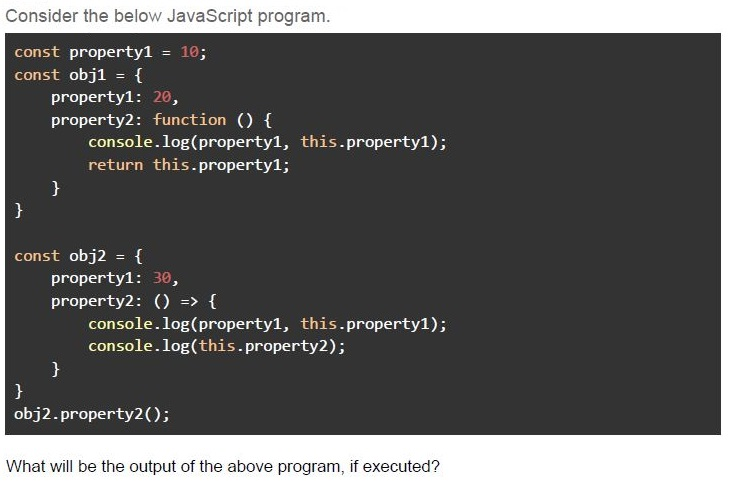
Text of the picture (copyable)
Consider the below JavaScript program.

```javascript
const property1 = 10;
const obj1 = {
    property1: 20,
    property2: function () {
        console.log(property1, this.property1);
        return this.property1;
    }
}

const obj2 = {
    property1: 30,
    property2: () => {
        console.log(property1, this.property1);
        console.log(this.property2);
    }
}
obj2.property2();
```

What will be the output of the above program, if executed?- 10 3020
- 10 30undefined
- 10 undefined30
- 10 undefinedundefined
- 10 3010 2020
- 10 undefined10 undefinedundefined
Which of the following is not a valid Vue directive?
- v-model
- v-click
- v-if
- v-show
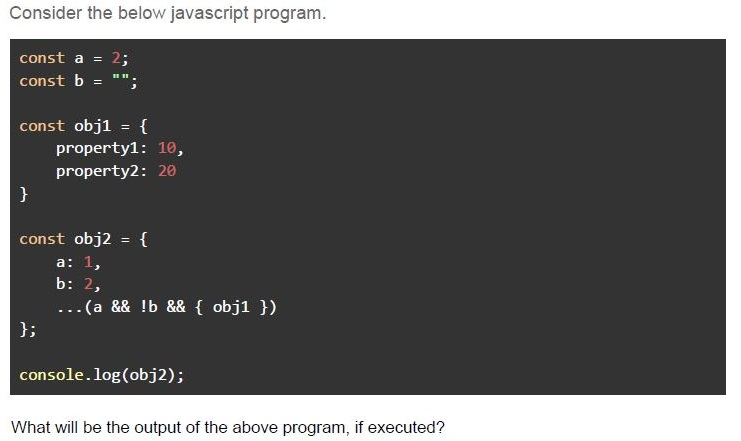
Text of the picture (copyable)
Consider the below javascript program.

```javascript
const a = 2;
const b = "";

const obj1 = {
  property1: 10,
  property2: 20
}

const obj2 = {
  a: 1,
  b: 2,
  ...(a && !b && { obj1 })
};

console.log(obj2);
```

What will be the output of the above program, if executed?- { a: 1, b: 2, property1: 10, property2: 20 }
- { a: 1, b: 2, obj1: { property1: 10, property2: 20 } }
- { property1: 10, property2: 20 }
- { a: 1, b: 2 }
Answer key
- Q1 (MCQ, 3 marks): D
- Q2 (MCQ, 4.5 marks): B
- Q3 (MCQ, 2 marks): A
- Q4 (MCQ, 2 marks): B
- Q5 (MCQ, 3 marks): A
- Q6 (MCQ, 4.5 marks): A
- Q7 (MCQ, 3 marks): B
- Q8 (MCQ, 3 marks): A
- Q9 (MSQ, 3 marks): B, C, D
- Q10 (MCQ, 4.5 marks): C
- Q11 (MSQ, 2 marks): A, D
- Q12 (MSQ, 3 marks): A, B
- Q13 (MCQ, 3 marks): D
- Q14 (MCQ, 4.5 marks): D
- Q15 (MCQ, 2 marks): B
- Q16 (MCQ, 3 marks): B
Concepts this paper tests
Auto-generated summary from the source site. Handy as a checklist; the lessons above explain each idea from scratch.
Summary of Core Topics and Concepts
JavaScript Fundamentals
Variable Scoping and
thisKeyword- Understanding the scope of variables declared with
var,let, andconst. - Understanding the behavior of the
thiskeyword in different contexts (e.g., functions, objects, arrow functions).
- Understanding the scope of variables declared with
Object-Oriented Programming in JavaScript
- Creating and using classes and objects.
- Inheritance using
Object.create(). - Methods and properties within objects.
Array Methods
- Using array methods like
filter,map, andreduce. - Understanding how to chain array methods.
- Using array methods like
Arrow Functions
- Syntax and behavior of arrow functions.
- Differences between arrow functions and regular functions.
Spread Operator
- Using the spread operator to combine objects and arrays.
Vue.js
Vue Directives
- Understanding common Vue directives like
v-model,v-if,v-show, etc. - Knowing which directives are valid and how to use them.
- Understanding common Vue directives like
Vue Instance and Methods
- Creating a Vue instance and defining methods.
- Using computed properties and watchers.
- Understanding the reactivity system in Vue.
Vue Lifecycle and State Management
- Managing state within a Vue application.
- Understanding the lifecycle hooks and how to use them.
General Programming Concepts
State Management
- Understanding application state and how it is managed.
- Examples of application state (e.g., shopping cart, followed news items).
Function Definitions
- Different ways to define functions in JavaScript.
- Arrow functions vs. regular functions.
Important Equations (Not Applicable)
Since this summary is focused on JavaScript and Vue.js, there are no specific mathematical equations to highlight. However, understanding the syntax and behavior of various JavaScript methods and Vue directives is crucial.