Home / Past papers / MAD2 Quiz 1 / this paper
IIT M QUIZ 1 FOUNDATION DAD DIPLOMA QPE2 16 Oct 2022 - 16 Oct 2022
Elapsed 00:00
Text of the picture (copyable)
THIS IS QUESTION PAPER FOR THE SUBJECT "DIPLOMA LEVEL: MODERN APPLICATION DEVELOPMENT 2"

ARE YOU SURE YOU HAVE TO WRITE EXAM FOR THIS SUBJECT?
CROSS CHECK YOUR HALL TICKET TO CONFIRM THE SUBJECTS TO BE WRITTEN.

(IF IT IS NOT THE CORRECT SUBJECT, PLS CHECK THE SECTION AT THE TOP FOR THE SUBJECTS REGISTERED BY YOU)
- Yes
- No
Text of the picture (copyable)
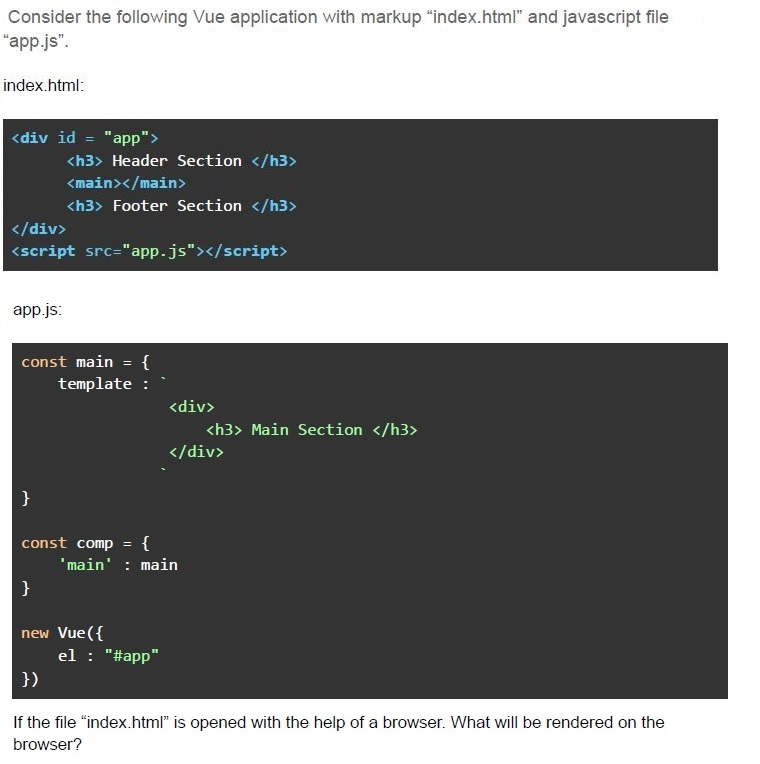
Consider the following Vue application with markup "index.html" and javascript file "app.js".

index.html:

```html
<div id = "app">
    <h3> Header Section </h3>
    <main></main>
    <h3> Footer Section </h3>
</div>
<script src="app.js"></script>
```

app.js:

```javascript
const main = {
    template : `
        <div>
            <h3> Main Section </h3>
        </div>
    `
}

const comp = {
    'main' : main
}

new Vue({
    el : "#app"
})
```

If the file "index.html" is opened with the help of a browser. What will be rendered on the browser?- Header SectionMain SectionFooter Section
- The app will show a warning, and nothing will be shown on the browser.
- Header SectionFooter Section
- The app will not show any warning, but nothing will be shown on the browser.
Text of the picture (copyable)
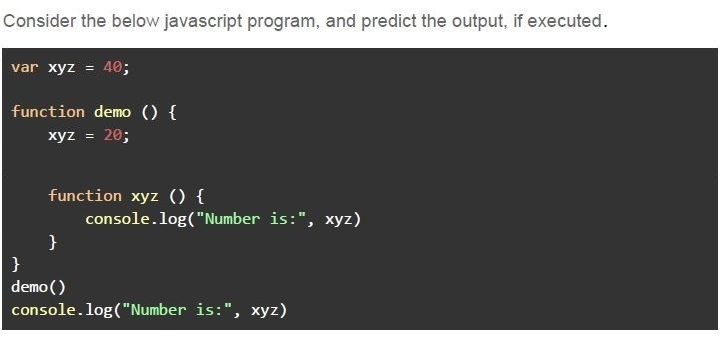
Consider the below javascript program, and predict the output, if executed.

```javascript
var xyz = 40;

function demo () {
    xyz = 20;

    function xyz () {
        console.log("Number is:", xyz)
    }
}
demo()
console.log("Number is:", xyz)
```- Number is: 20
- Number is: 40
- Number is: undefined
- Number is:
Text of the picture (copyable)
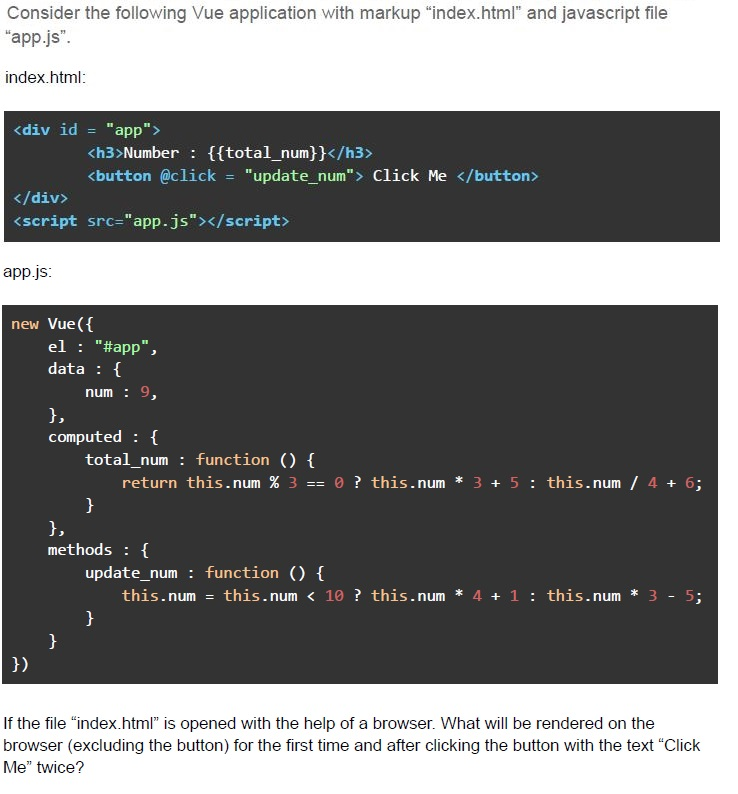
Consider the following Vue application with markup "index.html" and javascript file "app.js".

index.html:

```html
<div id = "app">
    <h3>Number : {{total_num}}</h3>
    <button @click = "update_num"> Click Me </button>
</div>
<script src="app.js"></script>
```

app.js:

```javascript
new Vue({
    el : "#app",
    data : {
        num : 9,
    },
    computed : {
        total_num : function () {
            return this.num % 3 == 0 ? this.num * 3 + 5 : this.num / 4 + 6;
        }
    },
    methods : {
        update_num : function () {
            this.num = this.num < 10 ? this.num * 4 + 1 : this.num * 3 - 5;
        }
    }
})
```

If the file "index.html" is opened with the help of a browser. What will be rendered on the browser (excluding the button) for the first time and after clicking the button with the text "Click Me" twice?- Before Click: Number : 32After Click: Number : 149
- Before Click: Number : 32After Click: Number : 32.5
- Before Click: Number : 8.25After Click: Number : 106
- Before Click: Number : 8.25After Click: Number : 149
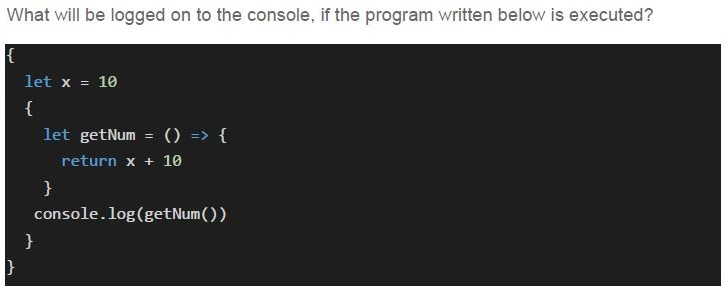
Text of the picture (copyable)
What will be logged on to the console, if the program written below is executed?
```javascript
{
    let x = 10
    {
        let getNum = () => {
            return x + 10
        }
        console.log(getNum())
    }
}
```- 20
- NaN
- Undefined
- ReferenceError
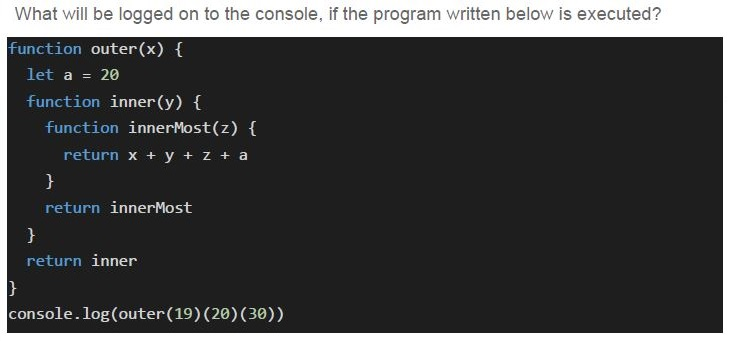
Text of the picture (copyable)
What will be logged on to the console, if the program written below is executed?
```javascript
function outer(x) {
  let a = 20
  function inner(y) {
    function innerMost(z) {
      return x + y + z + a
    }
    return innerMost
  }
  return inner
}
console.log(outer(19)(20)(30))
```- Undefined
- 89
- Will return a function reference
- 71
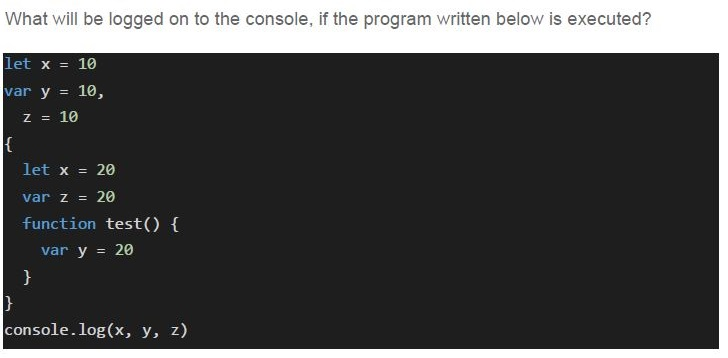
Text of the picture (copyable)
What will be logged on to the console, if the program written below is executed?

```javascript
let x = 10
var y = 10,
  z = 10
{
  let x = 20
  var z = 20
  function test() {
    var y = 20
  }
}
console.log(x, y, z)
```
text
10 20 10

text
20 20 20

text
10 20 20

text
10 10 20
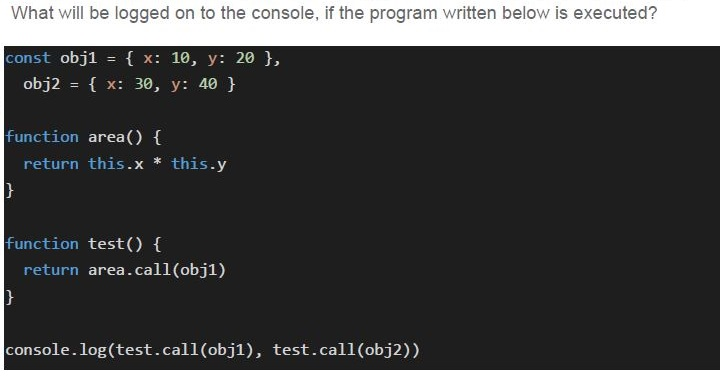
Text of the picture (copyable)
What will be logged on to the console, if the program written below is executed?

```javascript
const obj1 = { x: 10, y: 20 },
obj2 = { x: 30, y: 40 }

function area() {
  return this.x * this.y
}

function test() {
  return area.call(obj1)
}

console.log(test.call(obj1), test.call(obj2))
```- 200, 1200
- 1200, 200
- 1200, 1200
- 200, 200
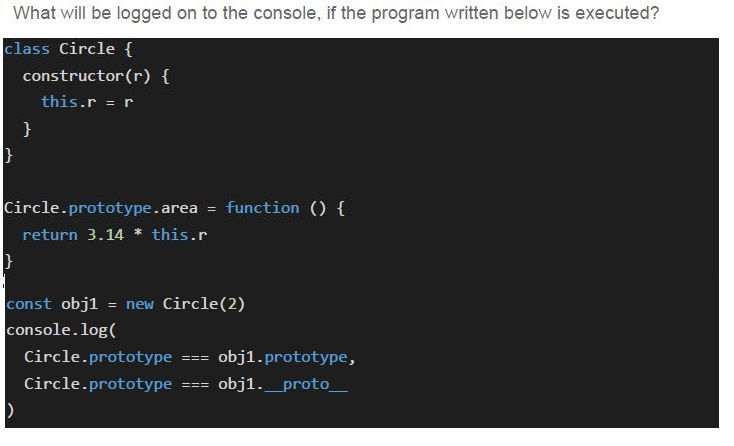
Text of the picture (copyable)
What will be logged on to the console, if the program written below is executed?

```javascript
class Circle {
  constructor(r) {
    this.r = r
  }
}

Circle.prototype.area = function () {
  return 3.14 * this.r
}

const obj1 = new Circle(2)
console.log(
  Circle.prototype === obj1.prototype,
  Circle.prototype === obj1.__proto__
)
```
text
false false

text
false true

text
true true

text
true false
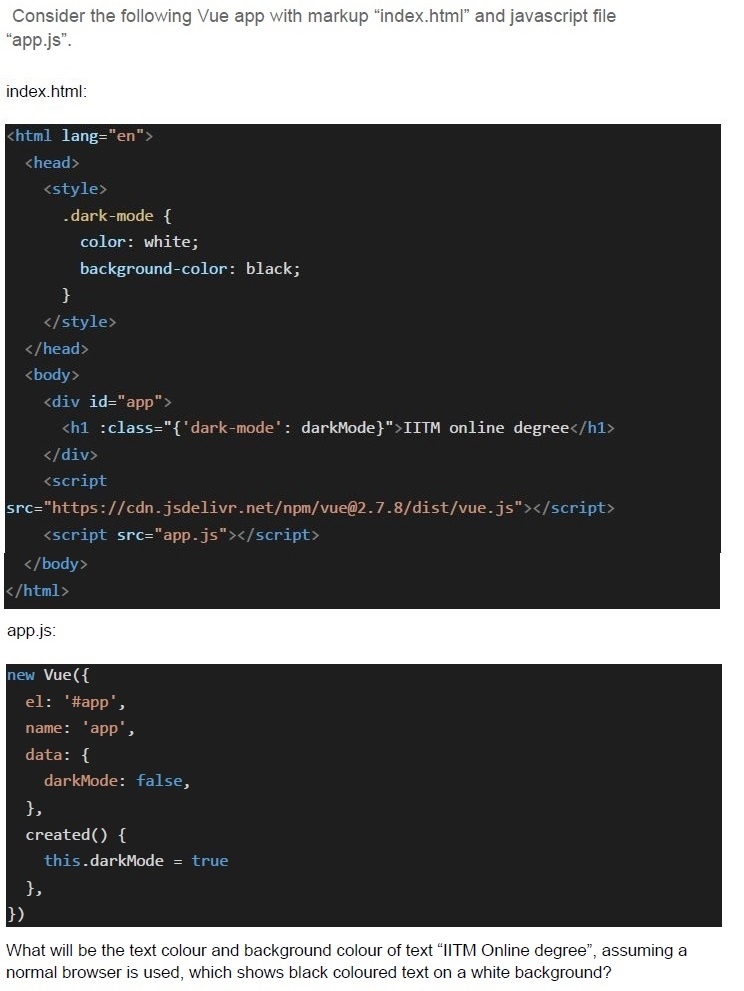
Text of the picture (copyable)
Consider the following Vue app with markup "index.html" and javascript file "app.js".

index.html:

```html
<html lang="en">
<head>
    <style>
        .dark-mode {
            color: white;
            background-color: black;
        }
    </style>
</head>
<body>
    <div id="app">
        <h1 :class="{'dark-mode': darkMode}">IITM online degree</h1>
    </div>
    <script src="https://cdn.jsdelivr.net/npm/vue@2.7.8/dist/vue.js"></script>
    <script src="app.js"></script>
</body>
</html>
```

app.js:

```javascript
new Vue({
    el: '#app',
    name: 'app',
    data: {
        darkMode: false,
    },
    created() {
        this.darkMode = true
    },
})
```

What will be the text colour and background colour of text "IITM Online degree", assuming a normal browser is used, which shows black coloured text on a white background?- Black, White
- White, Black
- Black, Black
- White, White
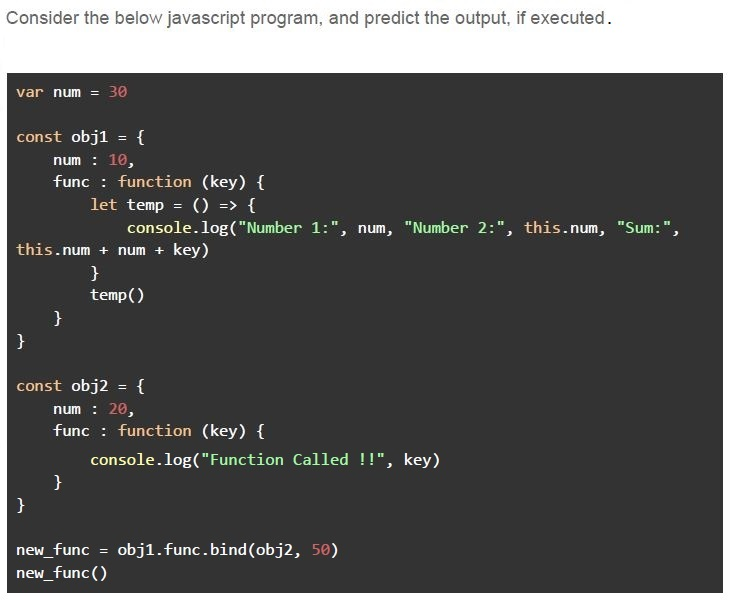
Text of the picture (copyable)
Consider the below javascript program, and predict the output, if executed.

```javascript
var num = 30

const obj1 = {
    num : 10,
    func : function (key) {
        let temp = () => {
            console.log("Number 1:", num, "Number 2:", this.num, "Sum:",
            this.num + num + key)
        }
        temp()
    }
}

const obj2 = {
    num : 20,
    func : function (key) {
        console.log("Function Called !!", key)
    }
}

new_func = obj1.func.bind(obj2, 50)
new_func()
```- Number 1: 10 Number 2: 30 Sum: 90
- Number 1: 20 Number 2: 30 Sum: 100
- Number 1: 30 Number 2: 20 Sum: 100
- Number 1: 30 Number 2: 10 Sum: 90
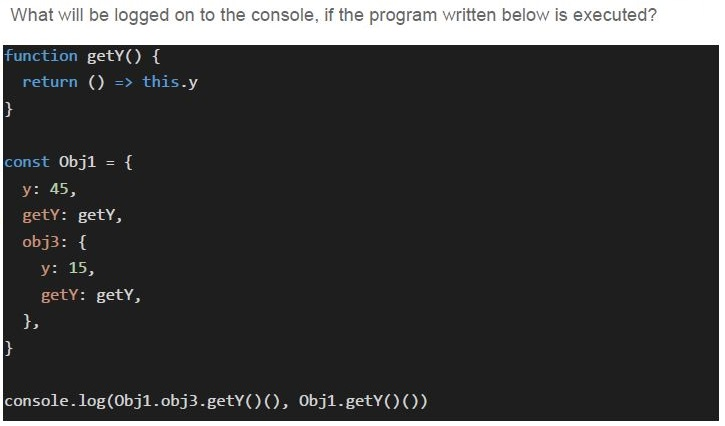
Text of the picture (copyable)
What will be logged on to the console, if the program written below is executed?

```javascript
function getY() {
  return () => this.y
}

const Obj1 = {
  y: 45,
  getY: getY,
  obj3: {
    y: 15,
    getY: getY,
  },
}

console.log(Obj1.obj3.getY()(), Obj1.getY()())
```- Undefined, Undefined
- 45, 15
- 15, 45
- 15, Undefined
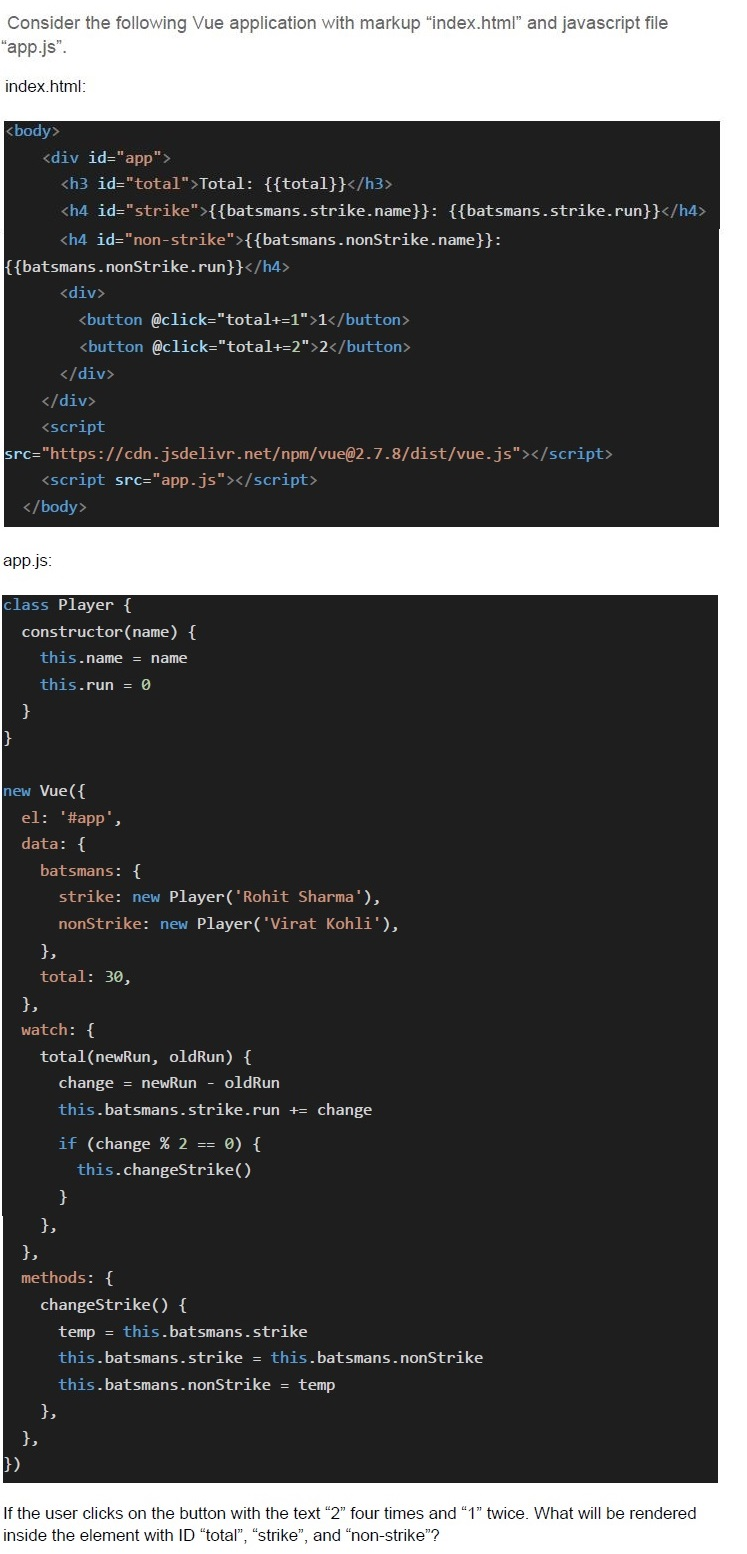
Text of the picture (copyable)
Consider the following Vue application with markup "index.html" and javascript file "app.js".

index.html:

```html
<body>
    <div id="app">
        <h3 id="total">Total: {{total}}</h3>
        <h4 id="strike">{{batsmans.strike.name}}: {{batsmans.strike.run}}</h4>
        <h4 id="non-strike">{{batsmans.nonStrike.name}}: {{batsmans.nonStrike.run}}</h4>
        <div>
            <button @click="total+=1">1</button>
            <button @click="total+=2">2</button>
        </div>
    </div>
    <script src="https://cdn.jsdelivr.net/npm/vue@2.7.8/dist/vue.js"></script>
    <script src="app.js"></script>
</body>
```

app.js:

```javascript
class Player {
    constructor(name) {
        this.name = name
        this.run = 0
    }
}

new Vue({
    el: '#app',
    data: {
        batsmans: {
            strike: new Player('Rohit Sharma'),
            nonStrike: new Player('Virat Kohli'),
        },
        total: 30,
    },
    watch: {
        total(newRun, oldRun) {
            change = newRun - oldRun
            this.batsmans.strike.run += change

            if (change % 2 == 0) {
                this.changeStrike()
            }
        },
    },
    methods: {
        changeStrike() {
            temp = this.batsmans.strike
            this.batsmans.strike = this.batsmans.nonStrike
            this.batsmans.nonStrike = temp
        },
    },
})
```

If the user clicks on the button with the text "2" four times and "1" twice. What will be rendered inside the element with ID "total", "strike", and "non-strike"?- Total: 10, Virat Kohli: 0, Rohit Sharma: 10
- Total: 40, Rohit Sharma: 6, Virat Kohli: 4
- Total: 40, Virat Kohli:6, Rohit Sharma: 4
- Total: 10, Rohit Sharma: 0, Virat Kohli: 10
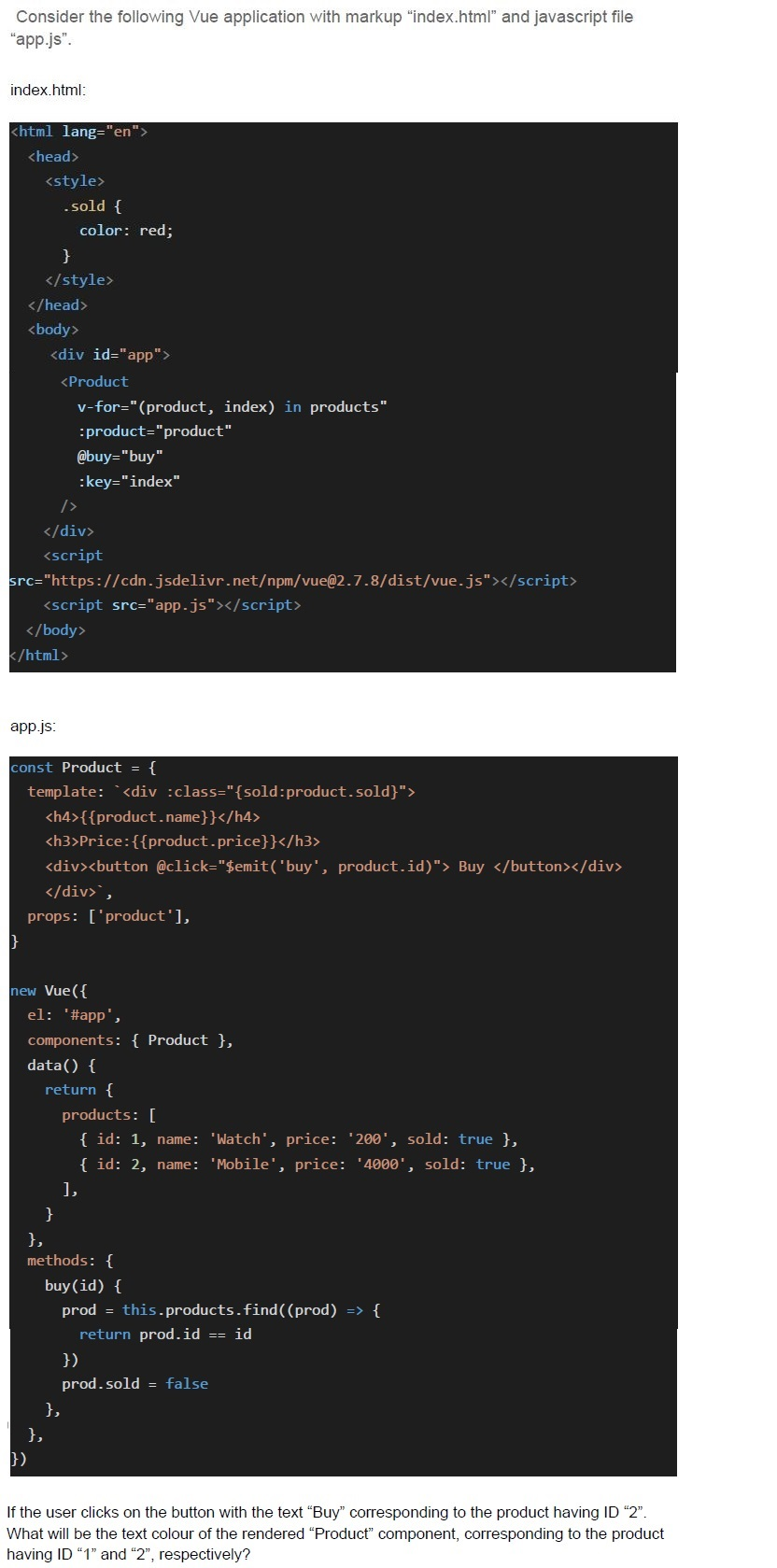
Text of the picture (copyable)
Consider the following Vue application with markup "index.html" and javascript file "app.js".

index.html:

```html
<html lang="en">
<head>
    <style>
        .sold {
            color: red;
        }
    </style>
</head>
<body>
    <div id="app">
        <Product
            v-for="(product, index) in products"
            :product="product"
            @buy="buy"
            :key="index"
        />
    </div>
    <script src="https://cdn.jsdelivr.net/npm/vue@2.7.8/dist/vue.js"></script>
    <script src="app.js"></script>
</body>
</html>
```

app.js:

```javascript
const Product = {
    template: `<div :class="{sold: product.sold}">
        <h4>{{product.name}}</h4>
        <h3>Price:{{product.price}}</h3>
        <div><button @click="$emit('buy', product.id)"> Buy </button></div>
    </div>`,
    props: ['product'],
}

new Vue({
    el: '#app',
    components: { Product },
    data() {
        return {
            products: [
                { id: 1, name: 'Watch', price: '200', sold: true },
                { id: 2, name: 'Mobile', price: '4000', sold: true },
            ],
        }
    },
    methods: {
        buy(id) {
            prod = this.products.find((prod) => {
                return prod.id == id
            })
            prod.sold = false
        },
    },
})
```

If the user clicks on the button with the text "Buy" corresponding to the product having ID "2". What will be the text colour of the rendered "Product" component, corresponding to the product having ID "1" and "2", respectively?- Black, Black
- Black, Red
- Red, Black
- Red, Red
Which of the following statement(s) is/are false regarding javascript language?
- The equality operator “===” is used to avoid coercion in the language.
- A variable declared using the keyword “var” can be used anywhere in theprogram
- The keyword “break” is used to terminate the execution of the program in thelanguage
- The JavaScript language is a dynamically typed language
Which of the following statement(s) is/are true regarding javascript language?
- The variables declared outside all functions using “var” keyword are initializedwith the value “undefined”, until the code execution reaches the initialization statement for thatparticular variable.
- The variables declared outside all functions using “const” keyword areinitialized with the value “null”, until the code execution reaches the initialization statement forthat particular variable.
- The function expressions in the language are not hoisted
- A javascript object can not have its own functions or methods
Which of the following statement(s) is/are false regarding the state of a web application?
- The system state is usually a huge collection of information
- The system state is dependent on the user interface.
- Your Amazon wish list is an example of application state.
- Your Amazon wish list is an example of system state
Answer key
- Q1 (MCQ, 0 marks): A
- Q2 (MCQ, 2 marks): C
- Q3 (MCQ, 3 marks): B
- Q4 (MCQ, 3 marks): B
- Q5 (MCQ, 3 marks): A
- Q6 (MCQ, 3 marks): B
- Q7 (MCQ, 3 marks): D
- Q8 (MCQ, 3 marks): D
- Q9 (MCQ, 3 marks): B
- Q10 (MCQ, 3 marks): B
- Q11 (MCQ, 4.5 marks): C
- Q12 (MCQ, 4.5 marks): C
- Q13 (MCQ, 4.5 marks): B
- Q14 (MCQ, 4.5 marks): C
- Q15 (MSQ, 2 marks): B, C
- Q16 (MSQ, 2 marks): A, C
- Q17 (MSQ, 2 marks): B, D
Concepts this paper tests
Auto-generated summary from the source site. Handy as a checklist; the lessons above explain each idea from scratch.
Summary of Core Topics, Concepts, Principles, and Equations
JavaScript and Vue.js Concepts
Variable Scoping and Hoisting
let vs. var vs. const: Understanding the differences in scoping and hoisting.
letandconstare block-scoped.varis function-scoped and hoisted.
- Hoisting: Variables declared with
varare hoisted to the top of their scope and initialized withundefined.
Closures and Arrow Functions
- Closures: Functions that have access to their own scope, the outer function’s scope, and the global scope.
- Arrow Functions: Do not have their own
thiscontext; they inheritthisfrom the surrounding scope.
Object-Oriented Programming in JavaScript
- Prototypes and Inheritance: Understanding how prototypes work and how inheritance is achieved.
- Classes: Syntax for defining classes and creating objects.
- Static Methods: Methods that are called on the class itself, not on instances of the class.
Vue.js Fundamentals
- Vue Instance: Creating a Vue instance and understanding its lifecycle hooks.
- Data Binding: Using
{{ }}for text interpolation andv-bindfor attribute binding. - Computed Properties: Cached properties that are re-evaluated only when their dependencies change.
- Methods: Functions defined in the Vue instance that can be called from templates.
- Watchers: Functions that watch for changes in data properties.
- Components: Reusable Vue instances with their own templates and logic.
- Props: Custom attributes for passing data from parent components to child components.
- Events: Using
v-onto listen to DOM events and custom events.
Vue.js Lifecycle Hooks
- created: Called after the instance is created.
- mounted: Called after the instance is mounted to the DOM.
- updated: Called after data changes and the DOM is re-rendered.
- destroyed: Called after the instance is destroyed.
Vue.js Directives
- v-if/v-else/v-show: Conditional rendering.
- v-for: Looping over arrays or objects.
- v-bind: Dynamically binding attributes.
- v-on: Listening to events.
- v-model: Two-way data binding for form inputs.
Vue.js Computed Properties and Watchers
- Computed Properties: Cached and re-evaluated only when dependencies change.
- Watchers: Functions that run when specific data properties change.
Vue.js Components and Props
- Components: Reusable Vue instances.
- Props: Custom attributes for passing data to child components.
Vue.js Event Handling
- Custom Events: Using
$emitto emit custom events from child components. - Event Modifiers: Modifiers like
.stop,.prevent,.capture,.self, and.once.
- Custom Events: Using
Vue.js Conditional Rendering and Lists
- v-if/v-else/v-show: Conditional rendering based on data properties.
- v-for: Rendering lists of items based on arrays or objects.
Vue.js Class and Style Binding
- v-bind:class: Dynamically binding CSS classes.
- v-bind:style: Dynamically binding inline styles.
Vue.js Form Input Bindings
- v-model: Two-way data binding for form inputs like text, checkbox, radio, and select.
Vue.js Lifecycle Hooks
- created: Called after the instance is created.
- mounted: Called after the instance is mounted to the DOM.
- updated: Called after data changes and the DOM is re-rendered.
- destroyed: Called after the instance is destroyed.