Home / Past papers / MAD2 Quiz 2 / this paper
IIT M DIPLOMA AN EXAM QDD4 01 Dec 2024 - 01 Dec 2024
Elapsed 00:00
Text of the picture (copyable)
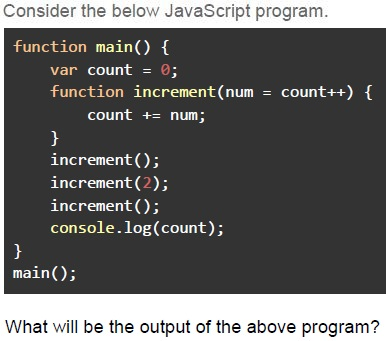
Consider the below JavaScript program.

```javascript
function main() {
    var count = 0;
    function increment(num = count++) {
        count += num;
    }
    increment();
    increment(2);
    increment();
    console.log(count);
}
main();
```

What will be the output of the above program?- 3
- 4
- 7
- 8
- 6
Text of the picture (copyable)
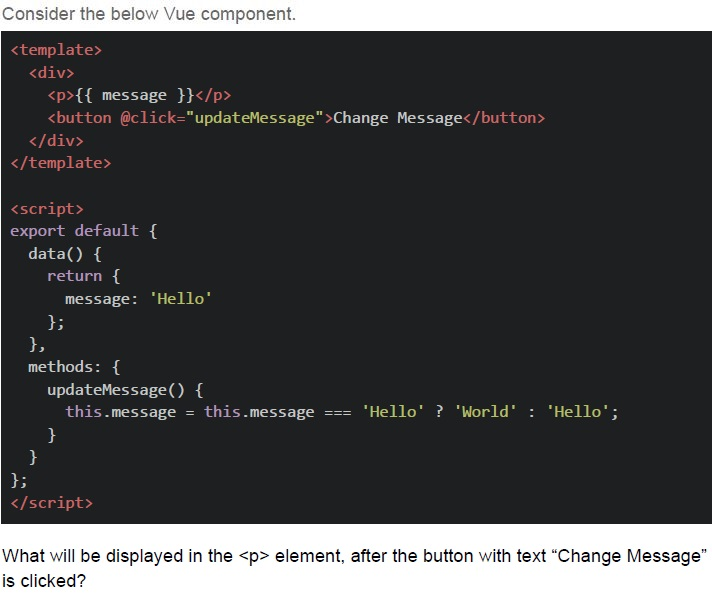
Consider the below Vue component.

```html
<template>
  <div>
    <p>{{ message }}</p>
    <button @click="updateMessage">Change Message</button>
  </div>
</template>

<script>
export default {
  data() {
    return {
      message: 'Hello'
    };
  },
  methods: {
    updateMessage() {
      this.message = this.message === 'Hello' ? 'World' : 'Hello';
    }
  }
};
</script>
```

What will be displayed in the `<p>` element, after the button with text "Change Message" is clicked?- Empty
- Error
- undefined
- World
- Hello
Text of the picture (copyable)
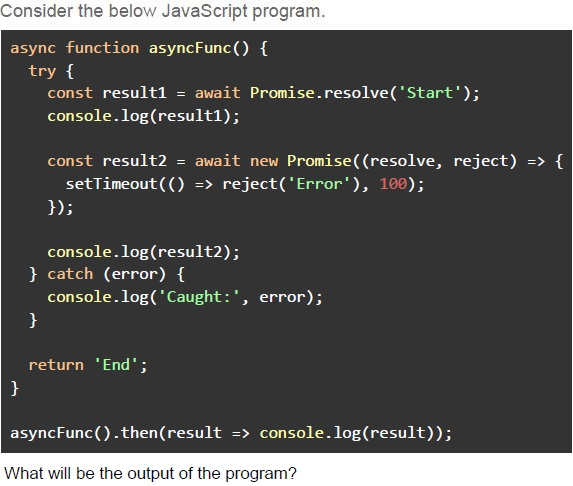
Consider the below JavaScript program.

```javascript
async function asyncFunc() {
  try {
    const result1 = await Promise.resolve('Start');
    console.log(result1);

    const result2 = await new Promise((resolve, reject) => {
      setTimeout(() => reject('Error'), 100);
    });

    console.log(result2);
  } catch (error) {
    console.log('Caught:', error);
  }

  return 'End';
}

asyncFunc().then(result => console.log(result));
```

What will be the output of the program?- Start, Caught: Error, End
- Start, End, Caught: Error
- Caught: Error, Start, End
- Start, Error, End
Text of the picture (copyable)
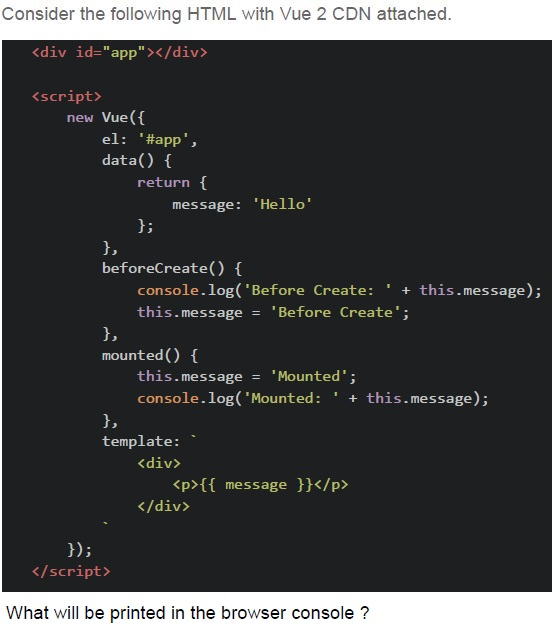
Consider the following HTML with Vue 2 CDN attached.

```html
<div id="app"></div>

<script>
  new Vue({
    el: '#app',
    data() {
      return {
        message: 'Hello'
      };
    },
    beforeCreate() {
      console.log('Before Create: ' + this.message);
      this.message = 'Before Create';
    },
    mounted() {
      this.message = 'Mounted';
      console.log('Mounted: ' + this.message);
    },
    template: `
      <div>
        <p>{{ message }}</p>
      </div>`
  });
</script>
```

What will be printed in the browser console ?- `Before Create: Before Create` and `Mounted: Hello`
- `Before Create: undefined` and `Mounted: Hello`
- `Before Create: Hello` and `Mounted: Mounted`
- `Before Create: undefined` and `Mounted: Mounted`
Text of the picture (copyable)
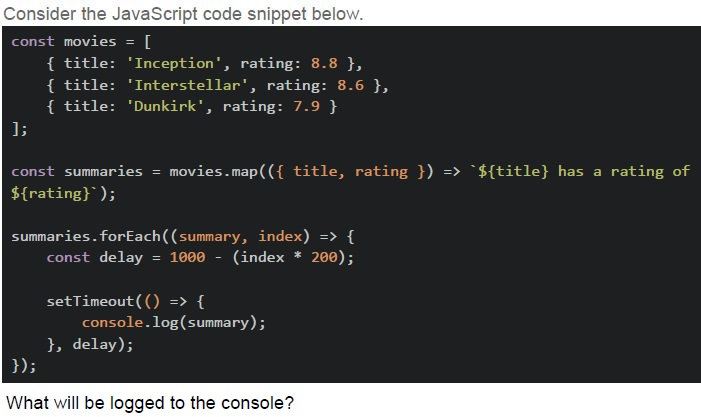
Consider the JavaScript code snippet below.

```javascript
const movies = [
  { title: 'Inception', rating: 8.8 },
  { title: 'Interstellar', rating: 8.6 },
  { title: 'Dunkirk', rating: 7.9 }
];

const summaries = movies.map(({ title, rating }) => `${title} has a rating of ${rating}`);

summaries.forEach((summary, index) => {
  const delay = 1000 - (index * 200);

  setTimeout(() => {
    console.log(summary);
  }, delay);
});
```

What will be logged to the console?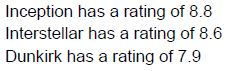
text
Inception has a rating of 8.8
Interstellar has a rating of 8.6
Dunkirk has a rating of 7.9
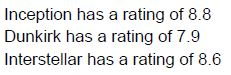
text
Inception has a rating of 8.8
Dunkirk has a rating of 7.9
Interstellar has a rating of 8.6
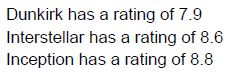
text
Dunkirk has a rating of 7.9
Interstellar has a rating of 8.6
Inception has a rating of 8.8
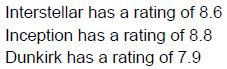
text
Interstellar has a rating of 8.6
Inception has a rating of 8.8
Dunkirk has a rating of 7.9
Text of the picture (copyable)
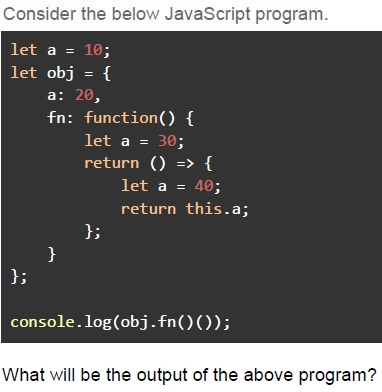
Consider the below JavaScript program.

```javascript
let a = 10;
let obj = {
  a: 20,
  fn: function() {
    let a = 30;
    return () => {
      let a = 40;
      return this.a;
    };
  }
};

console.log(obj.fn()());
```

What will be the output of the above program?- 10
- 20
- 30
- 40
Text of the picture (copyable)
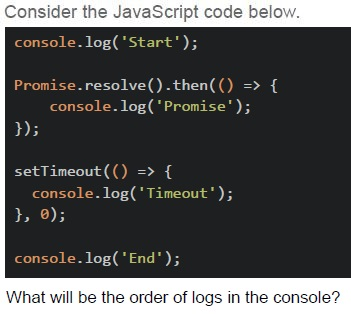
Consider the JavaScript code below.

```javascript
console.log('Start');

Promise.resolve().then(() => {
    console.log('Promise');
});

setTimeout(() => {
    console.log('Timeout');
}, 0);

console.log('End');
```

What will be the order of logs in the console?- Start, Timeout, End, Promise
- Start, Promise, End, Timeout
- Start, End, Promise, Timeout
- Start, Promise, Timeout, End
In Vuex, what is the purpose of mutations?
- To commit asynchronous operations
- To directly mutate the state
- To get the state
- To define computed properties
Text of the picture (copyable)
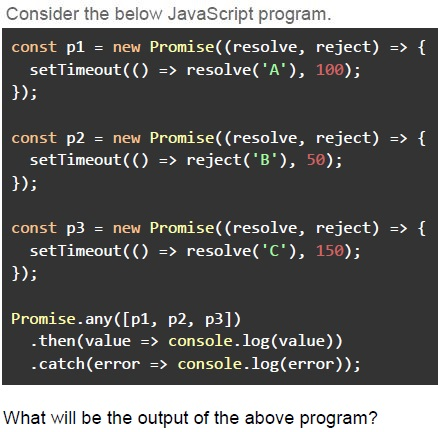
Consider the below JavaScript program.

```javascript
const p1 = new Promise((resolve, reject) => {
  setTimeout(() => resolve('A'), 100);
});

const p2 = new Promise((resolve, reject) => {
  setTimeout(() => reject('B'), 50);
});

const p3 = new Promise((resolve, reject) => {
  setTimeout(() => resolve('C'), 150);
});

Promise.any([p1, p2, p3])
  .then(value => console.log(value))
  .catch(error => console.log(error));
```

What will be the output of the above program?- A
- B
- C
- The catch block will execute
Text of the picture (copyable)
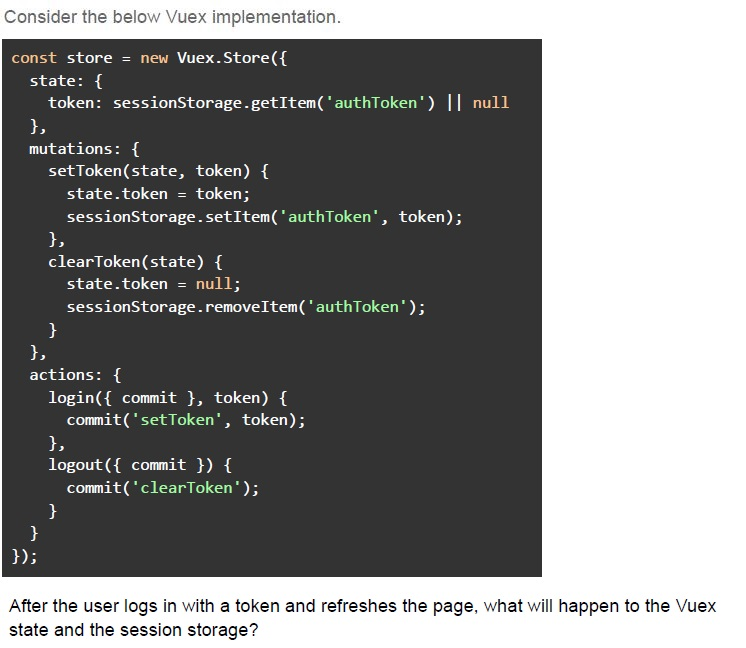
Consider the below Vuex implementation.

```javascript
const store = new Vuex.Store({
  state: {
    token: sessionStorage.getItem('authToken') || null
  },
  mutations: {
    setToken(state, token) {
      state.token = token;
      sessionStorage.setItem('authToken', token);
    },
    clearToken(state) {
      state.token = null;
      sessionStorage.removeItem('authToken');
    }
  },
  actions: {
    login({ commit }, token) {
      commit('setToken', token);
    },
    logout({ commit }) {
      commit('clearToken');
    }
  }
});
```

After the user logs in with a token and refreshes the page, what will happen to the Vuex state and the session storage?- The session storage will reset, but the Vuex state will still contain the“authToken”.
- Both the Vuex state and the sessionStorage will retain the token after the pagerefresh.
- The Vuex state will load the token from sessionStorage after the page refresh.
- The token will be lost from both the Vuex state and sessionStorage after thepage refresh.
Text of the picture (copyable)
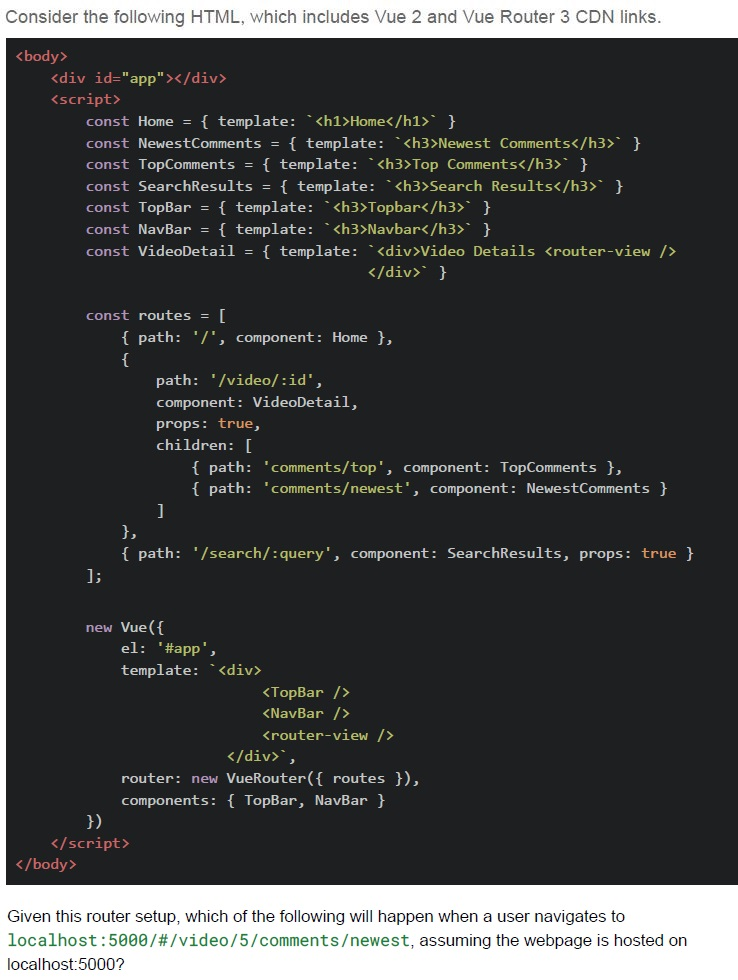
Consider the following HTML, which includes Vue 2 and Vue Router 3 CDN links.

```html
<body>
  <div id="app"></div>
  <script>
    const Home = { template: `<h1>Home</h1>` }
    const NewestComments = { template: `<h3>Newest Comments</h3>` }
    const TopComments = { template: `<h3>Top Comments</h3>` }
    const SearchResults = { template: `<h3>Search Results</h3>` }
    const TopBar = { template: `<h3>Topbar</h3>` }
    const NavBar = { template: `<h3>Navbar</h3>` }
    const VideoDetail = { template: `<div>Video Details <router-view /></div>` }

    const routes = [
      { path: '/', component: Home },
      {
        path: '/video/:id',
        component: VideoDetail,
        props: true,
        children: [
          { path: 'comments/top', component: TopComments },
          { path: 'comments/newest', component: NewestComments }
        ]
      },
      { path: '/search/:query', component: SearchResults, props: true }
    ];

    new Vue({
      el: '#app',
      template: `
        <div>
          <TopBar />
          <NavBar />
          <router-view />
        </div>`,
      router: new VueRouter({ routes }),
      components: { TopBar, NavBar }
    })
  </script>
</body>
```

Given this router setup, which of the following will happen when a user navigates to `localhost:5000/#/video/5/comments/newest`, assuming the webpage is hosted on `localhost:5000`?
text
The TopNavbar and Navbar components will remain visible, and the
NewestComments component will be displayed inside the VideoDetail component.

text
The Home component will be visible.

text
The TopComments component will be displayed.

text
No component will be shown.
Text of the picture (copyable)
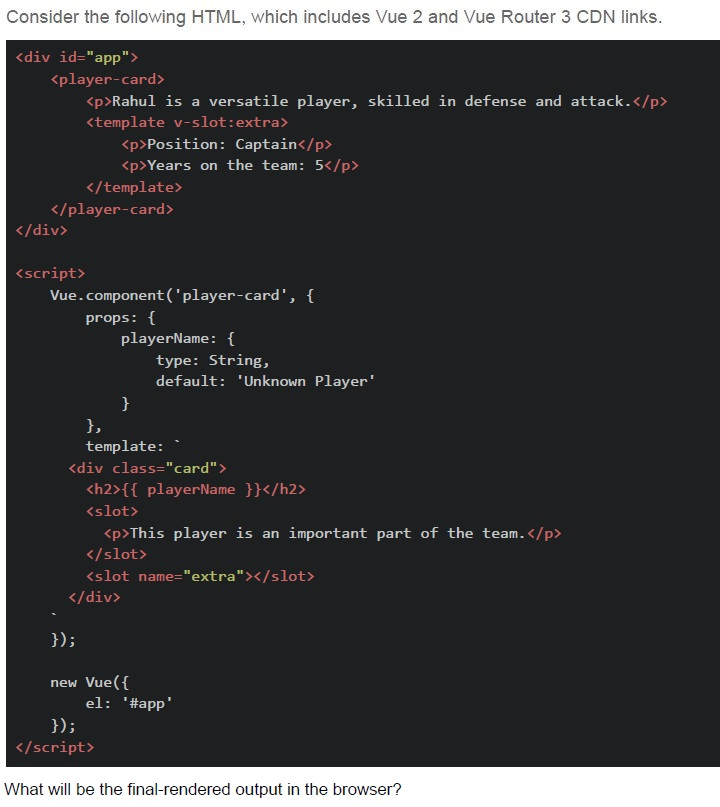
Consider the following HTML, which includes Vue 2 and Vue Router 3 CDN links.

```html
<div id="app">
  <player-card>
    <p>Rahul is a versatile player, skilled in defense and attack.</p>
    <template v-slot:extra>
      <p>Position: Captain</p>
      <p>Years on the team: 5</p>
    </template>
  </player-card>
</div>

<script>
  Vue.component('player-card', {
    props: {
      playerName: {
        type: String,
        default: 'Unknown Player'
      }
    },
    template: `
      <div class="card">
        <h2>{{ playerName }}</h2>
        <slot>
          <p>This player is an important part of the team.</p>
        </slot>
        <slot name="extra"></slot>
      </div>
    `
  });

  new Vue({
    el: '#app'
  });
</script>

What will be the final-rendered output in the browser?
```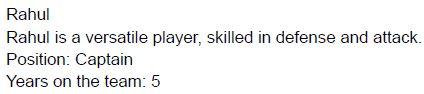
text
Rahul
Rahul is a versatile player, skilled in defense and attack.
Position: Captain
Years on the team: 5
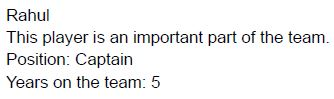
text
Rahul
This player is an important part of the team.
Position: Captain
Years on the team: 5
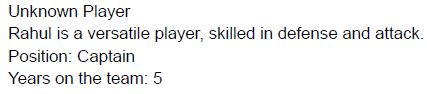
text
Unknown Player
Rahul is a versatile player, skilled in defense and attack.
Position: Captain
Years on the team: 5
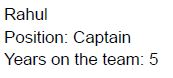
text
Rahul
Position: Captain
Years on the team: 5
Which of the following is/are the use cases of watchers in Vue.js?
- To watch a reactive property and perform actions when it changes.
- To cache values based on reactive dependencies.
- To perform side effects when a specific data property changes.
- To create reactive data within the component.
Which of the following statement(s) accurately describe the relationship between system state and application state?
- System state often includes user-specific data that changes frequently.
- Application state can depend on system state, but not the other way around.
- System state is more general and global, while application state is user-specific.
- Changes in system state often require a complete page reload to take effect.
Which of the following statement(s) is/are true about Vue.js components?
- Components can be reused throughout the application to create modular andmaintainable code.
- Props are used to pass data from child components to parent components.
- Components can have their own lifecycle hooks independent of the parentcomponent.
- Data in components must be a function that returns an object to ensure eachinstance has its own copy.
Text of the picture (copyable)
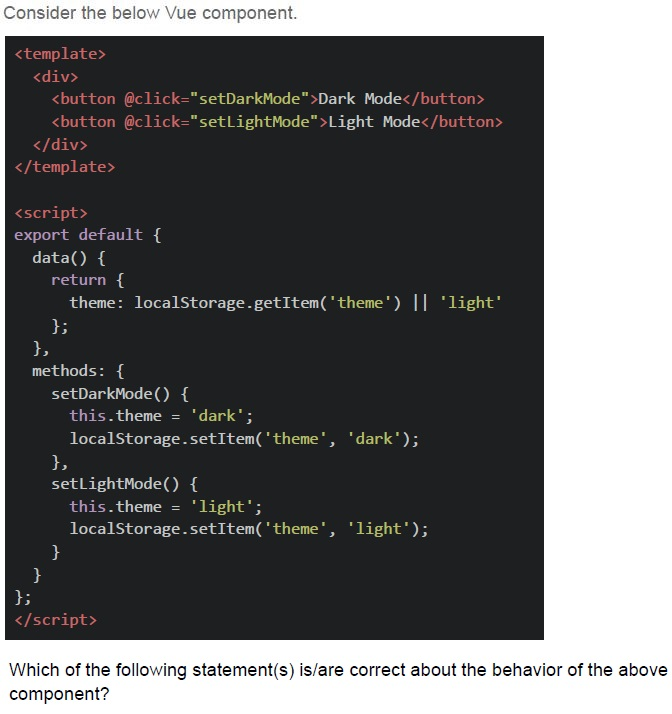
Consider the below Vue component.

```html
<template>
  <div>
    <button @click="setDarkMode">Dark Mode</button>
    <button @click="setLightMode">Light Mode</button>
  </div>
</template>

<script>
export default {
  data() {
    return {
      theme: localStorage.getItem('theme') || 'light'
    };
  },
  methods: {
    setDarkMode() {
      this.theme = 'dark';
      localStorage.setItem('theme', 'dark');
    },
    setLightMode() {
      this.theme = 'light';
      localStorage.setItem('theme', 'light');
    }
  }
};
</script>
```

Which of the following statement(s) is/are correct about the behavior of the above component?- The theme will persist across page reloads because it is stored in localStorage.
- If the user opens a new tab, the theme will reset to 'light' in that new tab.
- The theme will reset to 'light' every time the page is refreshed.
- The theme will be shared across all open tabs, as localStorage is accessibleacross tabs of the same origin.
Answer key
- Q1 (MCQ, 3 marks): C
- Q2 (MCQ, 3 marks): D
- Q3 (MCQ, 3 marks): A
- Q4 (MCQ, 3 marks): D
- Q5 (MCQ, 3 marks): C
- Q6 (MCQ, 2 marks): B
- Q7 (MCQ, 2 marks): C
- Q8 (MCQ, 2 marks): B
- Q9 (MCQ, 4.5 marks): A
- Q10 (MCQ, 4.5 marks): C
- Q11 (MCQ, 4.5 marks): A
- Q12 (MCQ, 4.5 marks): C
- Q13 (MSQ, 2 marks): A, C
- Q14 (MSQ, 3 marks): B, C
- Q15 (MSQ, 3 marks): A, C, D
- Q16 (MSQ, 3 marks): A, D
Concepts this paper tests
Auto-generated summary from the source site. Handy as a checklist; the lessons above explain each idea from scratch.
Summary of Core Topics and Concepts
JavaScript
Closures and Scope
- Understanding of variable scope and closures in JavaScript.
- Example:
obj.fn()()in Question 7.
Asynchronous Programming
- Promises,
async/await, and the event loop. - Example:
Promise.any,setTimeout, andPromise.resolvein Questions 4, 8, and 10.
- Promises,
Default Parameters and Increment Operators
- Understanding default parameters and post-increment operators.
- Example:
increment(num = count++)in Question 2.
Error Handling
- Using
try/catchblocks for error handling in asynchronous code. - Example:
try/catchin Question 4.
- Using
Vue.js
Vue Component Lifecycle
- Lifecycle hooks such as
beforeCreateandmounted. - Example:
beforeCreateandmountedin Question 5.
- Lifecycle hooks such as
Vuex
- State management, mutations, and actions.
- Example:
setTokenandclearTokenmutations in Question 11.
Slots and Props
- Using slots and props in Vue components.
- Example:
player-cardcomponent with slots in Question 13.
Vue Router
- Routing and nested routes in Vue.js.
- Example:
routesconfiguration in Question 12.
Watchers
- Using watchers to perform actions when reactive properties change.
- Example: Watchers in Question 14.
General Concepts
System State vs Application State
- Understanding the differences and relationships between system state and application state.
- Example: Statements in Question 15.
Component-Based Architecture
- Reusability, lifecycle hooks, and data management in components.
- Example: Statements in Question 16.
Important Equations (Not Applicable)
Since the questions are primarily focused on JavaScript and Vue.js concepts, there are no specific mathematical equations to summarize. However, understanding the following code snippets and their outputs is crucial:
- Closures and Scope ``
javascript let a = 10; let obj = { a: 20, fn: function() { let a = 30; return () => { let a = 40; return this.a; }; } }; console.log(obj.fn()()); // Output: 20``
- Asynchronous Programming ``
javascript async function asyncFunc() { try { const result1 = await Promise.resolve('Start'); console.log(result1); const result2 = await new Promise((resolve, reject) => { setTimeout(() => reject('Error'), 100); }); console.log(result2); } catch (error) { console.log('Caught:', error); } return 'End'; } asyncFunc().then(result => console.log(result)); // Output: Start, Caught: Error, End``
- Vue Component Lifecycle ``
javascript new Vue({ el: '#app', data() { return { message: 'Hello' }; }, beforeCreate() { console.log('Before Create: ' + this.message); this.message = 'Before Create'; }, mounted() { this.message = 'Mounted'; console.log('Mounted: ' + this.message); }, template:<div> <p>{{ message }}</p> </div>}); // Output: Before Create: undefined, Mounted: Mounted``