Home / Past papers / MAD2 Quiz 2 / this paper
IIT M FOUNDATION AN2 EXAM QPF2 06 Aug 2023 - 06 Aug 2023
Elapsed 00:00
Text of the picture (copyable)
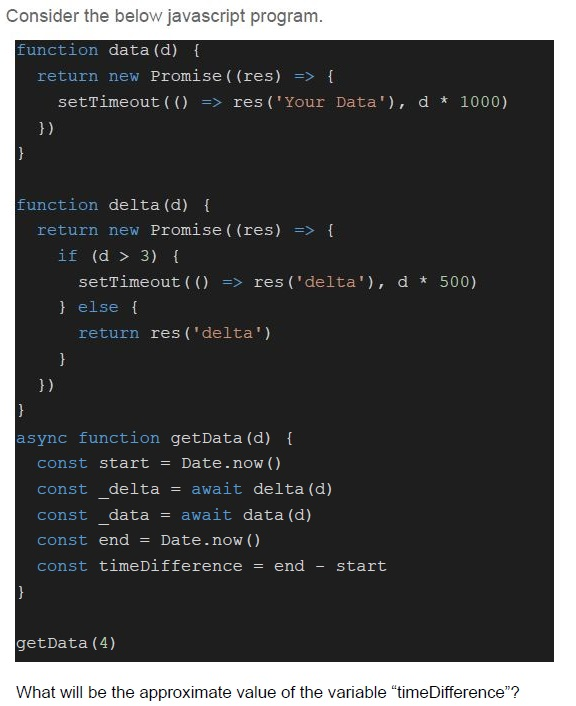
Consider the below javascript program.

```javascript
function data(d) {
  return new Promise((res) => {
    setTimeout(() => res('Your Data'), d * 1000)
  })
}

function delta(d) {
  return new Promise((res) => {
    if (d > 3) {
      setTimeout(() => res('delta'), d * 500)
    } else {
      return res('delta')
    }
  })
}

async function getData(d) {
  const start = Date.now()
  const _delta = await delta(d)
  const _data = await data(d)
  const end = Date.now()
  const timeDifference = end - start
}

getData(4)
```

What will be the approximate value of the variable "timeDifference"?- Less than 4000
- Is equal to 4000
- Greater than or equal to 6000
- None of these
Consider the following Vue application with javascript file “app.js” and markup file “index.html”.
 Consider the following Vue application with javascript file “app.js” and markup file “index.html”.
Consider the following Vue application with javascript file “app.js” and markup file “index.html”. Text of the picture (copyable)
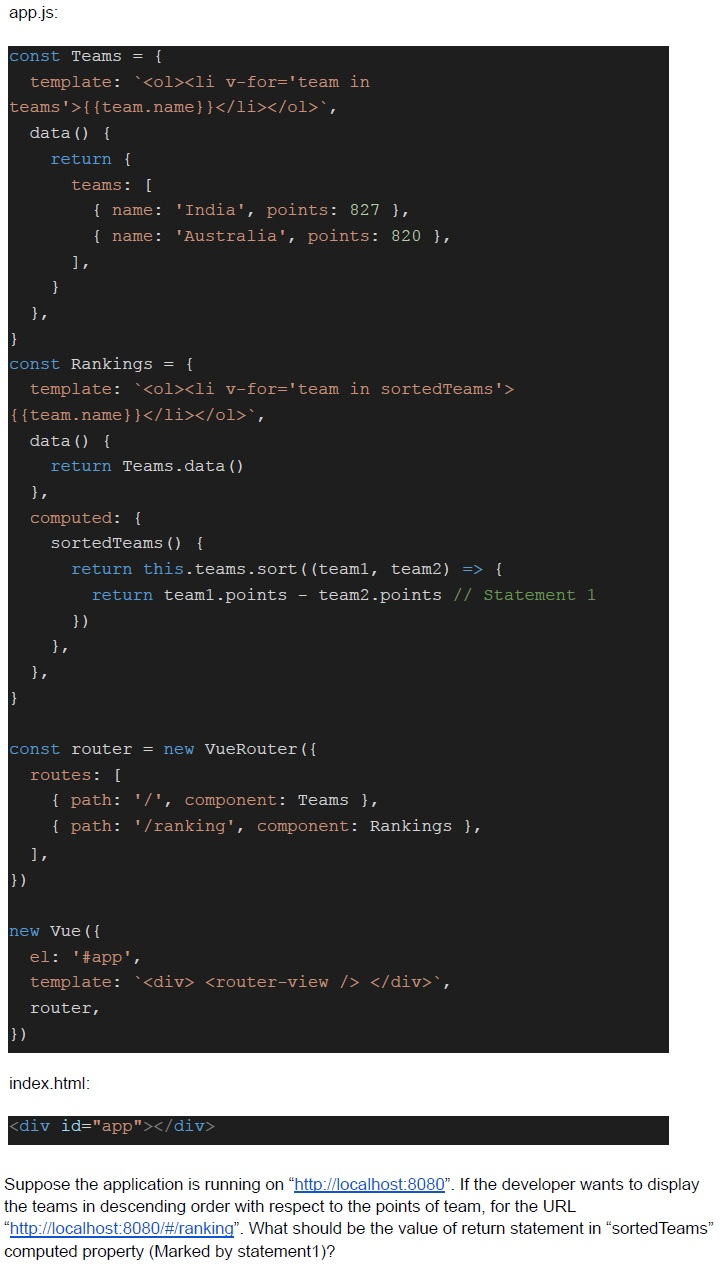
app.js:
```javascript
const Teams = {
  template: `<ol><li v-for='team in
  teams'>{{team.name}}</li></ol>`,
  data() {
    return {
      teams: [
        { name: 'India', points: 827 },
        { name: 'Australia', points: 820 },
      ],
    }
  },
}

const Rankings = {
  template: `<ol><li v-for='team in sortedTeams'>
  {{team.name}}</li></ol>`,
  data() {
    return Teams.data()
  },
  computed: {
    sortedTeams() {
      return this.teams.sort((team1, team2) => {
        return team1.points - team2.points // Statement 1
      })
    },
  },
}

const router = new VueRouter({
  routes: [
    { path: '/', component: Teams },
    { path: '/ranking', component: Rankings },
  ],
})

new Vue({
  el: '#app',
  template: `<div> <router-view /> </div>`,
  router,
})
```

index.html:
```html
<div id="app"></div>
```

Suppose the application is running on "http://localhost:8080". If the developer wants to display the teams in descending order with respect to the points of team, for the URL "http://localhost:8080/#/ranking". What should be the value of return statement in "sortedTeams" computed property (Marked by statement1)?- team1.points - team2.points
- team2.points - team1.points
- team1 > team2
- team2 < team1
Text of the picture (copyable)
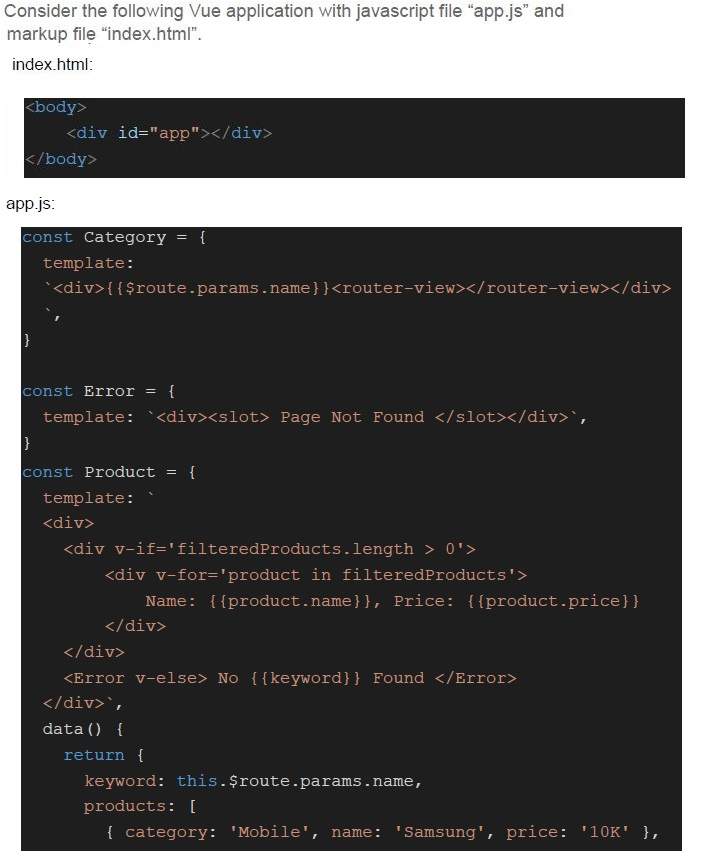
Consider the following Vue application with javascript file "app.js" and markup file "index.html".

index.html:
```html
<body>
    <div id="app"></div>
</body>
```

app.js:
```javascript
const Category = {
    template:
        `<div>{{$route.params.name}}<router-view></router-view></div>`,
}

const Error = {
    template: `<div><slot> Page Not Found </slot></div>`,
}

const Product = {
    template: `
<div>
    <div v-if='filteredProducts.length > 0'>
        <div v-for='product in filteredProducts'>
            Name: {{product.name}}, Price: {{product.price}}
        </div>
    </div>
    <Error v-else> No {{keyword}} Found </Error>
</div>`,
    data() {
        return {
            keyword: this.$route.params.name,
            products: [
                { category: 'Mobile', name: 'Samsung', price: '10K' },
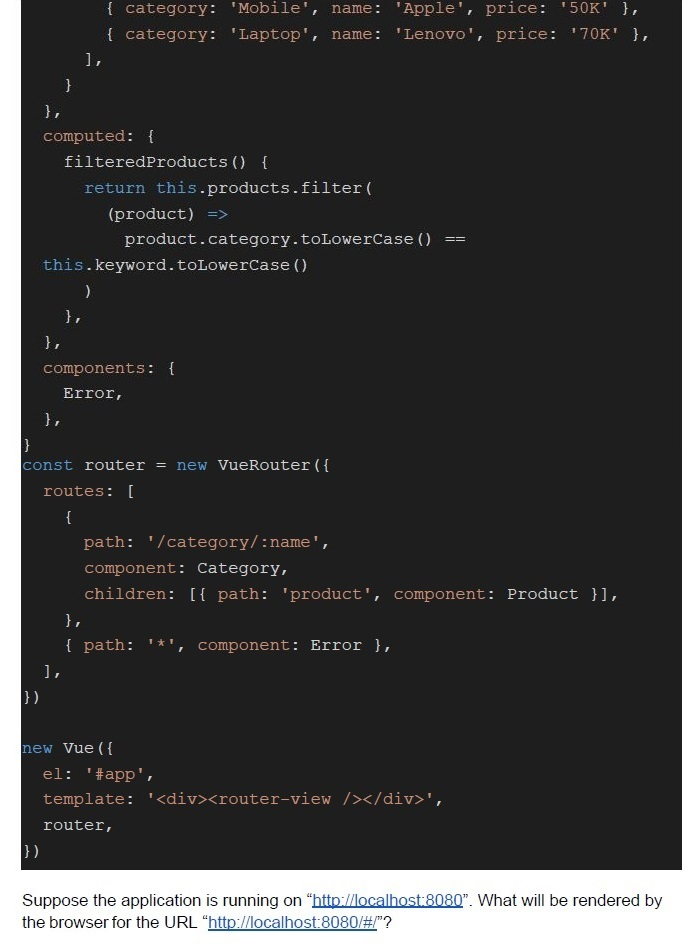
```
```javascript
{
  category: 'Mobile',
  name: 'Apple',
  price: '50K'
}, {
  category: 'Laptop',
  name: 'Lenovo',
  price: '70K'
}, ],
},
computed: {
  filteredProducts() {
    return this.products.filter(
      (product) =>
      product.category.toLowerCase() ==
      this.keyword.toLowerCase()
    )
  },
},
components: {
  Error,
},
}
const router = new VueRouter({
  routes: [{
    path: '/category/:name',
    component: Category,
    children: [{
      path: 'product',
      component: Product
    }],
  }, {
    path: '*',
    component: Error
  }, ],
})

new Vue({
  el: '#app',
  template: '<div><router-view /></div>',
  router,
})
```
Suppose the application is running on "http://localhost:8080". What will be rendered by the browser for the URL "http://localhost:8080/#/"?
text
Page Not Found

text
laptop
Name: Lenovo, Price: 70K

text
desktop
No desktop Found
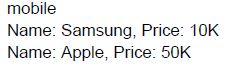
text
mobile
Name: Samsung, Price: 10K
Name: Apple, Price: 50K
Consider the following Vue application with javascript file “app.js” and markup file “index.html”.
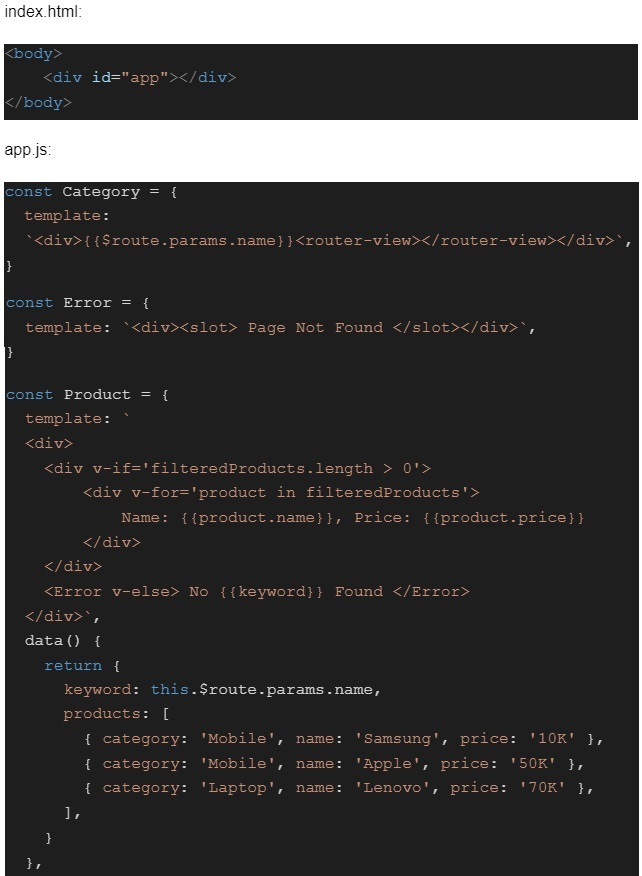 Consider the following Vue application with javascript file “app.js” and markup file “index.html”.
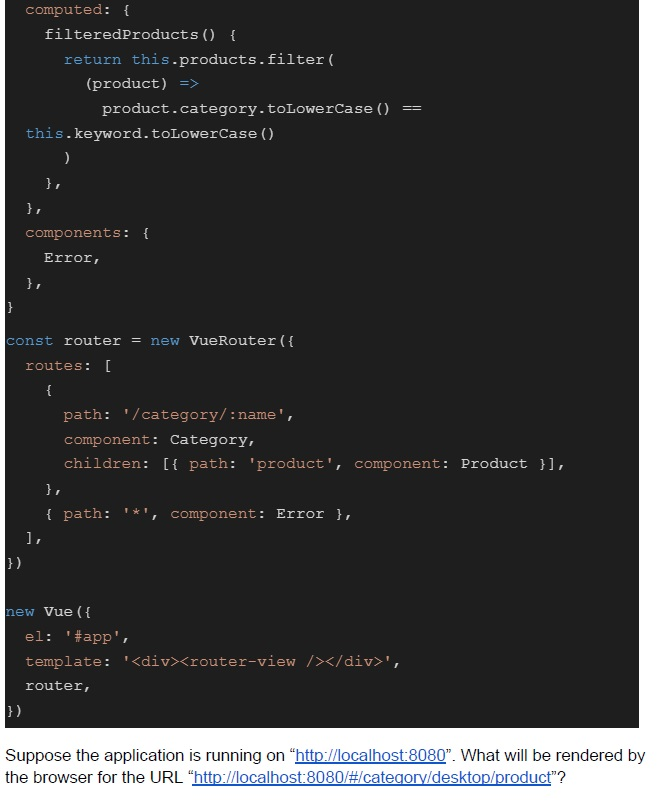 Consider the following Vue application with javascript file “app.js” and markup file “index.html”.
Consider the following Vue application with javascript file “app.js” and markup file “index.html”.
Consider the following Vue application with javascript file “app.js” and markup file “index.html”. Text of the picture (copyable)
index.html:
```html
<body>
    <div id="app"></div>
</body>
```

app.js:
```javascript
const Category = {
    template:
        `<div>{{ $route.params.name }}<router-view></router-view></div>`,
}

const Error = {
    template: `<div><slot> Page Not Found </slot></div>`,
}

const Product = {
    template: `
    <div>
        <div v-if='filteredProducts.length > 0'>
            <div v-for='product in filteredProducts'>
                Name: {{ product.name }}, Price: {{ product.price }}
            </div>
        </div>
        <Error v-else> No {{keyword}} Found </Error>
    </div>`,
    data() {
        return {
            keyword: this.$route.params.name,
            products: [
                { category: 'Mobile', name: 'Samsung', price: '10K' },
                { category: 'Mobile', name: 'Apple', price: '50K' },
                { category: 'Laptop', name: 'Lenovo', price: '70K' },
            ],
        }
    },
```
```javascript
computed: {
  filteredProducts () {
    return this.products.filter(
      (product) =>
        product.category.toLowerCase() ==
        this.keyword.toLowerCase()
    )
  },
},
components: {
  Error,
},

const router = new VueRouter({
  routes: [
    {
      path: '/category/:name',
      component: Category,
      children: [{ path: 'product', component: Product }],
    },
    { path: '*', component: Error },
  ],
})

new Vue({
  el: '#app',
  template: '<div><router-view /></router-view></div>',
  router,
})
```
Suppose the application is running on “http://localhost:8080”. What will be rendered by the browser for the URL “http://localhost:8080/#/category/desktop/product”?
text
Page Not Found

text
laptop
Name: Lenovo, Price: 70K

text
desktop
No desktop Found
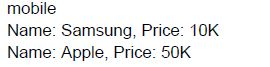
text
mobile
Name: Samsung, Price: 10K
Name: Apple, Price: 50K
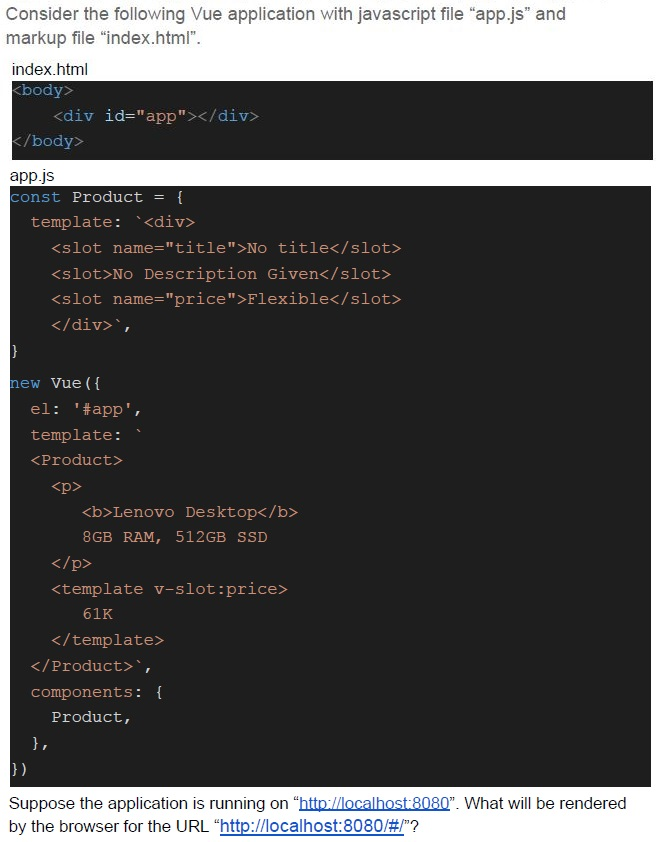
Text of the picture (copyable)
Consider the following Vue application with javascript file "app.js" and markup file "index.html".

index.html
```html
<body>
    <div id="app"></div>
</body>
```

app.js
```javascript
const Product = {
    template: `<div>
        <slot name="title">No title</slot>
        <slot>No Description Given</slot>
        <slot name="price">Flexible</slot>
    </div>`,
}

new Vue({
    el: '#app',
    template: `
        <Product>
            <p>
                <b>Lenovo Desktop</b>
                8GB RAM, 512GB SSD
            </p>
            <template v-slot:price>
                61K
            </template>
        </Product>`,
    components: {
        Product,
    },
})
```

Suppose the application is running on "http://localhost:8080". What will be rendered by the browser for the URL "http://localhost:8080/#/"?
text
No title
**Lenovo Desktop** 8GB RAM, 512GB SSD
61K

text
Lenovo Desktop
8GB RAM, 512GB SSD
61K

text
Lenovo Desktop
8GB RAM, 512GB SSD
Flexible

text
No title
**Lenovo Desktop** 8GB RAM, 512GB SSD
Flexible
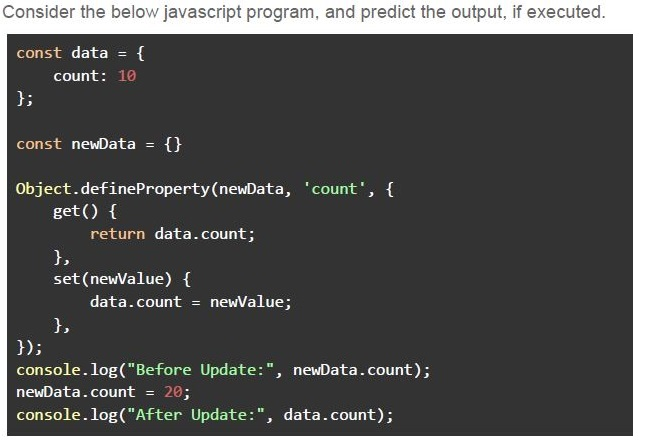
Text of the picture (copyable)
Consider the below javascript program, and predict the output, if executed.

```javascript
const data = {
  count: 10
};

const newData = {}

Object.defineProperty(newData, 'count', {
  get() {
    return data.count;
  },
  set(newValue) {
    data.count = newValue;
  },
});
console.log("Before Update:", newData.count);
newData.count = 20;
console.log("After Update:", data.count);
```- Before Update: 10After Update: 10
- Before Update: 10Error
- Before Update: 10After Update: 20
- Before Update: 10After Update: undefined
Which of the following is correct regarding the finally block of Promise?
- It allows scheduling a function after the promise is rejected.
- It allows scheduling a function after the promise is resolved.
- It allows scheduling a function when promise is either fulfilled or rejected.
- None of these
Which of the following statements is true?
- The data stored in session storage gets lost as soon as the page is refreshed.
- The data stored in local storage gets lost as soon as the system shuts down.
- The data stored in session cookies gets lost as soon as the browser is closed.
- All of these
Consider the following Vue application with javascript file “app.js” and markup file “index.html”.
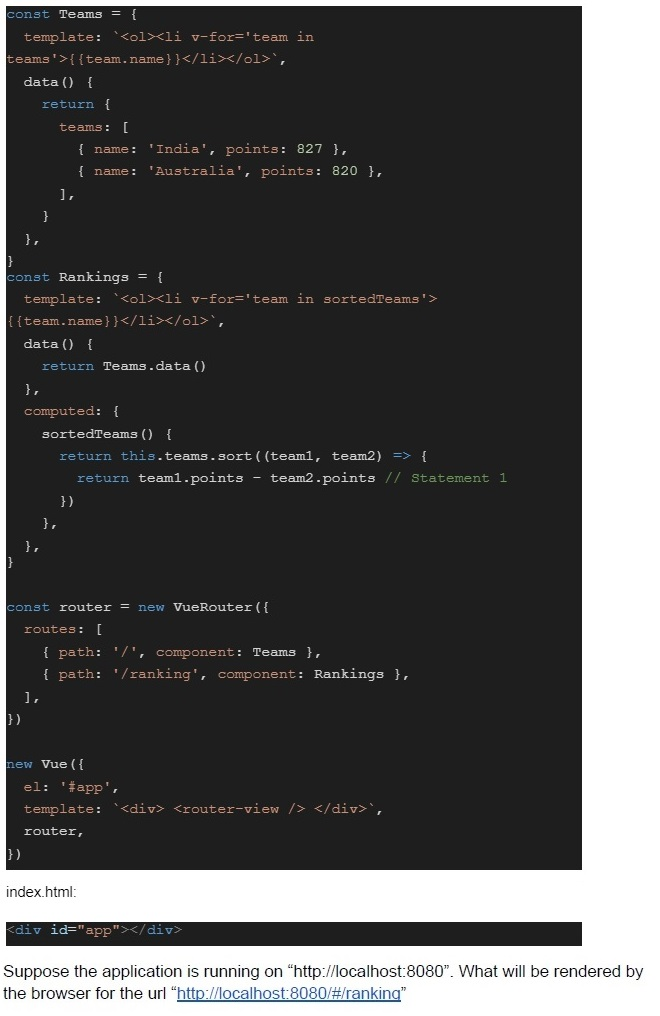 Consider the following Vue application with javascript file “app.js” and markup file “index.html”.
Consider the following Vue application with javascript file “app.js” and markup file “index.html”. Text of the picture (copyable)
```javascript
const Teams = {
  template: `<ol><li v-for='team in
  teams'>{{team.name}}</li></ol>`,
  data() {
    return {
      teams: [
        { name: 'India', points: 827 },
        { name: 'Australia', points: 820 },
      ],
    }
  },
}

const Rankings = {
  template: `<ol><li v-for='team in sortedTeams'>
  {{team.name}}</li></ol>`,
  data() {
    return Teams.data()
  },
  computed: {
    sortedTeams() {
      return this.teams.sort((team1, team2) => {
        return team1.points - team2.points // Statement 1
      })
    },
  },
}

const router = new VueRouter({
  routes: [
    { path: '/', component: Teams },
    { path: '/ranking', component: Rankings },
  ],
})

new Vue({
  el: '#app',
  template: `<div> <router-view /> </div>`,
  router,
})
```

index.html:
```html
<div id="app"></div>
```

Suppose the application is running on "http://localhost:8080". What will be rendered by the browser for the url "http://localhost:8080/#/ranking"
text
Australia

text
India

text
1. Australia
2. India

text
1. India
2. Australia
Consider the following Vue application with javascript file “app.js” and markup file “index.html”.
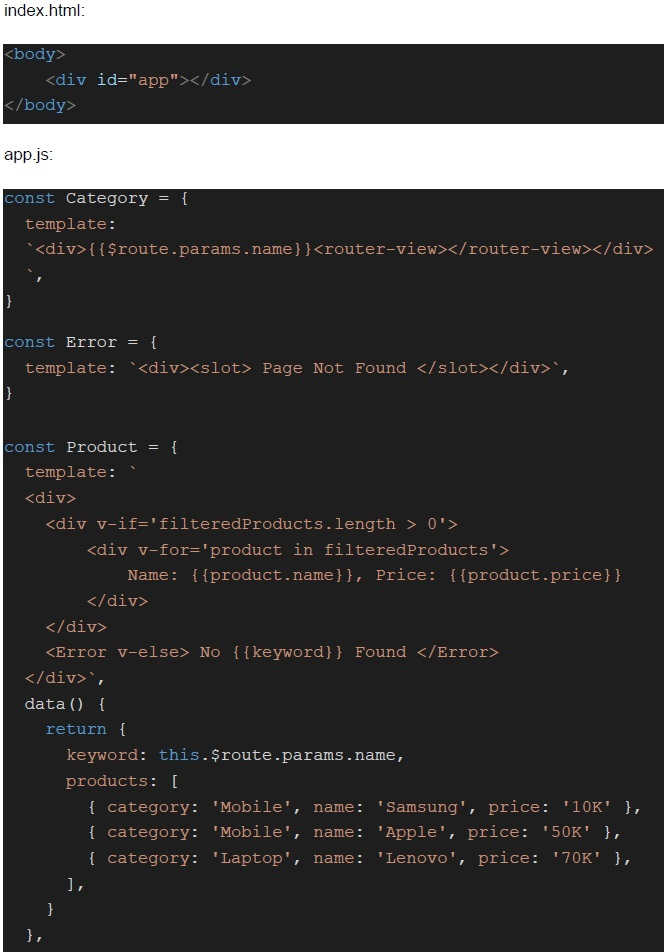 Consider the following Vue application with javascript file “app.js” and markup file “index.html”.
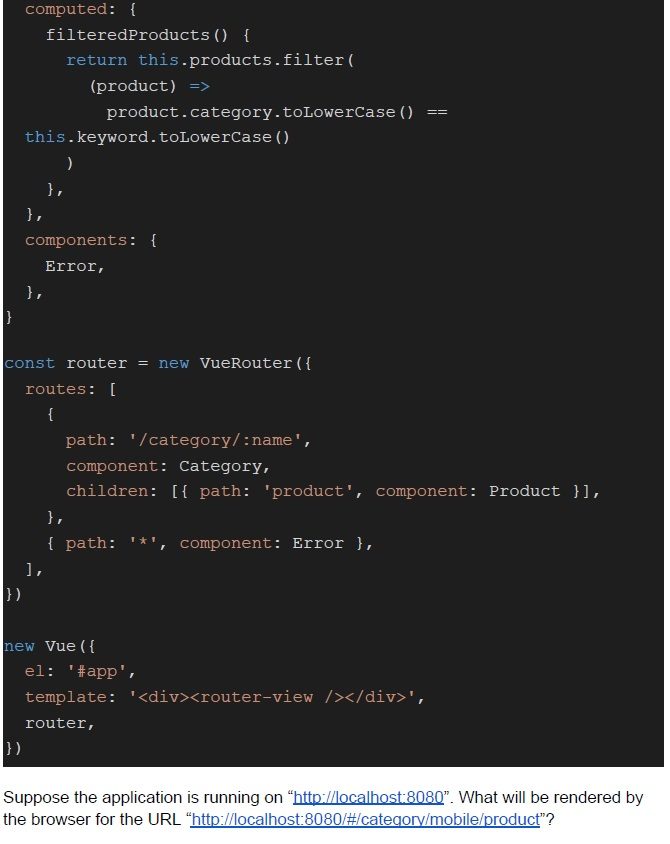 Consider the following Vue application with javascript file “app.js” and markup file “index.html”.
Consider the following Vue application with javascript file “app.js” and markup file “index.html”.
Consider the following Vue application with javascript file “app.js” and markup file “index.html”. Text of the picture (copyable)
index.html:
```html
<body>
    <div id="app"></div>
</body>
```

app.js:
```javascript
const Category = {
    template:
        `<div>{{ $route.params.name }}<router-view></router-view></div>`,
}

const Error = {
    template: `<div><slot> Page Not Found </slot></div>`,
}

const Product = {
    template: `
        <div>
            <div v-if='filteredProducts.length > 0'>
                <div v-for='product in filteredProducts'>
                    Name: {{ product.name }}, Price: {{ product.price }}
                </div>
            </div>
            <Error v-else> No {{keyword}} Found </Error>
        </div>`,
    data() {
        return {
            keyword: this.$route.params.name,
            products: [
                { category: 'Mobile', name: 'Samsung', price: '10K' },
                { category: 'Mobile', name: 'Apple', price: '50K' },
                { category: 'Laptop', name: 'Lenovo', price: '70K' },
            ],
        }
    },
```
```javascript
computed: {
  filteredProducts() {
    return this.products.filter(
      (product) =>
      product.category.toLowerCase() ==
      this.keyword.toLowerCase()
    )
  },
},
components: {
  Error,
},

const router = new VueRouter({
  routes: [{
    path: '/category/:name',
    component: Category,
    children: [{
      path: 'product',
      component: Product
    }],
  }, {
    path: '*',
    component: Error
  }, ],
})

new Vue({
  el: '#app',
  template: '<div><router-view /></div > ',
  router,
})
```
Suppose the application is running on “http://localhost:8080”. What will be rendered by the browser for the URL “http://localhost:8080/#/category/mobile/product”?
text
Page Not Found

text
laptop
Name: Lenovo, Price: 70K

text
desktop
No desktop Found
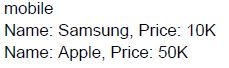
text
mobile
Name: Samsung, Price: 10K
Name: Apple, Price: 50K
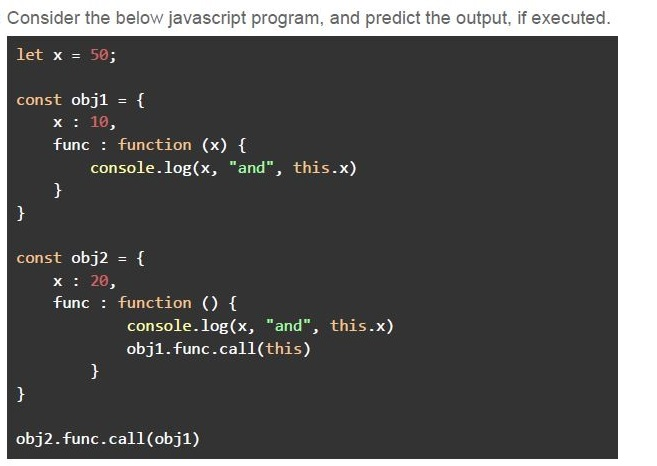
Text of the picture (copyable)
Consider the below javascript program, and predict the output, if executed.

```javascript
let x = 50;

const obj1 = {
  x: 10,
  func: function(x) {
    console.log(x, "and", this.x)
  }
}

const obj2 = {
  x: 20,
  func: function() {
    console.log(x, "and", this.x)
    obj1.func.call(this)
  }
}

obj2.func.call(obj1)
```- 50 and 10undefined and 20
- 50 and 10undefined and 10
- 50 and 2050 and 20
- 20 and 1050 and 10
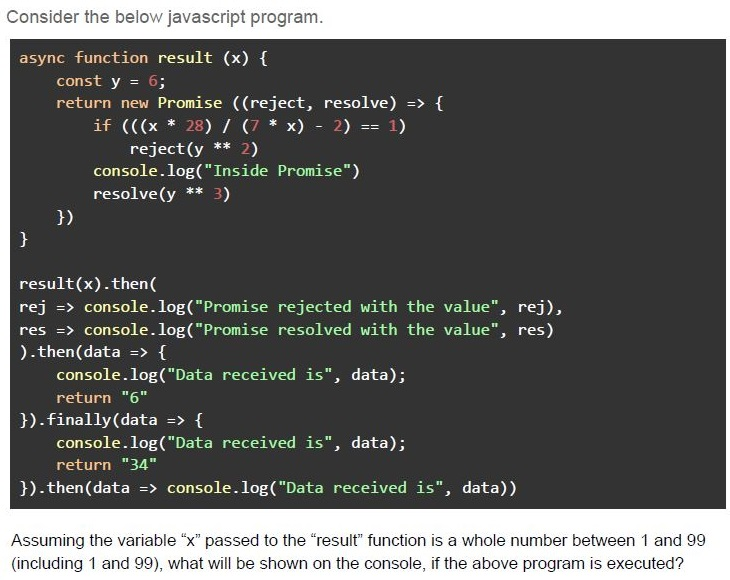
Text of the picture (copyable)
Consider the below javascript program.

```javascript
async function result (x) {
  const y = 6;
  return new Promise (((reject, resolve) => {
    if ((((x * 28) / (7 * x) - 2) == 1))
      reject(y ** 2)
    console.log("Inside Promise")
    resolve(y ** 3)
  }))
}

result(x).then(
  rej => console.log("Promise rejected with the value", rej),
  res => console.log("Promise resolved with the value", res)
).then(data => {
  console.log("Data received is", data);
  return "6"
}).finally(data => {
  console.log("Data received is", data);
  return "34"
}).then(data => console.log("Data received is", data))
```

Assuming the variable "x" passed to the "result" function is a whole number between 1 and 99 (including 1 and 99), what will be shown on the console, if the above program is executed?- Promise resolved with the value 36Data received is 36Data received is 6Data received is 34
- Inside PromisePromise rejected with the value 36Data received is undefinedData received is undefinedData received is 34
- Promise rejected with the value 216Data received is undefinedData received is undefinedData received is 34
- Inside PromisePromise rejected with the value 216Data received is undefinedData received is undefinedData received is 6
Which of the following statement(s) is/are true regarding javascript?
- The “this” reference always refers to the global object inside an arrow function.
- The “call” and “apply” functions are the same, if the calling function doesn’taccept any arguments.
- A variable, declared using “var” outside any function, is accessible throughoutthe program.
- All of these
Text of the picture (copyable)
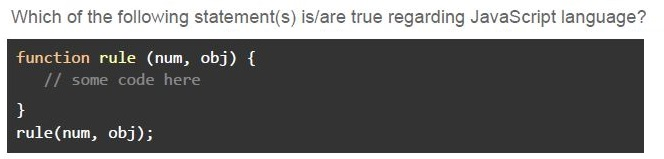
Which of the following statement(s) is/are true regarding JavaScript language?
```javascript
function rule (num, obj) {
  // some code here
}
rule(num, obj);
```- In the above function call, the variable “num” is passed by value, assuming it tobe holding a string literal.
- In the above function call, the variable “obj” is passed by reference, assuming itto be holding an object.
- A variable declared using the keyword “var” will have the value “null”, until it isinitialized.
- All of these
Text of the picture (copyable)
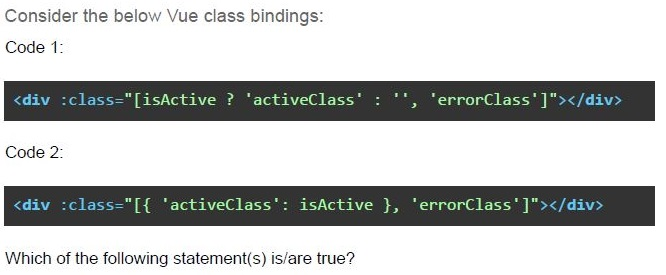
Consider the below Vue class bindings:
Code 1:

```html
<div :class="[isActive ? 'activeClass' : '', 'errorClass']"></div>
```

Code 2:

```html
<div :class="[{ 'activeClass': isActive }, 'errorClass']"></div>
```

Which of the following statement(s) is/are true?- Both the code snippets will render the same HTML.
- Both the code snippets will render the different HTML.
- The code snippet 2 will always render the element div with class “activeClass”,and “errorClass” will only be applied, if the data variable “isActive” is truthy.
- The code snippet 1 will always render the element div with class “errorClass”,and “activeClass” will only be applied”, if the data variable “isActive” is truthy.
Which of the following statement(s) is/are correct in the context of REST and GraphQL?
- Both REST and GraphQL are software architectural styles.
- Both REST and GraphQL are in general used for fetching data from a remotestorage.
- Every API must adhere to all the REST principles.
- In GraphQL, a write operation should be performed explicitly via a mutation, ingeneral.
Answer key
- Q1 (MCQ, 3 marks): C
- Q2 (MCQ, 3 marks): B
- Q3 (MCQ, 3 marks): A
- Q4 (MCQ, 3 marks): C
- Q5 (MCQ, 3 marks): A
- Q6 (MCQ, 3 marks): C
- Q7 (MCQ, 2 marks): C
- Q8 (MCQ, 2 marks): C
- Q9 (MCQ, 4.5 marks): C
- Q10 (MCQ, 4.5 marks): D
- Q11 (MCQ, 4.5 marks): B
- Q12 (MCQ, 4.5 marks): D
- Q13 (MSQ, 3 marks): B, C
- Q14 (MSQ, 3 marks): A, B
- Q15 (MSQ, 2 marks): A, D
- Q16 (MSQ, 2 marks): B, D