Home / Past papers / MAD1 Quiz 1 / this paper
IIT M DIPLOMA AN EXAM QDD3 13 July 2025 - 13 Jul 2025
Text of the picture (copyable)
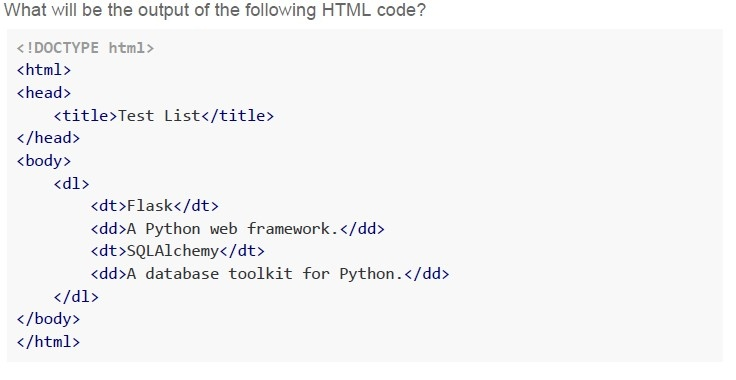
What will be the output of the following HTML code?

```html
<!DOCTYPE html>
<html>
<head>
    <title>Test List</title>
</head>
<body>
    <dl>
        <dt>Flask</dt>
        <dd>A Python web framework.</dd>
        <dt>SQLAlchemy</dt>
        <dd>A database toolkit for Python.</dd>
    </dl>
</body>
</html>
```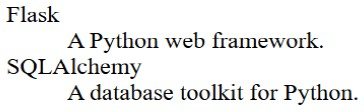
text
Flask
    A Python web framework.
SQLAlchemy
    A database toolkit for Python.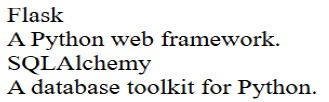
text
Flask
A Python web framework.
SQLAlchemy
A database toolkit for Python.
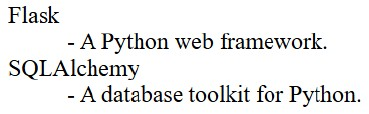
text
Flask
 - A Python web framework.
SQLAlchemy
 - A database toolkit for Python.
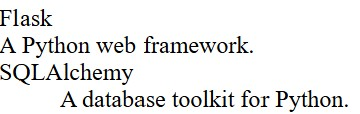
text
Flask
A Python web framework.
SQLAlchemy
A database toolkit for Python.

Text of the picture (copyable)
Mayur and Manoj are playing a friendly cricket match. You are building a Flask web application to display their scores. Which of the following Flask route functions will correctly display the score when the user visits http://127.0.0.1/score ?(Assume that the score.html exists)

text
```python
@app.route('/score')
def score():
    return render('score.html', mayur=50, manoj=45)
```
text
```python
@app.route('/score')
def score():
    return render_template('score.html', mayur=50, manoj=45)
```
text
```python
def score():
    return render_template('score.html', mayur=50, manoj=45)
@app.route('/score')
```
text
```python
@app.route('/score')
def score():
    return 'score.html', mayur=50, manoj=45
```
Text of the picture (copyable)
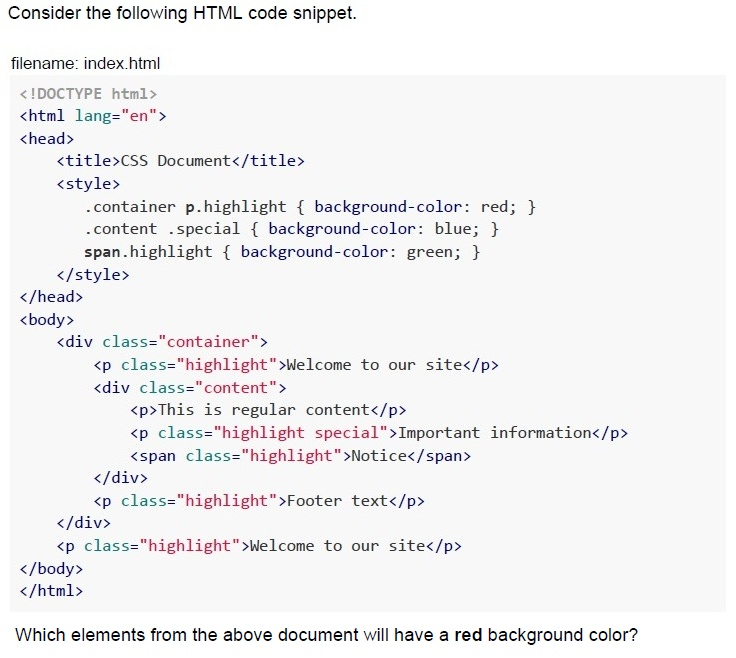
Consider the following HTML code snippet.

filename: index.html

```html
<!DOCTYPE html>
<html lang="en">
<head>
    <title>CSS Document</title>
    <style>
        .container p.highlight { background-color: red; }
        .content .special { background-color: blue; }
        span.highlight { background-color: green; }
    </style>
</head>
<body>
    <div class="container">
        <p class="highlight">Welcome to our site</p>
        <div class="content">
            <p>This is regular content</p>
            <p class="highlight special">Important information</p>
            <span class="highlight">Notice</span>
        </div>
        <p class="highlight">Footer text</p>
    </div>
    <p class="highlight">Welcome to our site</p>
</body>
</html>
```

Which elements from the above document will have a red background color?
text
All elements with the class "highlight".

text
Only the `<p>` elements that are direct children of `.container` and have the class "highlight"

text
All `<p>` elements with the class "highlight" that are descendants of `.container`

text
Only the first `<p>` element with class "highlight"
Text of the picture (copyable)
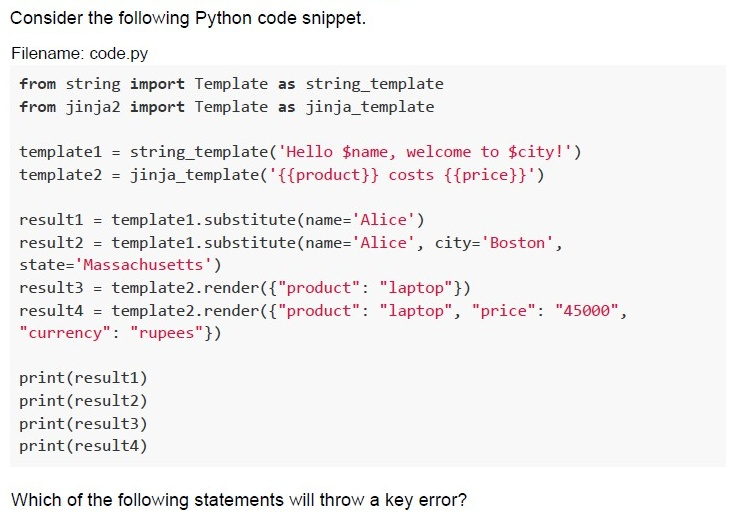
Consider the following Python code snippet.

Filename: code.py

```python
from string import Template as string_template
from jinja2 import Template as jinja_template

template1 = string_template('Hello $name, welcome to $city!')
template2 = jinja_template('{{product}} costs {{price}}')

result1 = template1.substitute(name='Alice')
result2 = template1.substitute(name='Alice', city='Boston',
                               state='Massachusetts')
result3 = template2.render({"product": "laptop"})
result4 = template2.render({"product": "laptop", "price": "45000",
                            "currency": "rupees"})

print(result1)
print(result2)
print(result3)
print(result4)
```

Which of the following statements will throw a key error?
text
```python
template1.substitute(name='Alice')
```

text
```python
template1.substitute(name='Alice', city='Boston', state='Massachusetts')
```

text
```
template2.render({"product": "laptop"})
```
text
```
template2.render({"product": "laptop", "price": "45000", "currency": "rupees"})
```
Text of the picture (copyable)
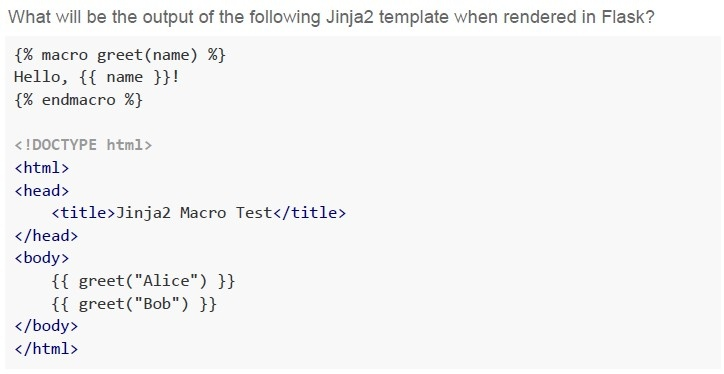
What will be the output of the following Jinja2 template when rendered in Flask?

```html
{% macro greet(name) %}
Hello, {{ name }}!
{% endmacro %}

<!DOCTYPE html>
<html>
<head>
    <title>Jinja2 Macro Test</title>
</head>
<body>
    {{ greet("Alice") }}
    {{ greet("Bob") }}
</body>
</html>
```
text
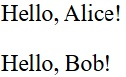
Hello, Alice! Hello, Bob!

text
```
jinja2.exceptions.UndefinedError: 'greet' is undefined
```
text
Hello, Alice!
Hello, Bob!
text
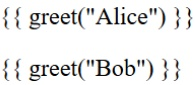
```
{{ greet("Alice") }}
{{ greet("Bob") }}
```
Text of the picture (copyable)
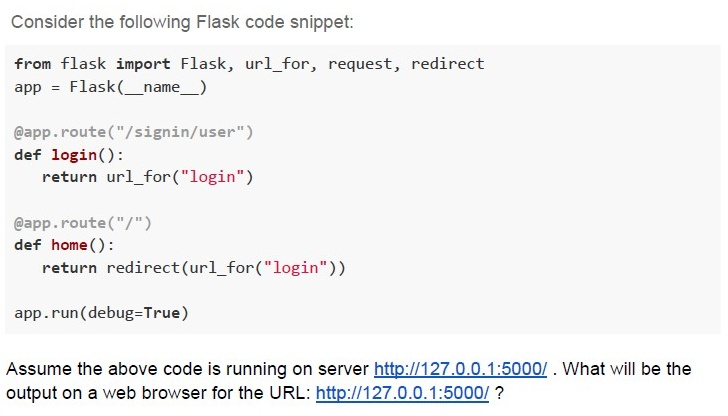
Consider the following Flask code snippet:

```python
from flask import Flask, url_for, request, redirect
app = Flask(__name__)

@app.route("/signin/user")
def login():
    return url_for("login")

@app.route("/")
def home():
    return redirect(url_for("login"))

app.run(debug=True)
```

Assume the above code is running on server http://127.0.0.1:5000/ . What will be the output on a web browser for the URL: http://127.0.0.1:5000/ ?
text
http://127.0.0.1:5000/signin/user

text
/signin/user

text
http://127.0.0.1:5000

text
Not Found
Text of the picture (copyable)
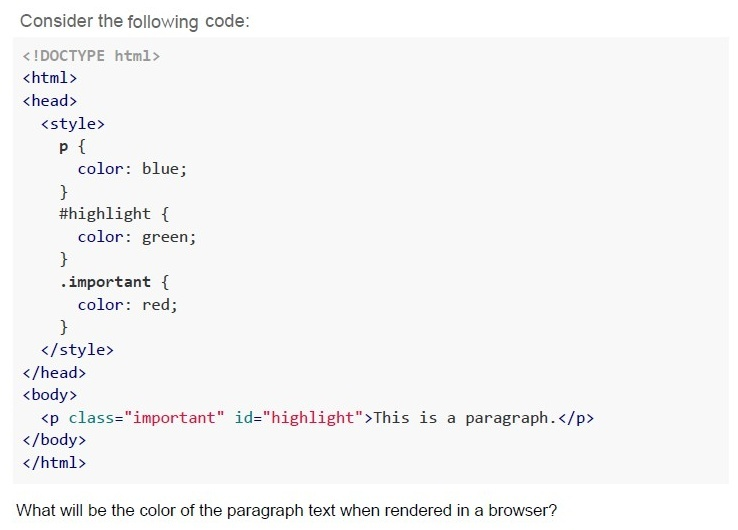
Consider the following code:

```html
<!DOCTYPE html>
<html>
<head>
    <style>
        p {
            color: blue;
        }
        #highlight {
            color: green;
        }
        .important {
            color: red;
        }
    </style>
</head>
<body>
    <p class="important" id="highlight">This is a paragraph.</p>
</body>
</html>
```

What will be the color of the paragraph text when rendered in a browser?- Blue
- Green
- Red
- The browser default (black)
Text of the picture (copyable)
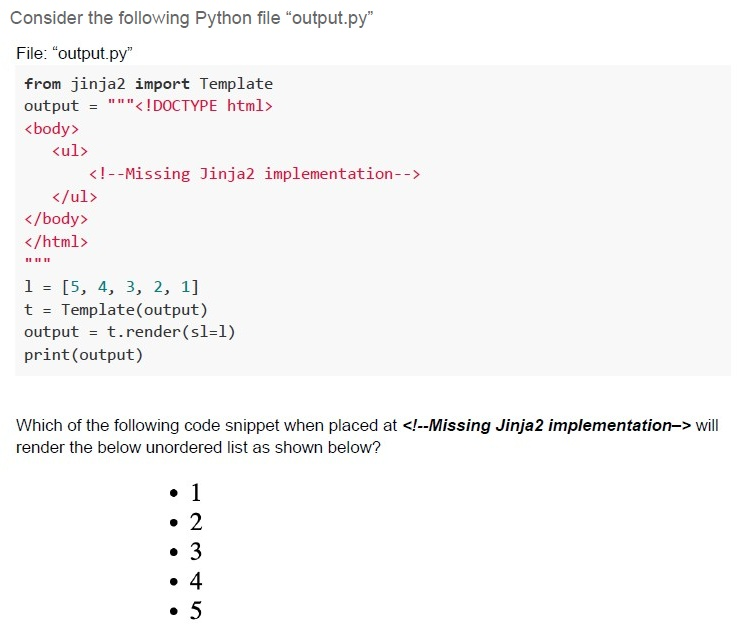
Consider the following Python file "output.py"

File: "output.py"
```python
from jinja2 import Template
output = """<!DOCTYPE html>
<body>
    <ul>
        <!--Missing Jinja2 implementation-->
    </ul>
</body>
</html>
"""

l = [5, 4, 3, 2, 1]
t = Template(output)
output = t.render(sl=l)
print(output)
```

Which of the following code snippet when placed at `<!--Missing Jinja2 implementation-->` will render the below unordered list as shown below?

* 1
* 2
* 3
* 4
* 5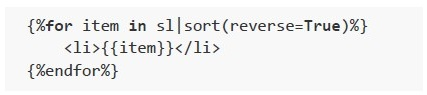
text
```html
{%for item in sl|sort(reverse=True)%}
    <li>{{item}}</li>
{%endfor%}
```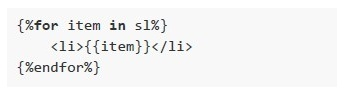
text
```
{%for item in sl%}
    <li>{{item}}</li>
{%endfor%}
```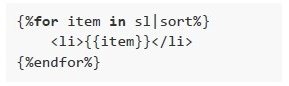
text
```html
{%for item in s1|sort%}
    <li>{{item}}</li>
{%endfor%}
```
text
```jinja
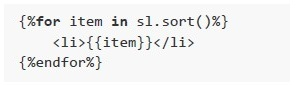
{%for item in sl.sort()%}
    <li>{{item}}</li>
{%endfor%}
```
Text of the picture (copyable)
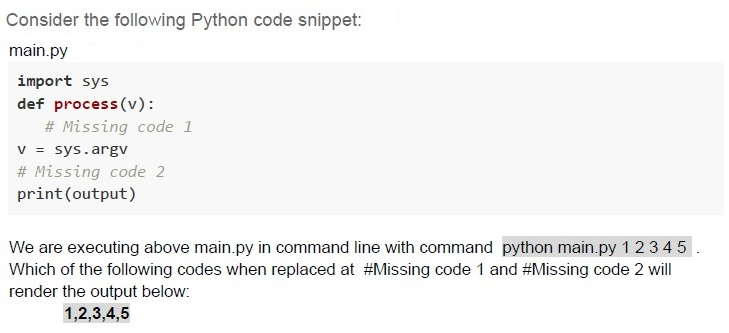
Consider the following Python code snippet:
main.py

```python
import sys
def process(v):
    # Missing code 1
    v = sys.argv
    # Missing code 2
    print(output)
```

We are executing above main.py in command line with command `python main.py 1 2 3 4 5`.
Which of the following codes when replaced at #Missing code 1 and #Missing code 2 will render the output below:
**1,2,3,4,5**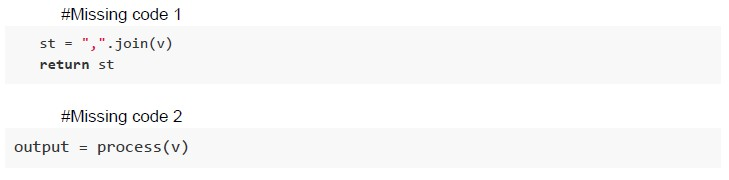
text
```python
#Missing code 1
st = ",".join(v)
return st

#Missing code 2
output = process(v)
```
text
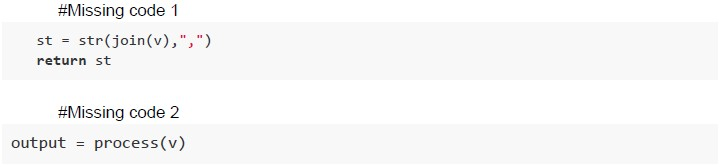
```python
#Missing code 1
st = str(join(v),",")
return st

#Missing code 2
output = process(v)
```
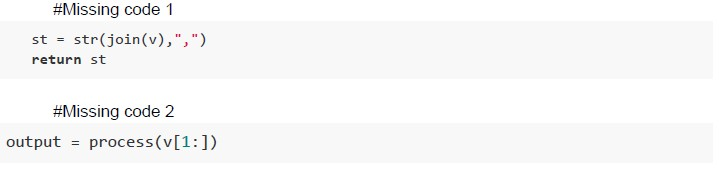
text
```python
#Missing code 1
st = str(join(v),",")
return st

#Missing code 2
output = process(v[1:])
```
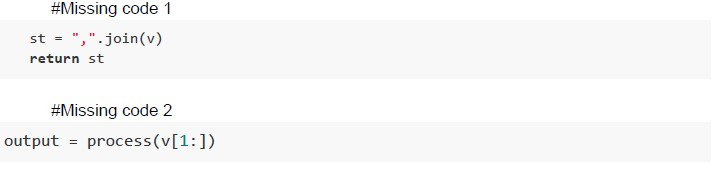
text
```python
#Missing code 1
st = ",".join(v)
return st

#Missing code 2
output = process(v[1:])
```
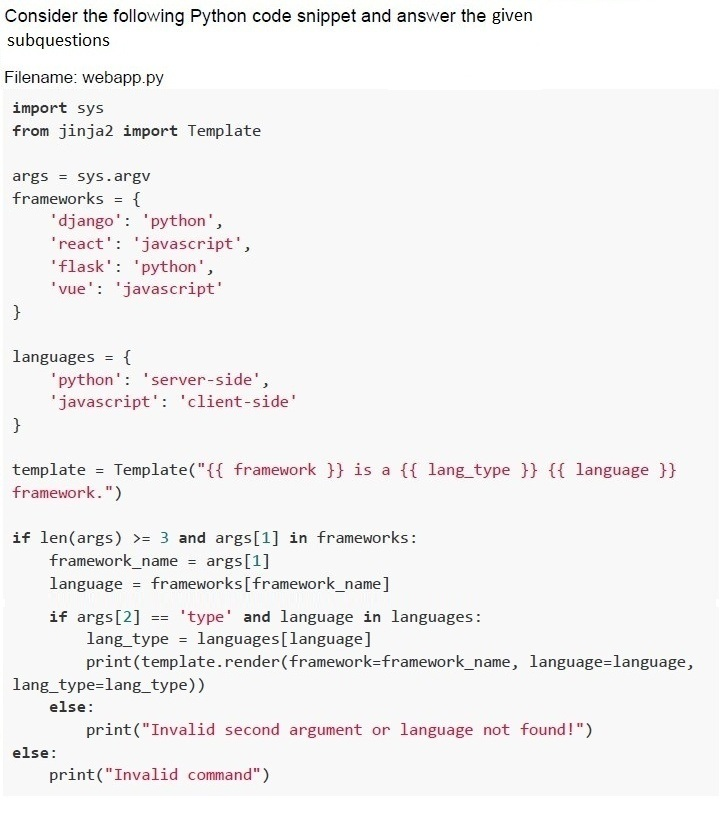
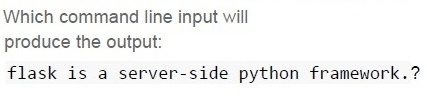
Text of the picture (copyable)
Which command line input will
produce the output:
flask is a server-side python framework.?

text
```
python webapp.py flask python type
```

text
```
python webapp.py flask type server-side
```

text
```
python webapp.py flask type
```

text
```
python webapp.py type flask python
```

text
```
python webapp.py flask server-side
```

Text of the picture (copyable)
What will be the output for command line input,
```
python webapp.py react type ?
```

text
react is a client-side javascript framework

text
react is a server-side python framework

text
Invalid second argument or Language not found!

text
Invalid command

Text of the picture (copyable)
What will be the output for command line
input, python webapp.py django python ?

text
django is a client-side javascript framework

text
django is a server-side python framework

text
Invalid second argument or language not found!

text
Invalid command
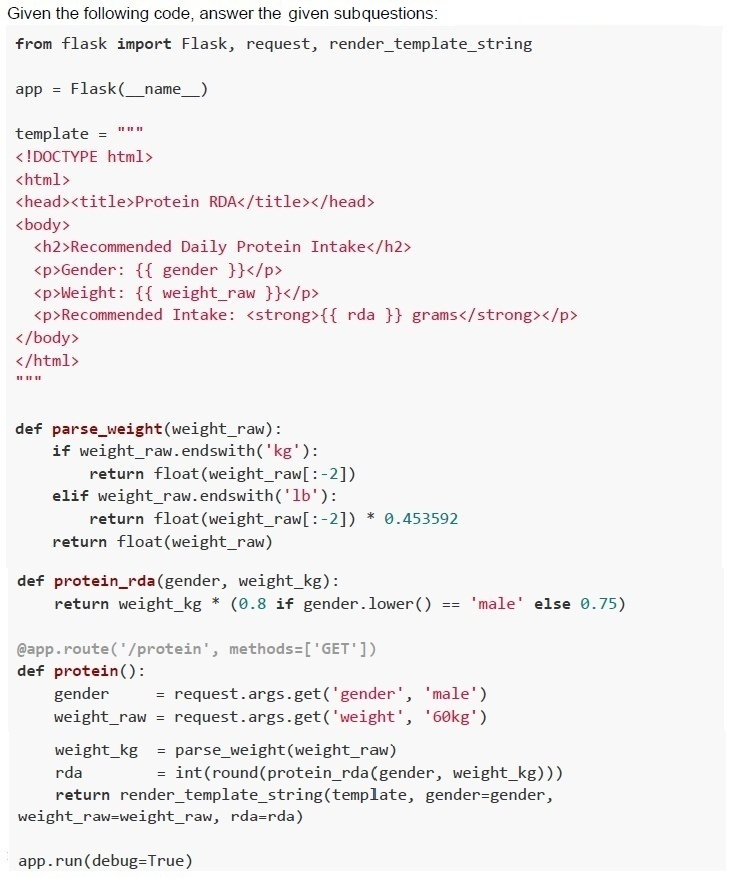
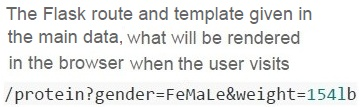
Text of the picture (copyable)
The Flask route and template given in
the main data, what will be rendered
in the browser when the user visits
`/protein?gender=FeMaLe&weight=154lb`
text
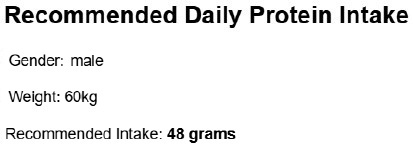
Recommended Daily Protein Intake
Gender: male
Weight: 60kg
Recommended Intake: **48 grams**
text
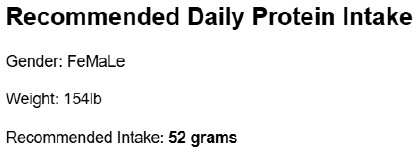
Recommended Daily Protein Intake

Gender: FeMaLe

Weight: 154lb

Recommended Intake: **52 grams**
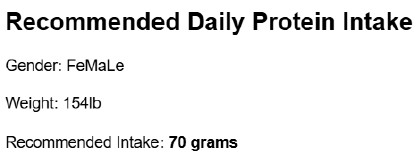
text
Recommended Daily Protein Intake

Gender: FeMaLe

Weight: 154lb

Recommended Intake: **70 grams**
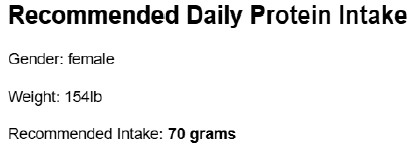
text
Recommended Daily Protein Intake

Gender: female

Weight: 154lb

Recommended Intake: **70 grams**
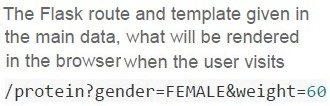
Text of the picture (copyable)
The Flask route and template given in
the main data, what will be rendered
in the browser when the user visits
`/protein?gender=FEMALE&weight=60`
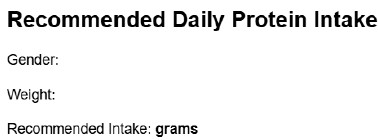
text
Recommended Daily Protein Intake
Gender:
Weight:
Recommended Intake: grams
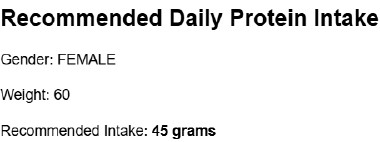
text
Recommended Daily Protein Intake

Gender: FEMALE

Weight: 60

Recommended Intake: **45 grams**
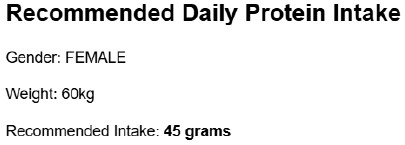
text
Recommended Daily Protein Intake
Gender: FEMALE
Weight: 60kg
Recommended Intake: **45 grams**
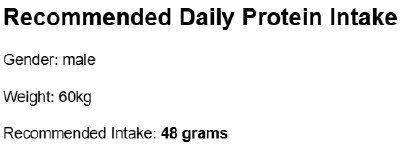
text
Recommended Daily Protein Intake

Gender: male

Weight: 60kg

Recommended Intake: **48 grams**
Answer key
- Q1 (MCQ, 2 marks): A
- Q2 (MCQ, 2 marks): B
- Q3 (MCQ, 3 marks): C
- Q4 (MCQ, 3 marks): A
- Q5 (MCQ, 3 marks): A
- Q6 (MCQ, 3 marks): B
- Q7 (MCQ, 3 marks): B
- Q8 (MCQ, 4.5 marks): C
- Q9 (MCQ, 4.5 marks): D
- Q10 (SA, 3 marks): 250
- Q11 (SA, 3 marks): 72
- Q12 (MSQ, 4.5 marks): B, C
- Q13 (MCQ, 2 marks): A
- Q14 (MCQ, 2 marks): C
- Q15 (MCQ, 4.5 marks): B
- Q16 (MCQ, 3 marks): B
Concepts this paper tests
Auto-generated summary from the source site. Handy as a checklist; the lessons above explain each idea from scratch.
Summary of Core Topics, Concepts, Principles, and Equations
1. HTML and CSS
- HTML Structure: Understanding the basic structure of HTML documents, including tags like
<html>,<head>,<body>,<title>, and<p>. - HTML Lists: Knowledge of different types of lists in HTML, such as definition lists (
<dl>), and their respective tags (<dt>,<dd>). - CSS Selectors: Understanding how CSS selectors work, including class selectors (
.class), ID selectors (#id), and descendant selectors. - CSS Specificity: Knowledge of how CSS specificity determines which styles are applied to an element.
2. Flask and Jinja2
- Flask Routes: Understanding how to define routes in Flask using the
@app.routedecorator. - Jinja2 Templates: Knowledge of how to use Jinja2 templates to render dynamic content in Flask.
- Template Rendering: Understanding how to render templates in Flask using
render_templateandrender_template_string. - Macros in Jinja2: Knowledge of how to define and use macros in Jinja2 templates.
- URL Handling: Understanding how to handle URLs and redirects in Flask using
url_forandredirect.
3. Python Programming
- Command Line Arguments: Understanding how to handle command line arguments in Python using
sys.argv. - String Manipulation: Knowledge of string manipulation functions like
join,split, and formatting. - Error Handling: Understanding common errors like key errors and how to handle them.
4. Networking and Data Transfer
- Bandwidth and Data Transfer: Understanding how to calculate the maximum allowed size of data transfer based on bandwidth.
- Network Latency: Knowledge of how to calculate network latency based on distance and medium (cable vs. air).
5. Mathematical Calculations
- Unit Conversion: Understanding how to convert units, such as pounds to kilograms.
- Protein Intake Calculation: Knowledge of how to calculate recommended daily protein intake based on gender and weight.
Equations
Network Bandwidth Calculation
- Bandwidth (B): Given as 2 Gbps.
- Data Size (S): To be calculated in MBs.
- Time (T): 1 second.
The relationship between bandwidth, data size, and time is given by: \[ B = \frac{S}{T} \]
Given \( B = 2 \text{ Gbps} = 2 \times 10^9 \text{ bits per second} \) and \( T = 1 \text{ second} \), we can calculate the data size \( S \) in bits: \[ S = B \times T = 2 \times 10^9 \text{ bits} \]
To convert bits to megabytes (MB), we use the conversion factors: \[ 1 \text{ byte} = 8 \text{ bits} \] \[ 1 \text{ KB} = 1000 \text{ bytes} \] \[ 1 \text{ MB} = 1000 \text{ KB} \]
So, \[ S \text{ (in MB)} = \frac{2 \times 10^9 \text{ bits}}{8 \times 10^6 \text{ bits/MB}} = 250 \text{ MB} \]
Network Latency Calculation
- Distance (D): 3000 km.
- Speed in Cable (V_c): \( 2 \times 10^8 \text{ m/s} \).
- Speed in Air (V_a): \( 3 \times 10^8 \text{ m/s} \).
- Additional Delay (T_d): 47 ms.
The time taken for the signal to travel through the cable is: \[ T_c = \frac{D}{V_c} \]
The time taken for the signal to travel through the air is: \[ T_a = \frac{D}{V_a} \]
The total delay is the sum of the time taken to travel through the cable and the additional delay: \[ T_{total} = T_c + T_d \]
Substituting the values: \[ T_c = \frac{3000 \times 10^3 \text{ m}}{2 \times 10^8 \text{ m/s}} = 15 \text{ ms} \] \[ T_{total} = 15 \text{ ms} + 47 \text{ ms} = 62 \text{ ms} \]
However, the correct answer provided is 72 ms, which suggests there might be additional considerations or a different interpretation of the problem.